44 / EN
Washer-Dryer
Operating the product
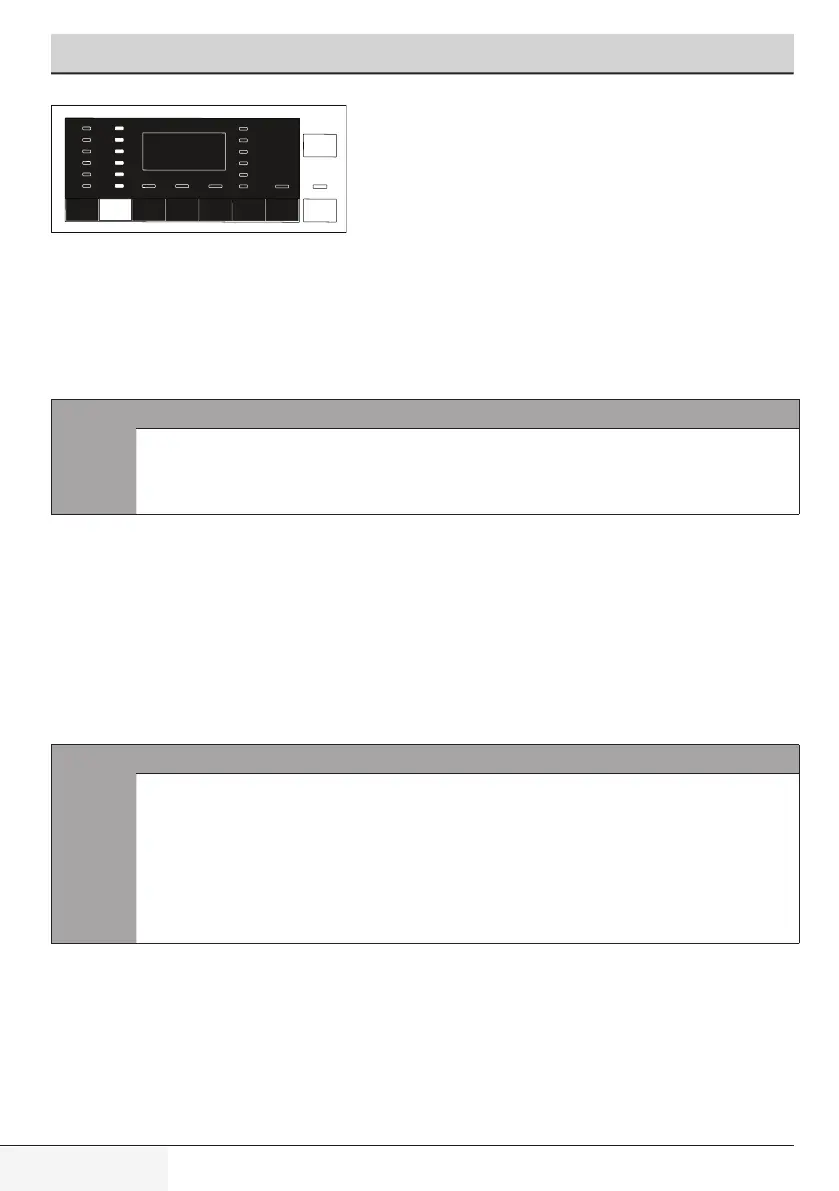
- Adjust the Spin Speed.
- Press Start / Pause / Cancel button. The programme resumes. Machine drains
the water and spins the laundry.
If you want to drain the water at the end of the programme without spinning, use
No Spin function.
C
INFORMATION
• Inprogrammesthatdonotallowspinspeedadjustment,
when Spin Speed adjustment button is pressed, spin
speedlightdoesnotchangeandthebuzzerisheard.
You can also change the Spin Speed after the washing starts. You can select spin
speed by pressing spin speed adjustment button after washing has started but
before the spinning step.
When a new programme is selected, press Auxiliary Function Selection button to
adjust the drying option that is suitable for the selected washing programme.
C
INFORMATION
• In programmes that do not allow drying adjustment,
whenDryingauxiliaryfunctionbuttonispresseddrying
lightdoesnotchangeandthebuzzerisheard.
• Only for drying programmes, press Auxiliary Function
Selectionbuttontoadjustthesuitabledryingoption.


 To Next Page