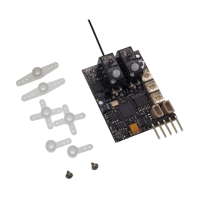
Lemon RX Stabilizer PLUS Receiver – Essential Instructions v.1.5
11
To achieve optimum gain, it is necessary to increase the gain for any axes(s) that did not show oscillation in
the above test. Increase the gain in small increments, testing both Gyro and Autolevel mode, always looking
for oscillation at increased airspeed. When you encounter oscillation, reduce gain by one “hour”.
When the process is completed, the three pots will likely have significantly different settings.
Transmitter with 8 or more Channels (supports Master Gain)
If your transmitter has eight or more channels, channel 8 (Aux3) is devoted to Master Gain and should be
controlled by a knob, lever or slider. Master gain multiplies the individual gain settings by a common factor
on all 3 axes. With this control centred (0%) the gain is 1. In other words, at the central position, Master
Gain will have no effect on the gains set by the individual pots.
To use Master Gain to aid in optimizing gain, test one axis at a time. On the ground, start with the Master
Gain knob on the transmitter centred and the aileron pot on the receiver at 12 o’clock; turn the other two
stabilizer pots fully counter-clockwise (minimum gain). Take off in Gyro mode and adjust Master Gain until
oscillation in the roll axis just occurs during a shallow dive. This may require either an increase or a decrease
in Master Gain. Now repeat for Autolevel and reduce gain further if necessary. You want the Stab to be on
the verge of oscillation, whether for Gyro or Autolevel.
Land and adjust the stabilizer. Let’s say you found that Master Gain at 2 o’clock was the best setting, just
short of oscillation. So you should then set the stabilizer aileron pot to 2 o’clock and return Master Gain to
its mid-position (0% on the transmitter monitor). Record the position of the Aileron pot for future use.
To adjust the pots for the other axes, start by setting the Aileron pot to minimum gain (full counter-
clockwise). Repeat the above process for the Elevator axis, then for Rudder, to find the “just short of
oscillation” settings for each. Finally set all three pots to the positions you have noted and back off Master
Gain “one hour.”
This procedure ensures that setting the Master Gain to the mid-position will always give a reasonable
setting for gain on all axes, even if you have more than one model using a Lemon Stabilizer or StabPLUS. You
may want to turn down Master Gain by an hour to make sure you avoid oscillation.
You may find it helpful to increase Master Gain moderately in turbulent conditions.
After you have set the gain pots and Master Gain to your liking, it’s a good idea to limit the range of travel
on channel 8 (Aux3) to prevent unpleasant surprises if the knob or slider gets moved accidentally. This can
be done using Travel on the Servo Setup menu. Some people prefer to disable Master Gain at this point by
inhibiting channel 8 (Aux3) in the Channel Assign menu. You can always reactivate the channel if you need
to do further adjustments.
Resetting the Stabilizer
Resetting Level and Alignment (Toggle during initialization)
By default, the Stabilizer PLUS uses its built-in settings when initialized, based on the assumption that the
stabilizer is mounted upright and level and accurately aligned with the flight direction. To compensate for
any variations, the stabilizer can be reset by performing a “toggle gesture” during the initialization process.



 To Next Page