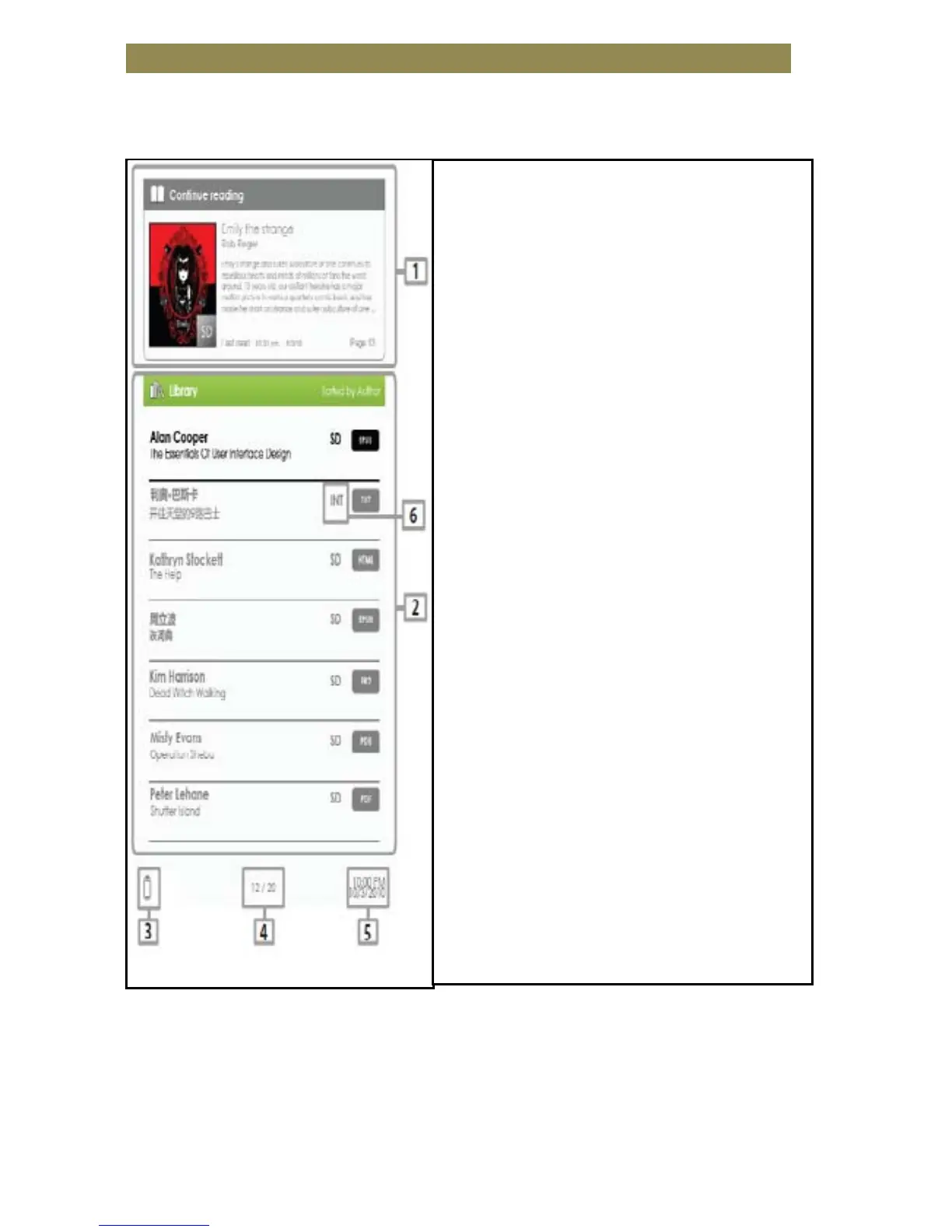
Starting from the home screen
When the Reader is turned on, you will enter the home screen.
•
•
•
•
• Library
•
• Battery Indicator
•
• Page Number
•
• Time & Date
•
•
•
•
•
-displays the page of the last
read book. Press the <OK>
button to open the last read
page.
displays the list of books
available. Move the cursor to
desired book and press the <OK>
button to open it.
3. Battery Indicator
-
displays the battery status
during operation.
4. Page Number
-
displays the current page
number and total available
pages.
5. Time & Date
-displays the current time and
date, you can set this from the
[Settings].
6. File Directory
- indicates the location where the
file is stored. SD means stored on
the SD card, INT meansstored in
the internal memory.
Getting Started 5



 To Next Page