Chapter 1. Product overview
This chapter provides basic information to help you get familiar with your computer.
Hardware locations
This section provides information about the locations of your computer hardware.
Front view
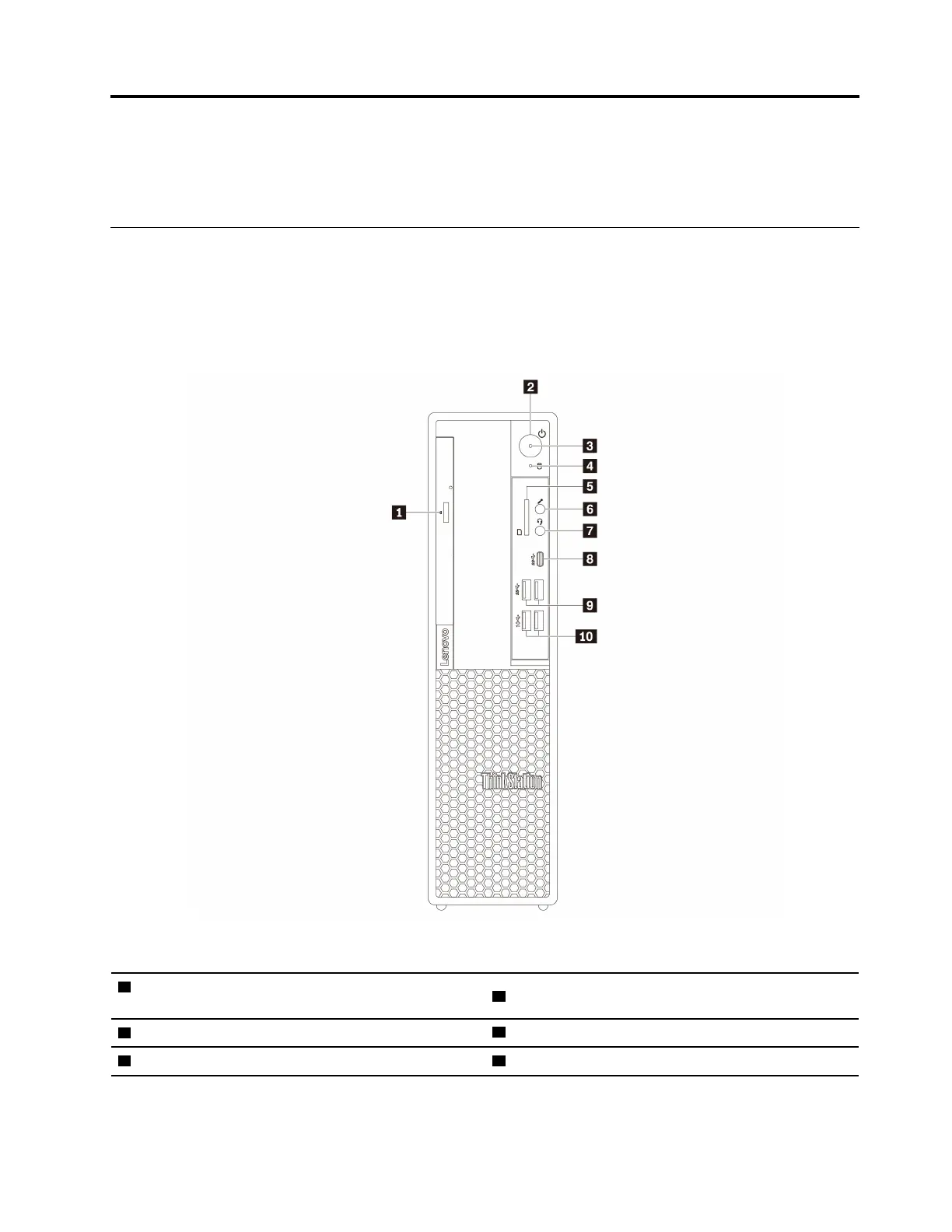
Note: The computer hardware might look slightly different from the illustration.
Figure 1. Front connectors, controls, and indicators
1 Slim-optical-drive eject button (available on some
models)
2 Power button
3 Power indicator
4 Storage drive activity indicator
5 SD card slot (available on some models)
6 Microphone connector
© Copyright Lenovo 2020 1


![Preview: Lenovo F0B2 [C20-30]](https://data.easymanua.ls/products/594284/200x200/lenovo-f0b2-c20-30.webp)

 To Next Page