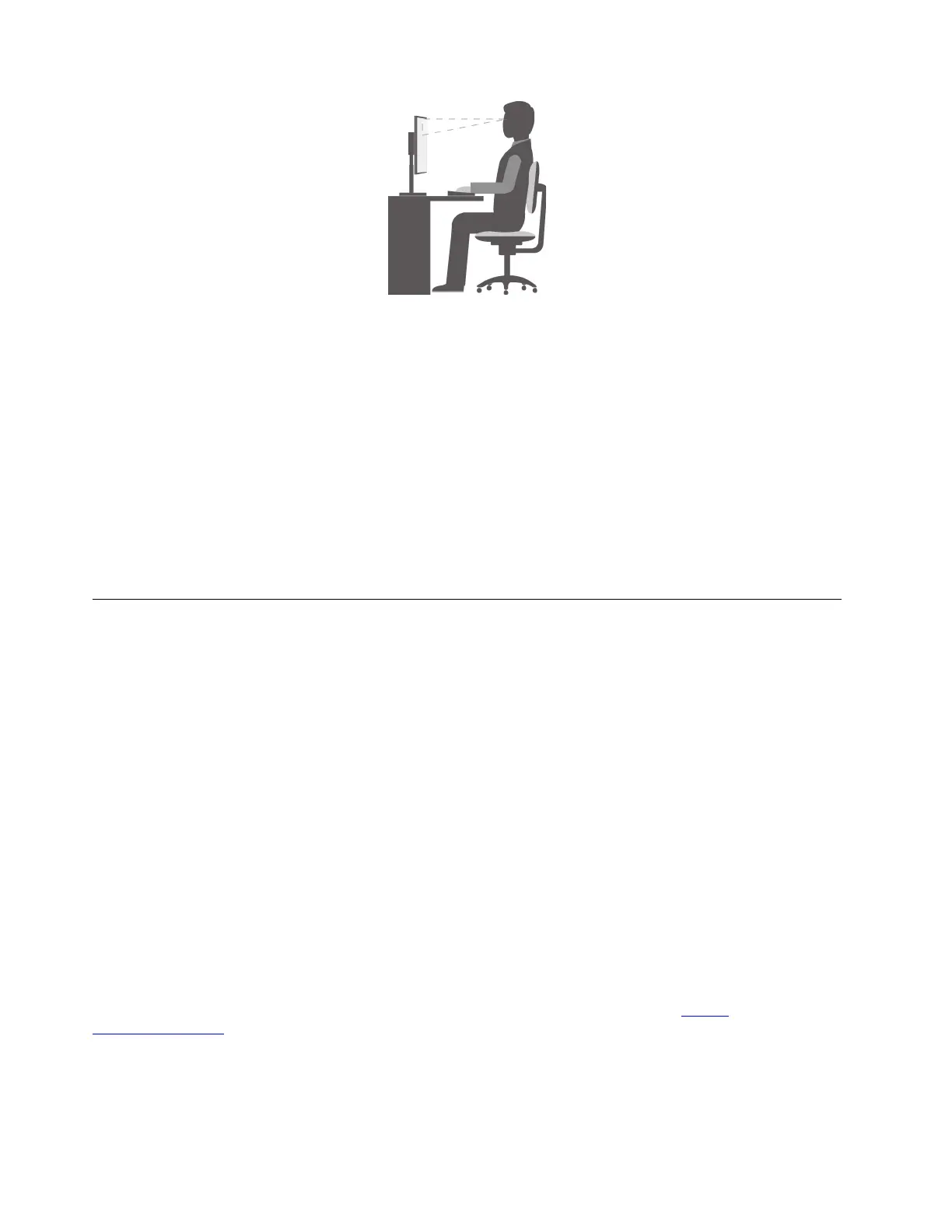
• Screen position: Keep the screen at a comfortable viewing distance, usually 51–61 cm (20–24 inches).
Then, adjust the screen so that the top of the screen is at or slightly below eye level and you can view it
without twisting your body.
• Chair position: Use a chair that gives you good back support and seat height adjustment. Use chair
adjustments to best suit your desired posture.
• Head position: Keep your head and neck in a comfortable and neutral (vertical or upright) position.
• Arm and hand positions: Keep your forearms, wrists, and hands in a relaxed and neutral (horizontal)
position. Type with a soft touch without pounding the keys.
• Leg position: Keep your thighs parallel to the floor and your feet flat on the floor or on a footrest.
Make minor modifications in your working posture to deter the onset of discomfort caused by long periods of
working in the same position. Frequent short breaks from your work also help to prevent minor discomfort
associated with your working posture.
Keeping your computer current
In most cases, it is a good practice to have the most up-to-date operating system update patches, software
programs, and device drivers. This section provides instructions on how to get the latest updates for your
computer.
Getting the latest system updates
To get the latest system updates for your computer, ensure that your computer is connected to the Internet
and do one of the following:
• Open Lenovo Vantage to check the available update packages. If the latest update package is available,
follow the on-screen instructions to download and install the package.
To open the Lenovo Vantage program, see “Accessing a program on your computer” on page 14.
• Use Windows Update to get the system updates, such as security fixes, new versions of Windows
components, and device driver updates.
1. Click the Start button to open the Start menu.
2. Click Settings ➙ Update & Security ➙ Windows Update.
3. Follow the instructions on the screen.
Note: The device drivers provided by Windows Update might not be tested by Lenovo. It is recommended
that you get device drivers by using Lenovo programs or from the Lenovo Web site at
https://
support.lenovo.com
.
22
P330 User Guide




![Preview: Lenovo F0B2 [C20-30]](https://data.easymanua.ls/products/594284/200x200/lenovo-f0b2-c20-30.webp)


 To Next Page