Internal storage drives
Internal storage drives are devices that your computer uses to read and store data. You can add drives to
your computer to increase storage capacity and enable your computer to read other types of media. Internal
storage drives are installed in bays.
When you remove or install an internal storage drive, note the type and size of the drive that each bay
supports and correctly connect the required cables. Refer to the appropriate section in Chapter 7 “Hardware
removal and installation” on page 53 for instructions on how to remove or install internal storage drives for
your computer.
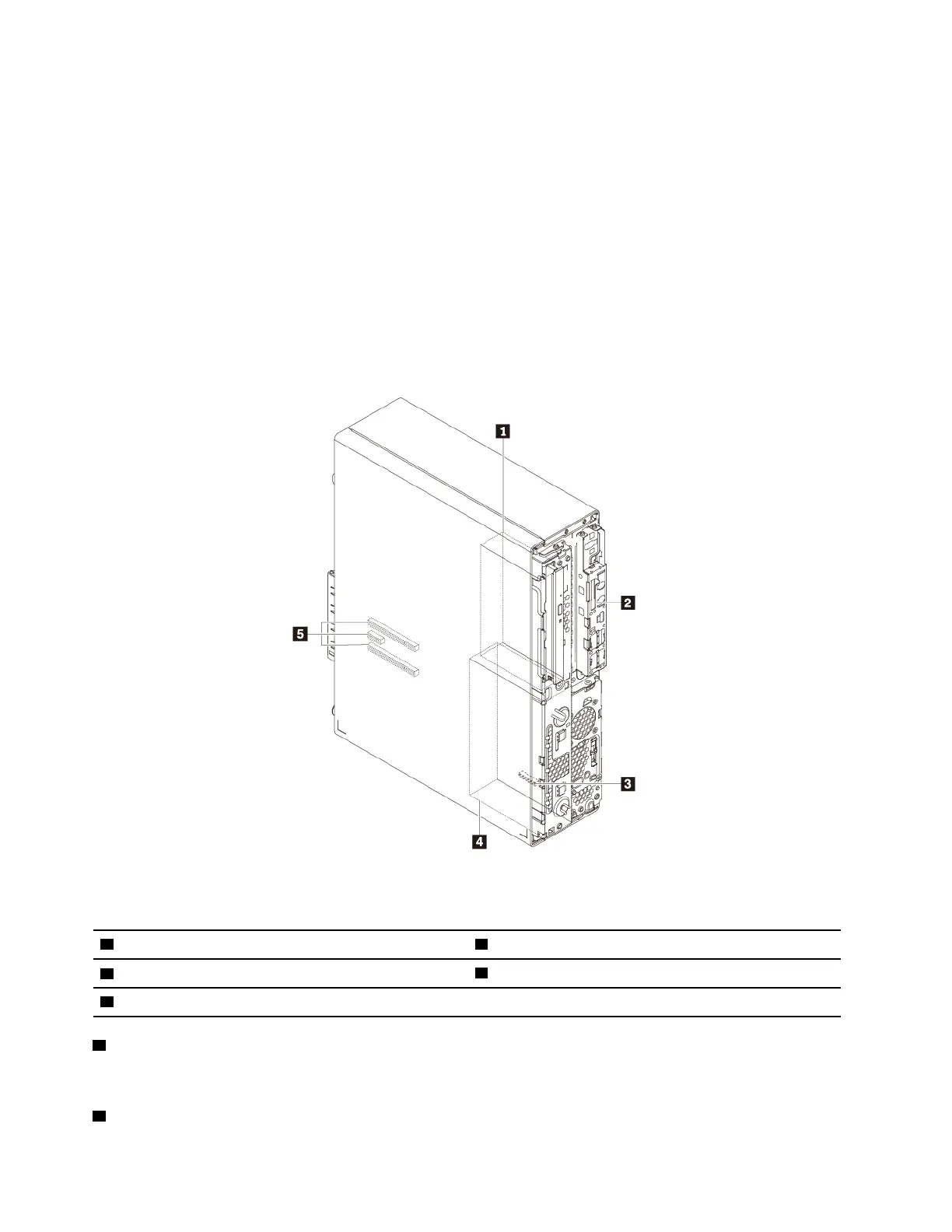
The following illustration shows the locations of the storage drive bays.
Note: The computer hardware might look slightly different from the illustration.
Figure 5. Storage drive bay locations
1 Storage drive cage (available on some models)
2 SD card slot (available on some models)
3 M.2 solid-state drive slot
4 Storage drive bay
5 PCIe card slots (3)
1 Storage drive cage (available on some models)
You can install hard disk drives or solid-state drives in the storage drive cage.
2 SD card slot (available on some models)
8
P330 User Guide




![Preview: Lenovo F0B2 [C20-30]](https://data.easymanua.ls/products/594284/200x200/lenovo-f0b2-c20-30.webp)


 To Next Page