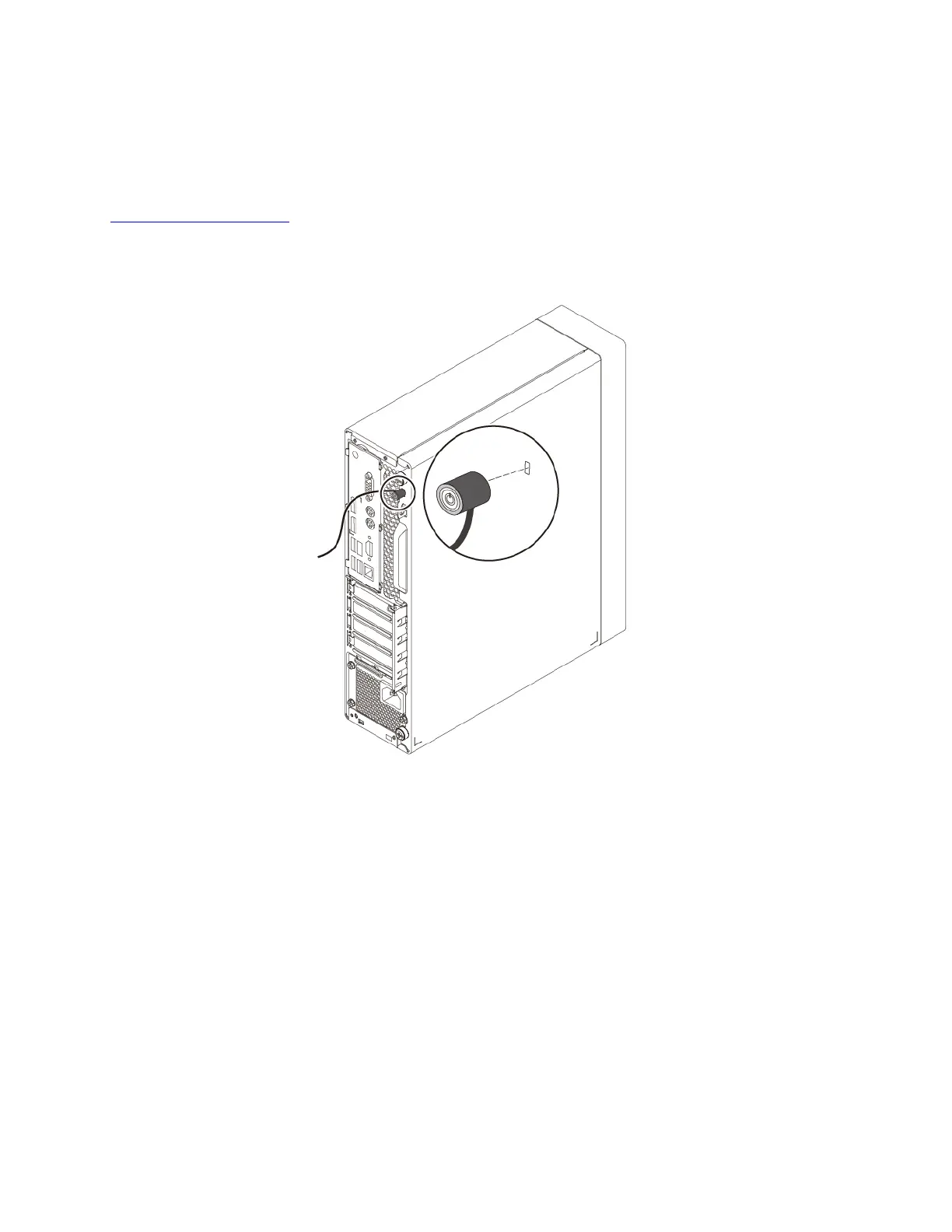
Attaching a Kensington-style cable lock
You can use a Kensington-style cable lock to secure your computer to a desk, table, or other non-permanent
fixture. The cable lock attaches to the security-lock slot at the rear of your computer. Depending on the type
selected, the cable lock can be operated with a key or combination. You can order such a cable lock directly
from Lenovo by searching for Kensington at:
https://support.lenovo.com
Note: The computer hardware might look slightly different from the illustration.
Figure 9. Kensington-style cable lock
Attaching a cable lock
A cable lock can be used to secure devices, such as the keyboard and the mouse, by locking the device
cables to your computer. The cable lock attaches to the cable-lock slots on the rear of your computer.
Note: The computer hardware might look slightly different from the illustration.
Chapter 4. Security 29




![Preview: Lenovo F0B2 [C20-30]](https://data.easymanua.ls/products/594284/200x200/lenovo-f0b2-c20-30.webp)


 To Next Page