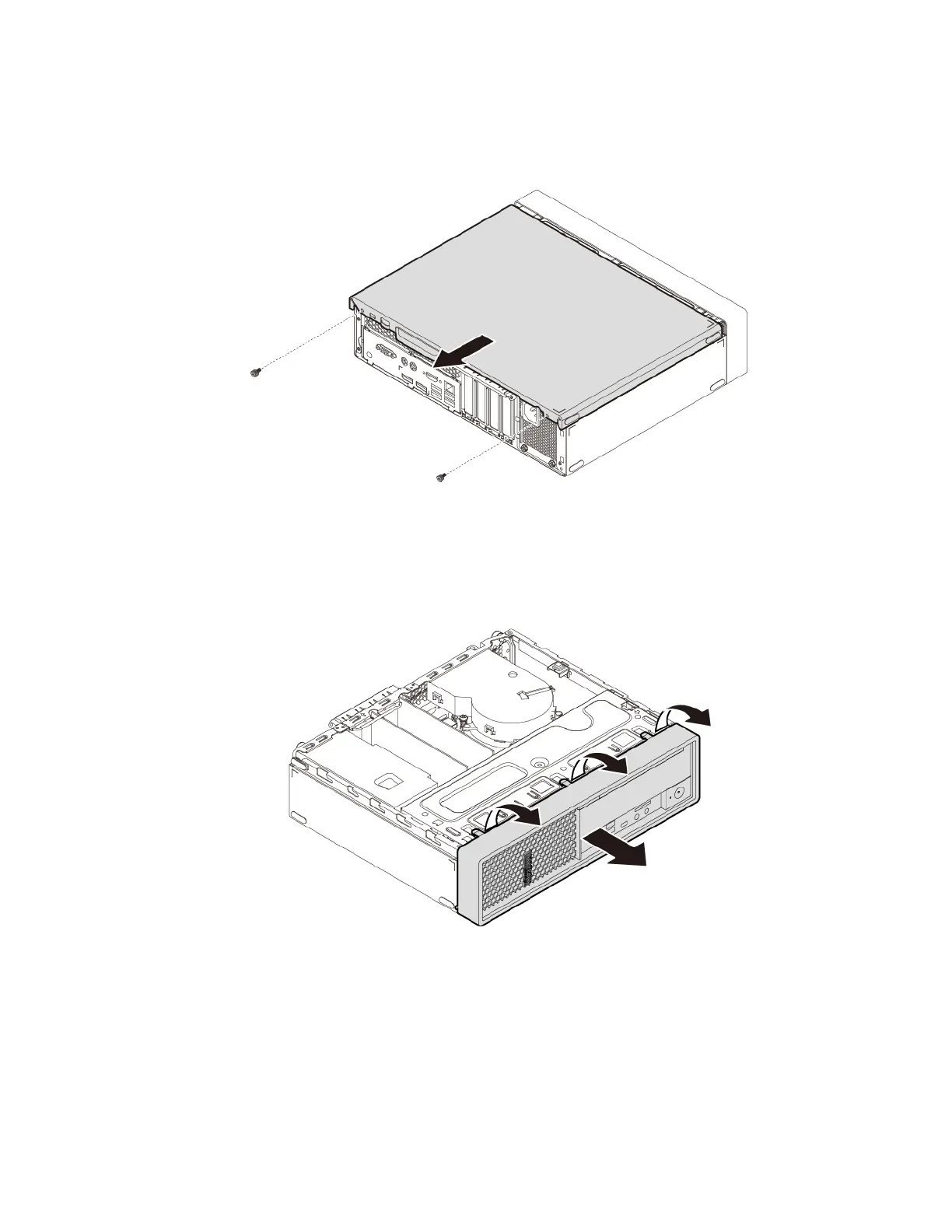
4. Remove the two screws that secure the computer cover. Then slide the cover to the rear of the
computer to remove the cover.
Figure 11. Removing the computer cover
5. Release the three plastic tabs of the front bezel and pivot the front bezel outward to remove it from the
computer.
Figure 12. Removing the front bezel
Chapter 7. Hardware removal and installation 55




![Preview: Lenovo F0B2 [C20-30]](https://data.easymanua.ls/products/594284/200x200/lenovo-f0b2-c20-30.webp)


 To Next Page