Your computer has one PCIe x1 card slot, one PCIe x16 card slot (negotiable link width x4), and one PCIe
x16 graphics card slot (graphics card available on some models).
To remove or install a PCIe card, do the following:
1. Prepare your computer. See “Preparing your computer” on page 54.
2. Locate the PCIe card slot. See “Parts on the system board” on page 6.
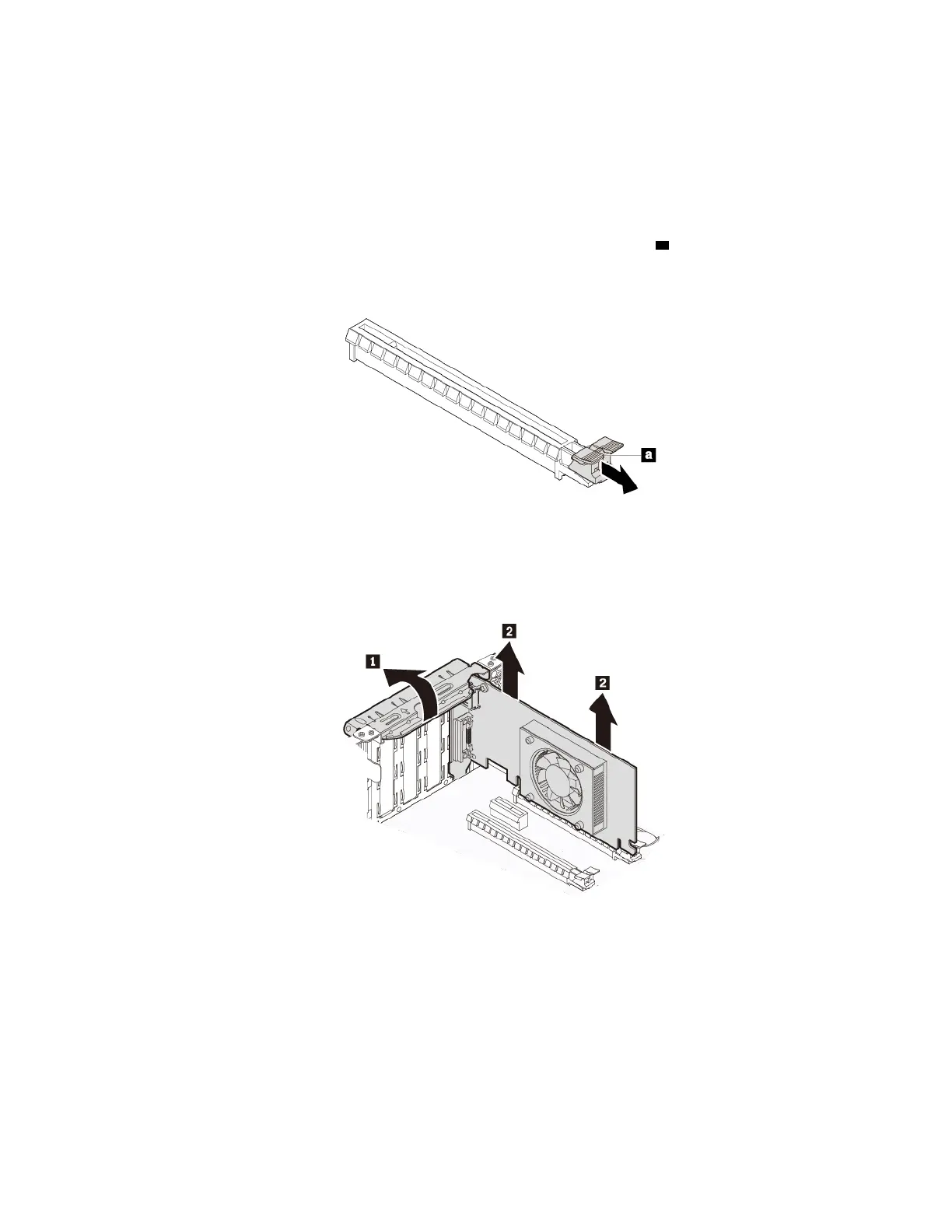
3. If the PCIe card is installed in a PCIe x16 card slot, pivot the retaining latch
a as shown to the open
position.
Figure 14. Disengaging the card retaining latch
4. Rotate the PCIe card retainer to the open position. Then grasp the card and gently pull it out of the slot.
Figure 15. Removing a PCIe card
Notes:
• If the card is connected to other device, disconnect the cables from the card.
• The card fits tightly into the slot. If necessary, alternately move each side of the card a small amount
until the card is removed from the slot.
5. To install a PCIe card, do the following:
a. Remove the new PCIe card from its static-protective package.
Chapter 7. Hardware removal and installation 57




![Preview: Lenovo F0B2 [C20-30]](https://data.easymanua.ls/products/594284/200x200/lenovo-f0b2-c20-30.webp)


 To Next Page