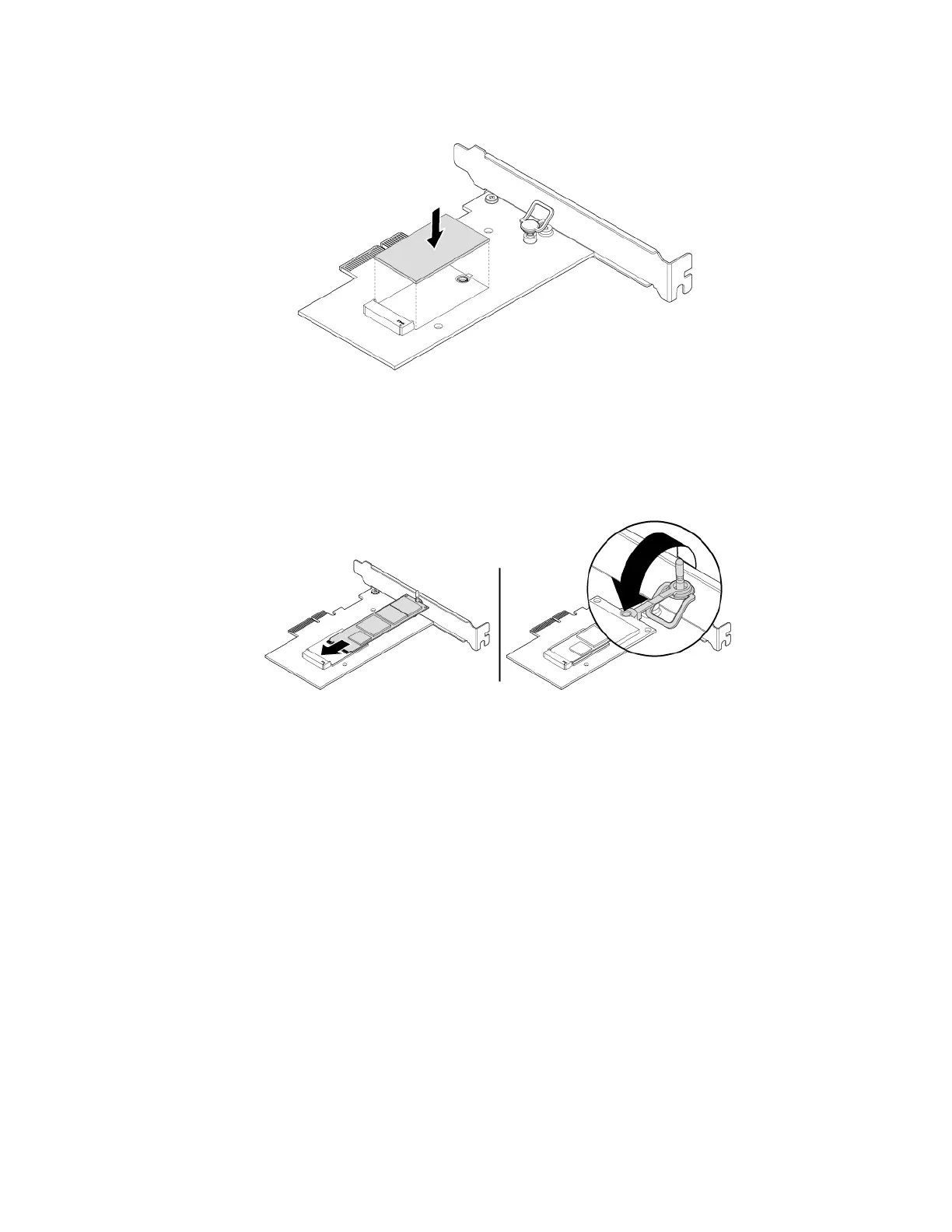
a. Ensure that a thermal pad is placed in position on the M.2 solid-state drive adapter.
Figure 26. Installing the thermal pad
b. Pull outward the handle of the retaining latch in the M.2 solid-state drive adapter.
c. Insert the new M.2 solid-state drive into the M.2 slot. Then, insert the plug of the retaining latch into
the hole to secure the new drive.
Figure 27. Installing the M.2 solid-state drive
64 P330 User Guide




![Preview: Lenovo F0B2 [C20-30]](https://data.easymanua.ls/products/594284/200x200/lenovo-f0b2-c20-30.webp)


 To Next Page