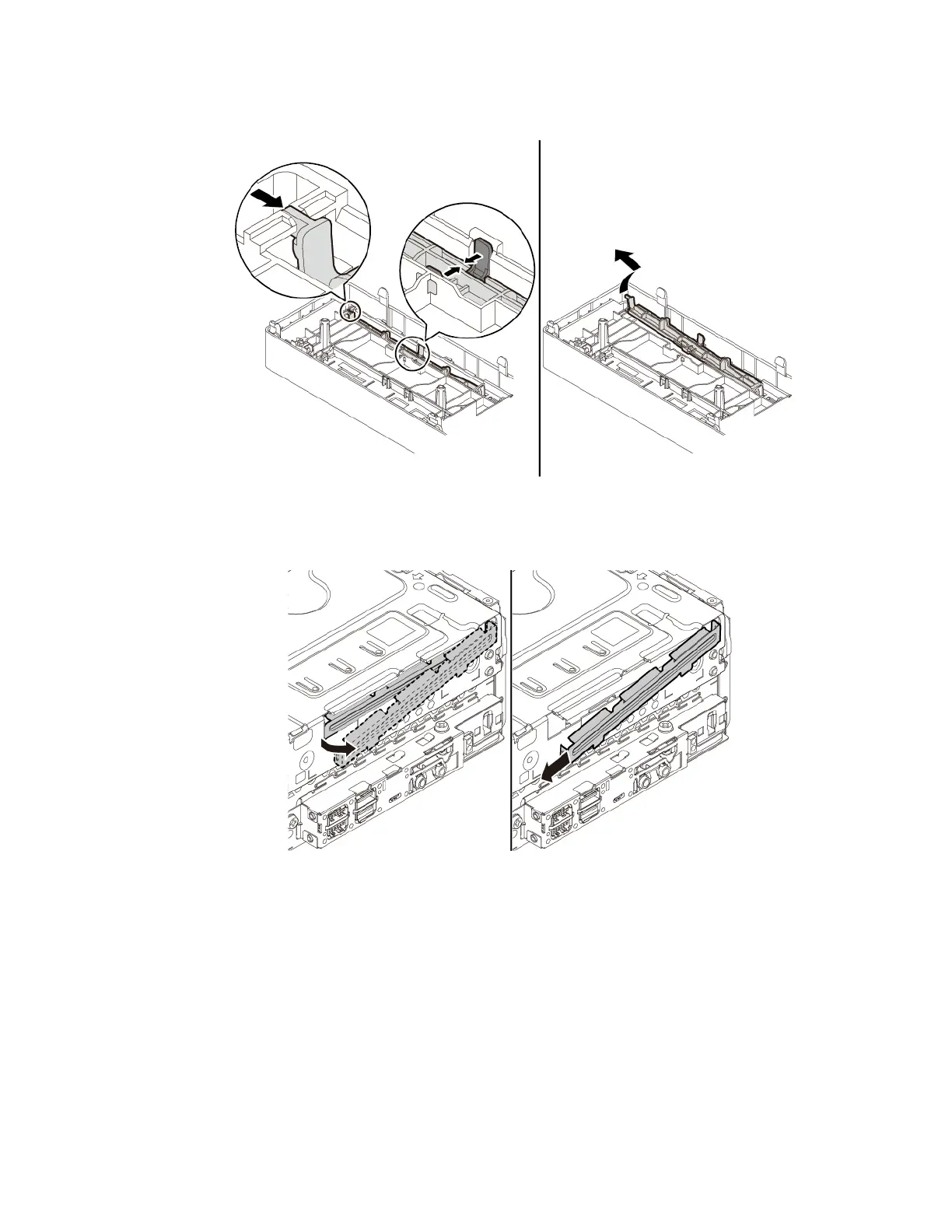
a. If a plastic shield is installed in the front bezel, remove the plastic shield as shown.
Figure 35. Removing the plastic shield
b. If a metal shield is installed in the slim optical drive bay, remove the metal shield as shown.
Figure 36. Removing the metal shield
Chapter 7. Hardware removal and installation 69




![Preview: Lenovo F0B2 [C20-30]](https://data.easymanua.ls/products/594284/200x200/lenovo-f0b2-c20-30.webp)


 To Next Page