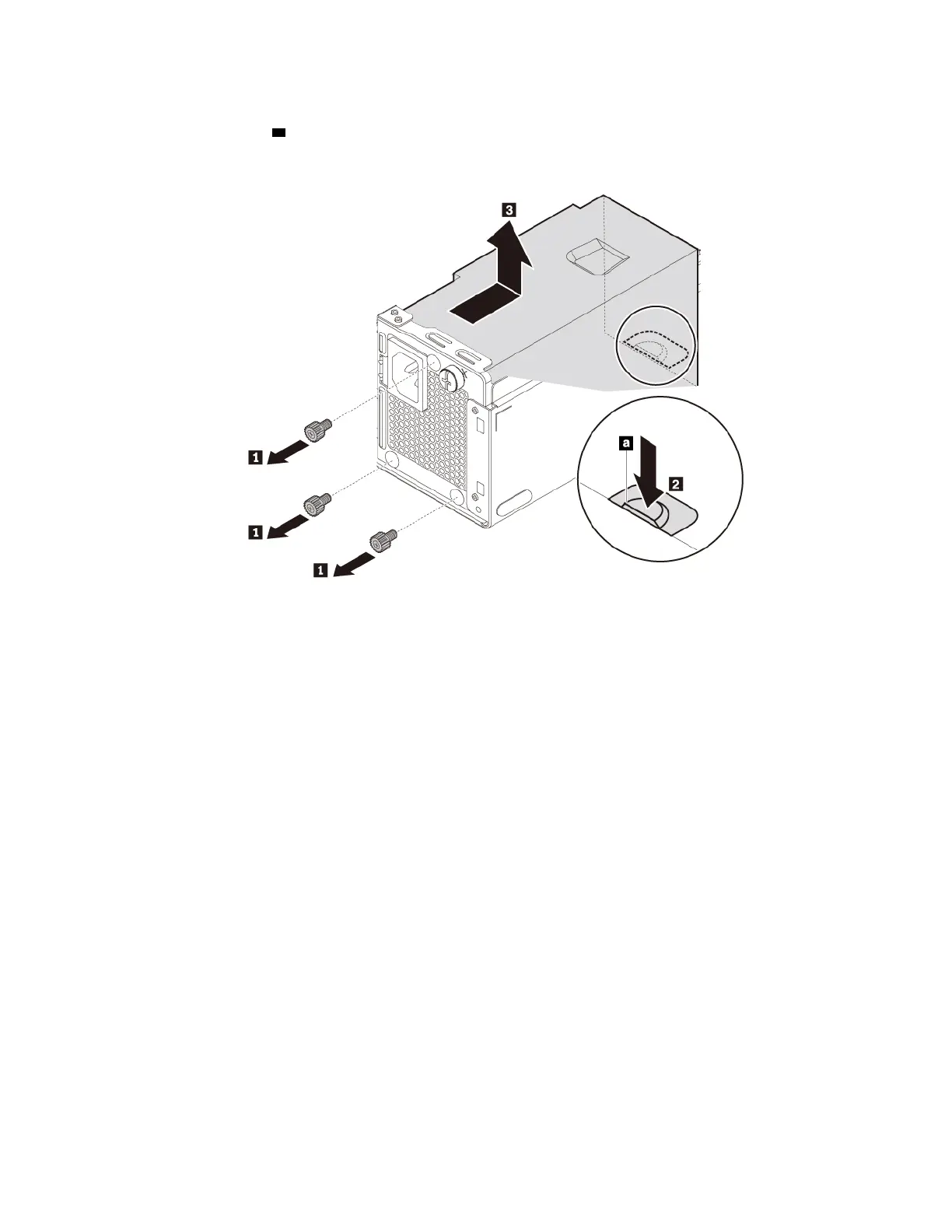
c. Remove the three screws at the rear of the chassis that secure the power supply assembly. Press the
power supply clip
a downward to release the power supply assembly. Then slide the power supply
assembly to the front of the computer and lift it out of the chassis.
Figure 43. Removing the power supply assembly
3. To install the power supply assembly, do the following:
a. Ensure that the new power supply assembly is the correct replacement.
74
P330 User Guide




![Preview: Lenovo F0B2 [C20-30]](https://data.easymanua.ls/products/594284/200x200/lenovo-f0b2-c20-30.webp)


 To Next Page