Chapter7.Locations
Thissectionprovidesillustrationstohelplocatethevariousconnectors,controlsandcomponentsofthe
computer.
Identifyinginternalcomponents
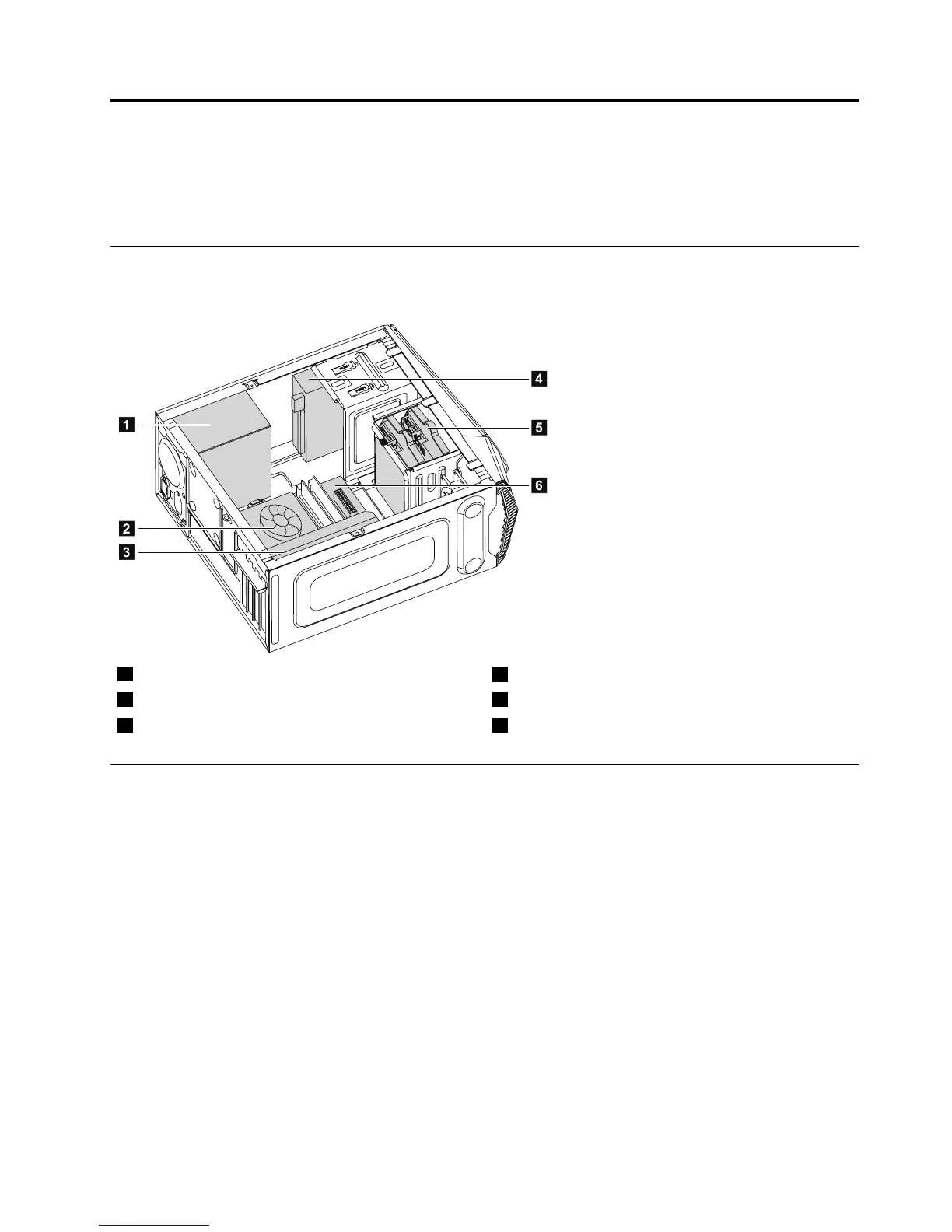
Thefollowingillustrationshowsthecomponentsinsideyourcomputer.
1Powersupply
4Opticaldiskdrive
2Microprocessorfanandheatsink
5Harddiskdrive
3Graphicscard6Systemboard
Identifyingpartsonthesystemboard
Thesystemboard(alsoknownasthe“mainboard”or“motherboard”)isthemaincircuitboardinyour
computer.Itprovidesbasiccomputerfunctionsandsupportsavarietyofdevicesthatarefactory-installed
orthatyoucaninstalllater.
Thefollowingillustrationsshowthelocationsofthedifferentpartsonthesystemboard.
©CopyrightLenovo2014
23







 To Next Page