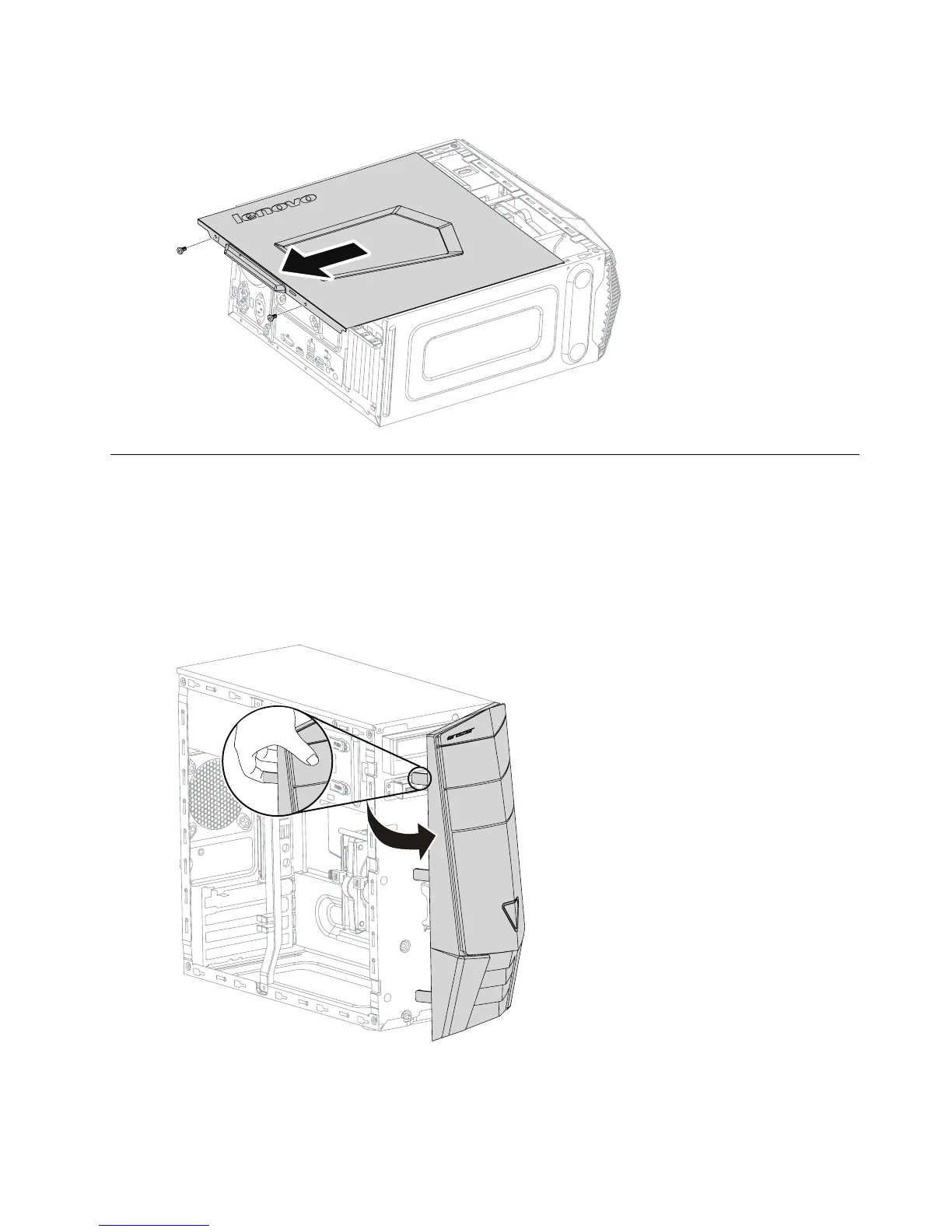
Step5.Slidethecomputercoverouttoremoveit.
Removingthefrontbezel
Note:Forthisprocedure,ithelpstolaythecomputerflat.
Toremovethefrontbezel:
Step1.Removethecomputercover.Referto“Removingthecomputercover”.
Step2.Removethefrontbezelbyreleasingthethreeplastictabsinsidethechassisandpullingthebezel
outasshown.
Step3.Toreattachthebezel,aligntheplastictabsonthebottomofthebezelwiththecorrespondingholes
inthechassis,andthensnapitintoposition.
Chapter8.Replacinghardware27








 To Next Page