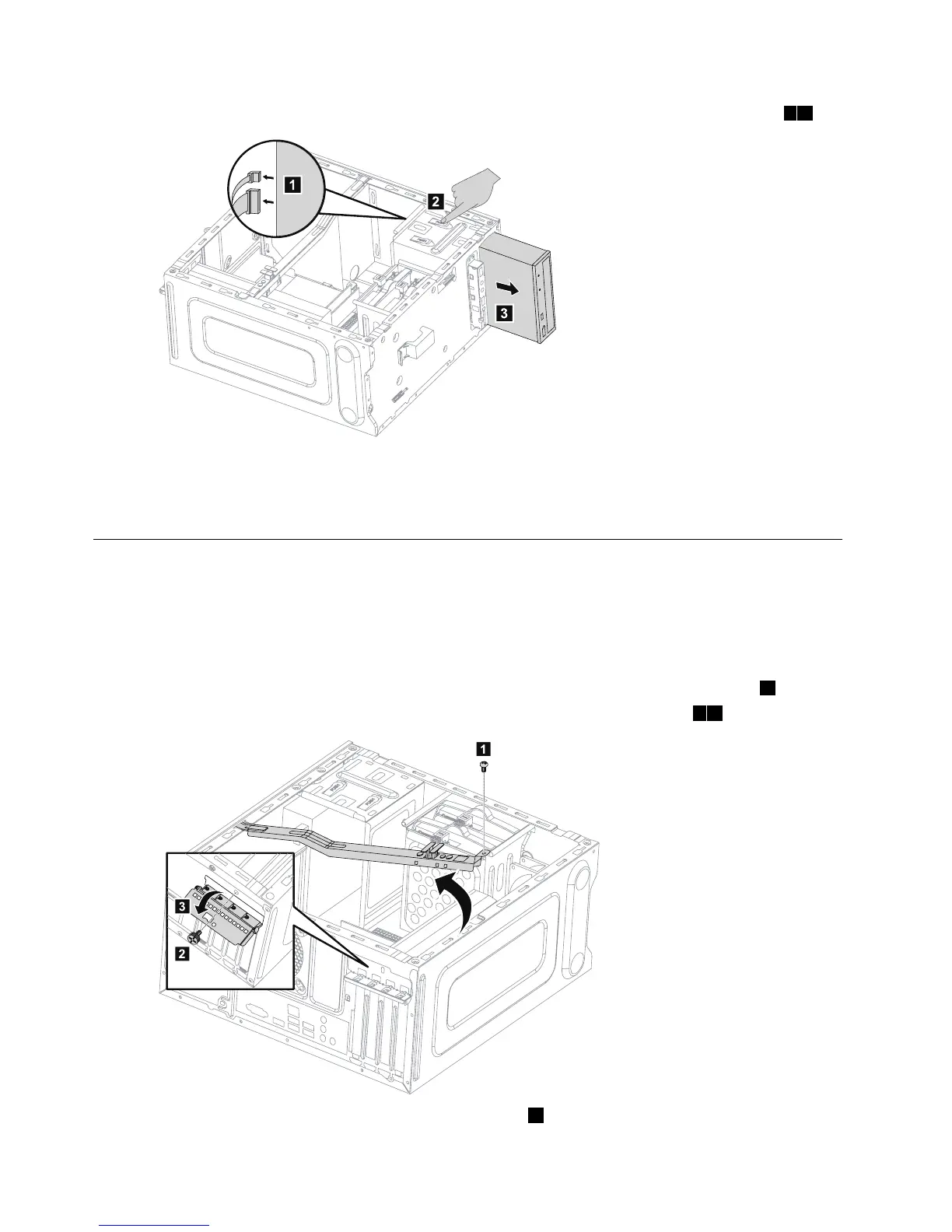
Step5.Slidethenewopticaldriveintothebayfromthefrontuntilitsnapsintoposition.
Step6.Connectthedataandpowercablestothenewdiskdrive.
Step7.Reattachthefrontbezelandcomputercover.
Replacingagraphicscard
Note:Forthisprocedure,ithelpstolaythecomputeronaflat,stablesurface.
Toreplaceagraphicscard:
Step1.Removethecomputercover.Referto“Removingthecomputercover”.
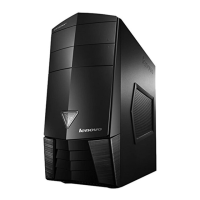
Step2.Removethescrewthatsecuresthegraphicscardfixingbracketandliftthebracketup.1
Step3.Removethescrewthatsecuresthegraphicslatchtothechassisandopenit.23








 To Next Page