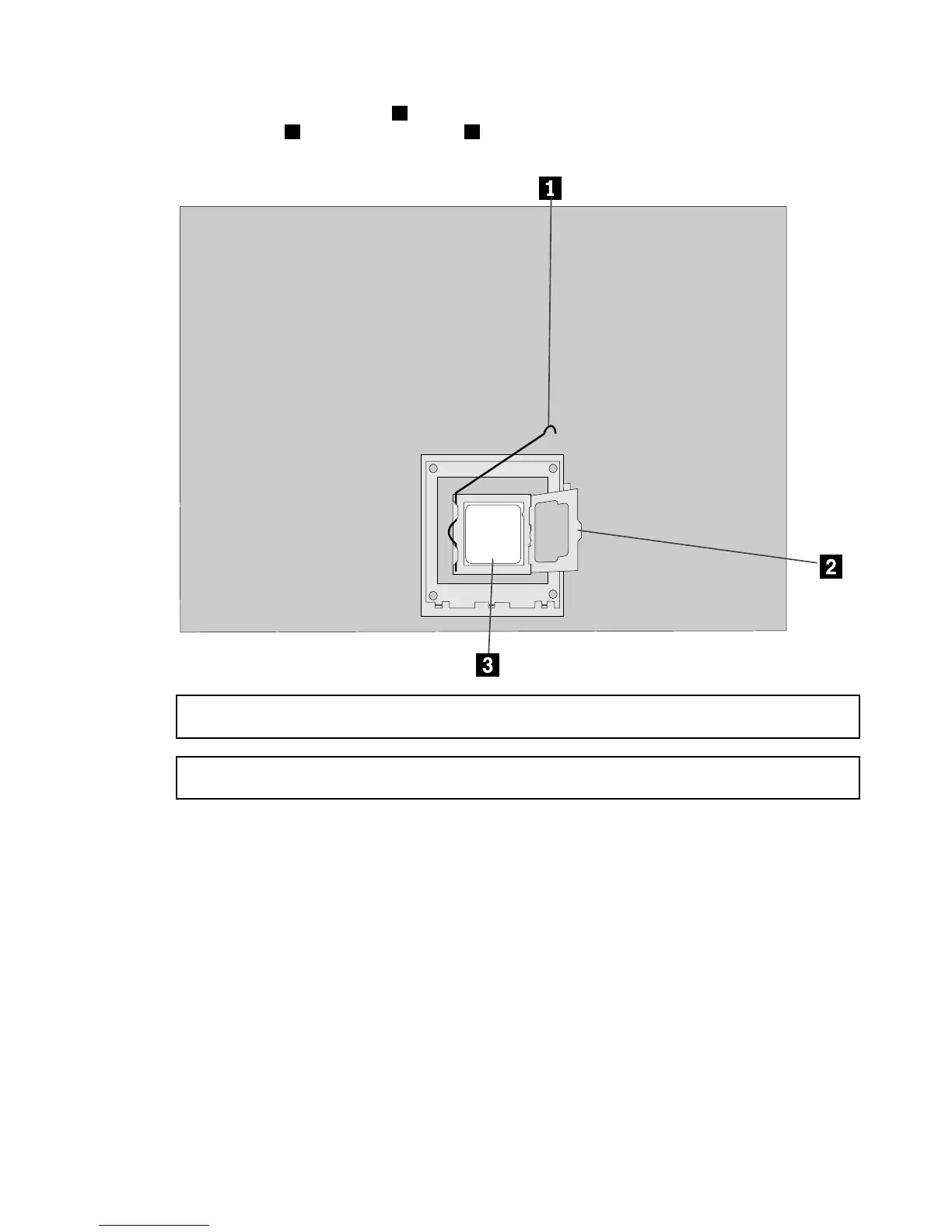
Step7.Toremovethemicroprocessor3fromthesystemboard,pressthenslidethesmallhandleout
tospringitup.
1andopentheretainer.2
Attention:Donottouchthegoldcontactsonthebottomofthemicroprocessor.Whenhandingthe
microprocessor,touchonlythesides.
Note:Donotdropanythingontothemicroprocessorsocketwhileitisexposed.Thesocketpinsmust
bekeptascleanaspossible.
Chapter8.Replacinghardware35








 To Next Page