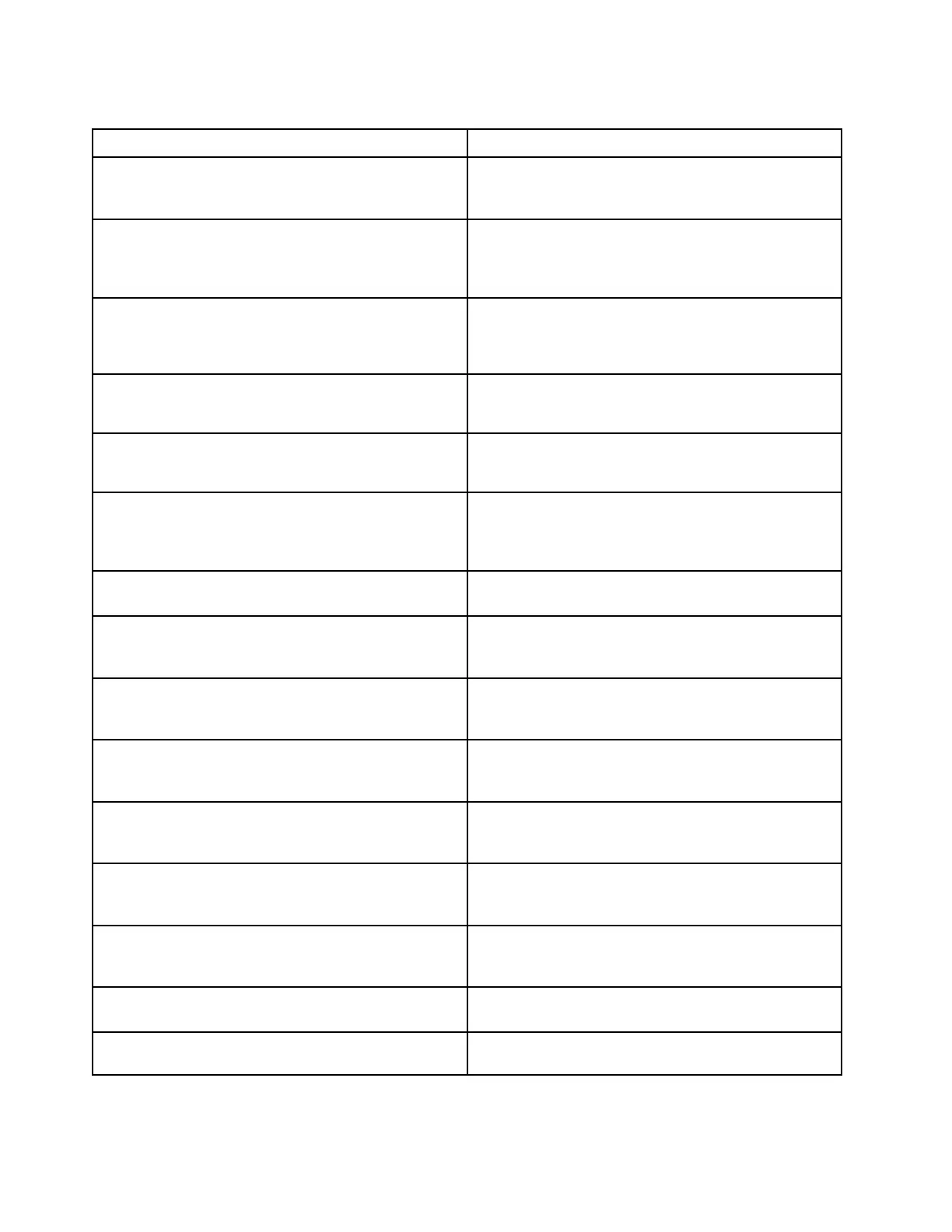
Table 2. Numeric error codes (continued)
Symptom or error
FRU or action, in sequence
0191
System Security—Invalid Remote Change requested.
1. Run the ThinkPad Setup program, and then save
current setting by pressing F10.
2. Replace the system board.
0199
System Security— Security password retry count
exceeded.
1. Run the ThinkPad Setup program. The retry count
will be reset. Then save the current settings by
pressing F10.
2. Replace the system board.
0251
System CMOS checksum bad - Default configuration
used.
1. Charge the coin-cell battery for more than 8 hours
by connecting the ac adapter.
2. Replace the coin-cell battery and run ThinkPad Setup
to reset the time and date.
0271
Check Date and Time settings.
1. Run ThinkPad Setup to reset the time and date
2. Replace the coin-cell battery and run ThinkPad Setup
to reset the time and date.
1802
Unauthorized network card is plugged in—Power off and
remove the network card.
1. Remove network card.
2. Replace the system board.
1820
More than one external fingerprint reader are attached.
Power off and remove all but the reader that you set up
within your main operating system.
Remove all but the reader that you set up for the
authentication.
2000
ThinkVantage Active Protection sensor diagnostics failed.
Have the computer serviced.
2100
Detection error on M.2 main Slot (SSD0)
1. Reseat the M.2 solid-state drive.
2. Replace the M.2 solid-state drive.
3. Replace the system board.
2101
Detection error on M.2 Main Slot (Storage Device0)
1. Reseat the M.2 solid-state drive.
2. Replace the M.2 solid-state drive.
3. Replace the system board.
2102
Detection error on Main HDD (HDD0)
1. Reseat the main hard disk drive.
2. Replace the main hard disk drive.
3. Replace the system board.
2110
Read error on M.2 Main Slot (SSD0)
1. Reseat the M.2 solid-state drive.
2. Replace the M.2 solid-state drive.
3. Replace the system board.
2111
Read error on M.2 Main Slot (Storage Device0)
1. Reseat the M.2 solid-state drive.
2. Replace the M.2 solid-state drive.
3. Replace the system board.
2112
Read error on Main HDD (HDD0)
1. Reseat the main hard disk drive.
2. Replace the main hard disk drive.
3. Replace the system board.
2200
Machine Type and Serial Number are invalid.
Replace the system board.
2201
Machine UUID is invalid
Replace the system board.
38 E490 and R490 Hardware Maintenance Manual








 To Next Page