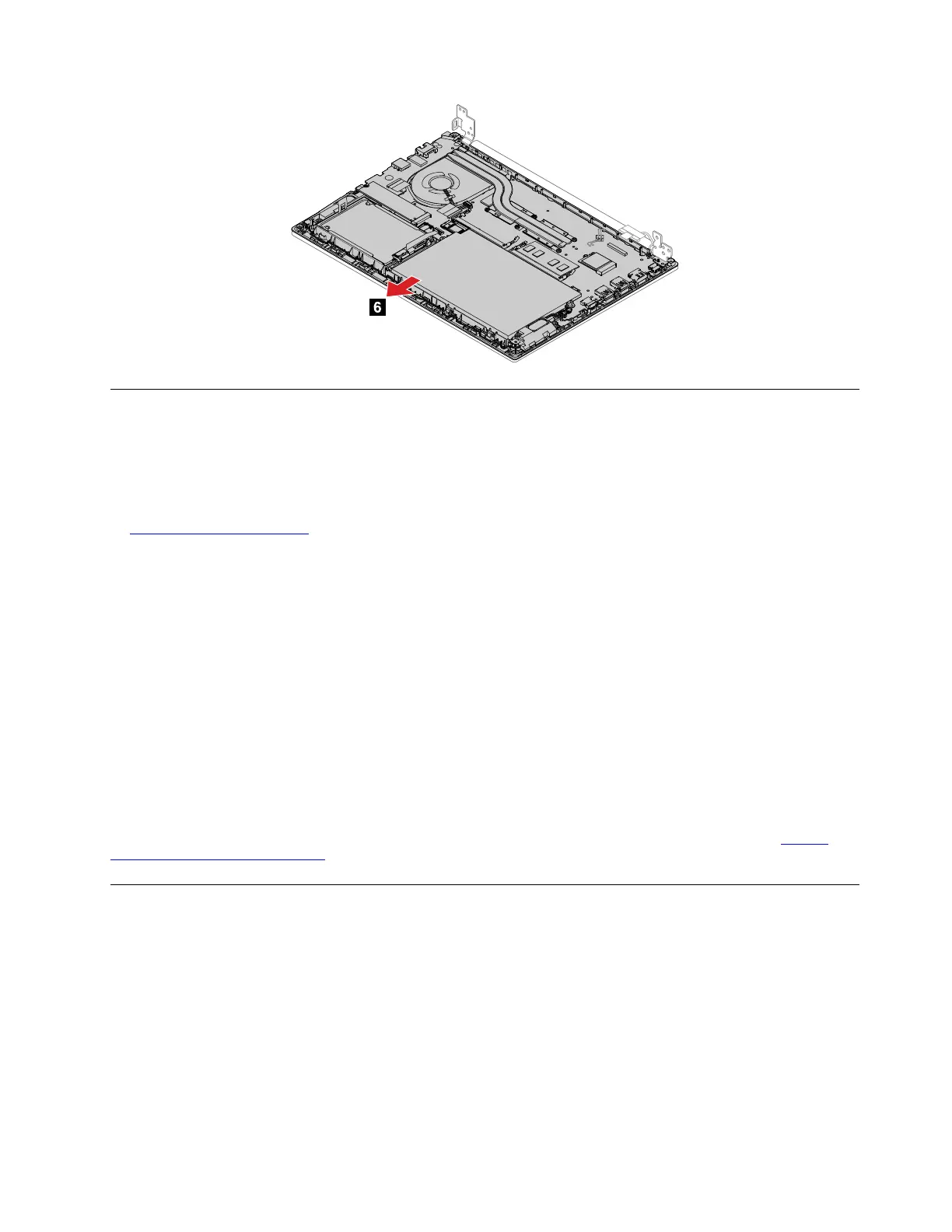
1170 Keyboard bezel assembly
For access, remove these FRUs in order:
• “1010 Keyboard” on page 63
Note: If the keyboard must be removed to access other FRUs, you need the keyboard removal tool
(product part number: 01LX856) to remove the keyboard. You can purchase the tool as a separate FRU at:
https://support.lenovo.com
• “1020 Base cover assembly” on page 65
• “1030 Hard disk drive, cable, and bracket” on page 67
• “1040 Fingerprint reader card, cable, and bracket” on page 68
• “1050 Memory module” on page 69
• “1060 M.2 solid-state drive and brackets” on page 70
• “1070 I/O card” on page 72
• “1080 Speaker assembly” on page 73
• “1090 Wireless LAN card” on page 74
• “1110 Built-in battery” on page 75
• “1120 Coin-cell battery” on page 76
• “1130 Thermal fan assembly” on page 77
• “1140 Trackpad cable and trackpad” on page 78
• “1150 System board and USB bracket” on page 79
• “1160 LCD unit” on page 82
Note: If the keyboard must be removed to access other FRUs, you need the keyboard removal tool (product
part number: 01LX856) to remove the keyboard. You can purchase the tool as a separate FRU at:
https://
support.lenovo.com/partslookup
2010 LCD bezel assembly
Removal steps of the LCD bezel assembly
For access, remove this FRU:
• “1160 LCD unit” on page 82
Chapter 8. Removing or replacing a FRU 83








 To Next Page