When installing:
Ensure that the M.2 solid-state drive is installed firmly.
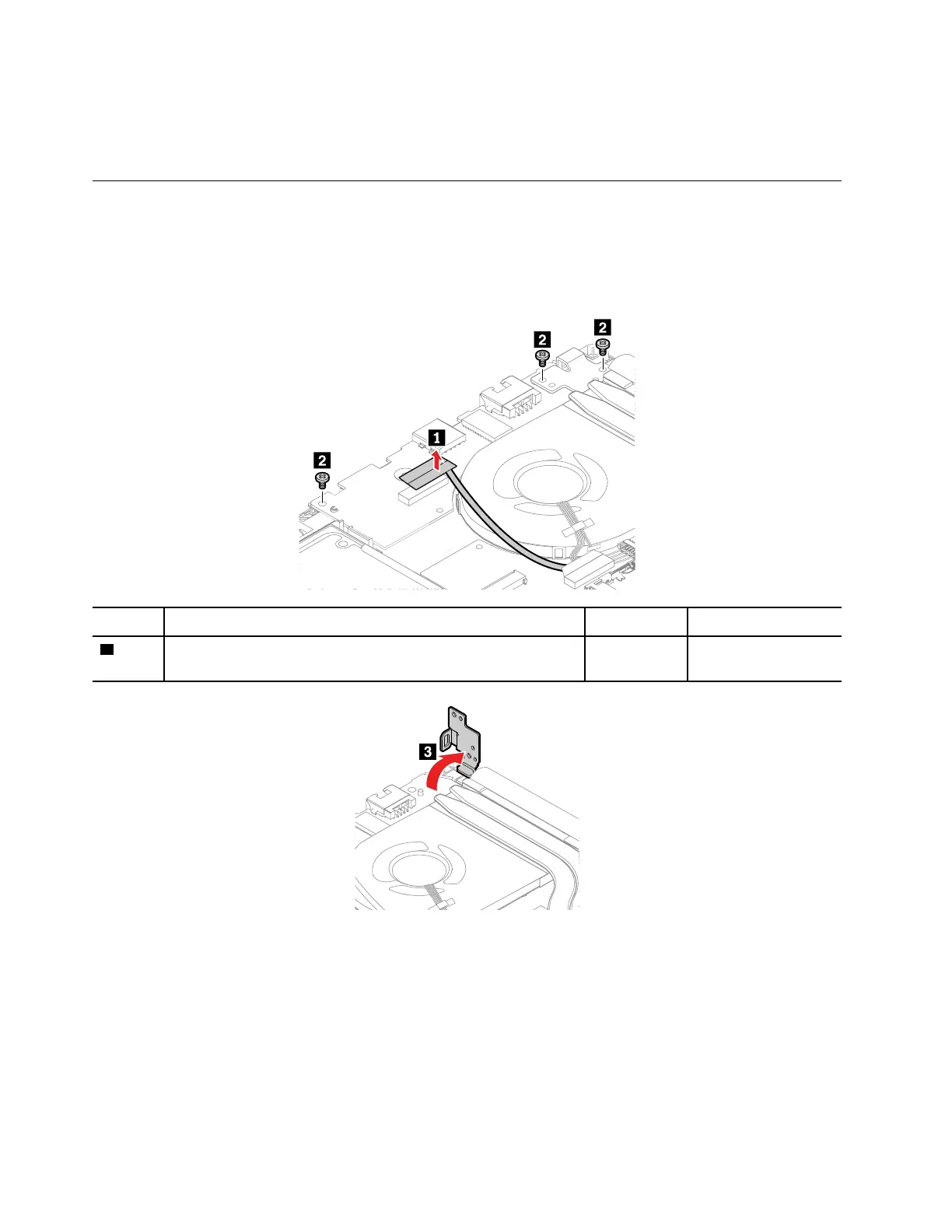
1070 I/O card
For access, remove these FRUs:
• “1020 Base cover assembly” on page 65
• “1060 M.2 solid-state drive and brackets” on page 70
Removal steps of the I/O card
Step Screw (quantity) Color Torque
2
M2.5 × 5 mm, flat-head, nylon-coated (3)
Black 0.294 Nm
(3.0 kgf-cm)
72 E490 and R490 Hardware Maintenance Manual









 To Next Page