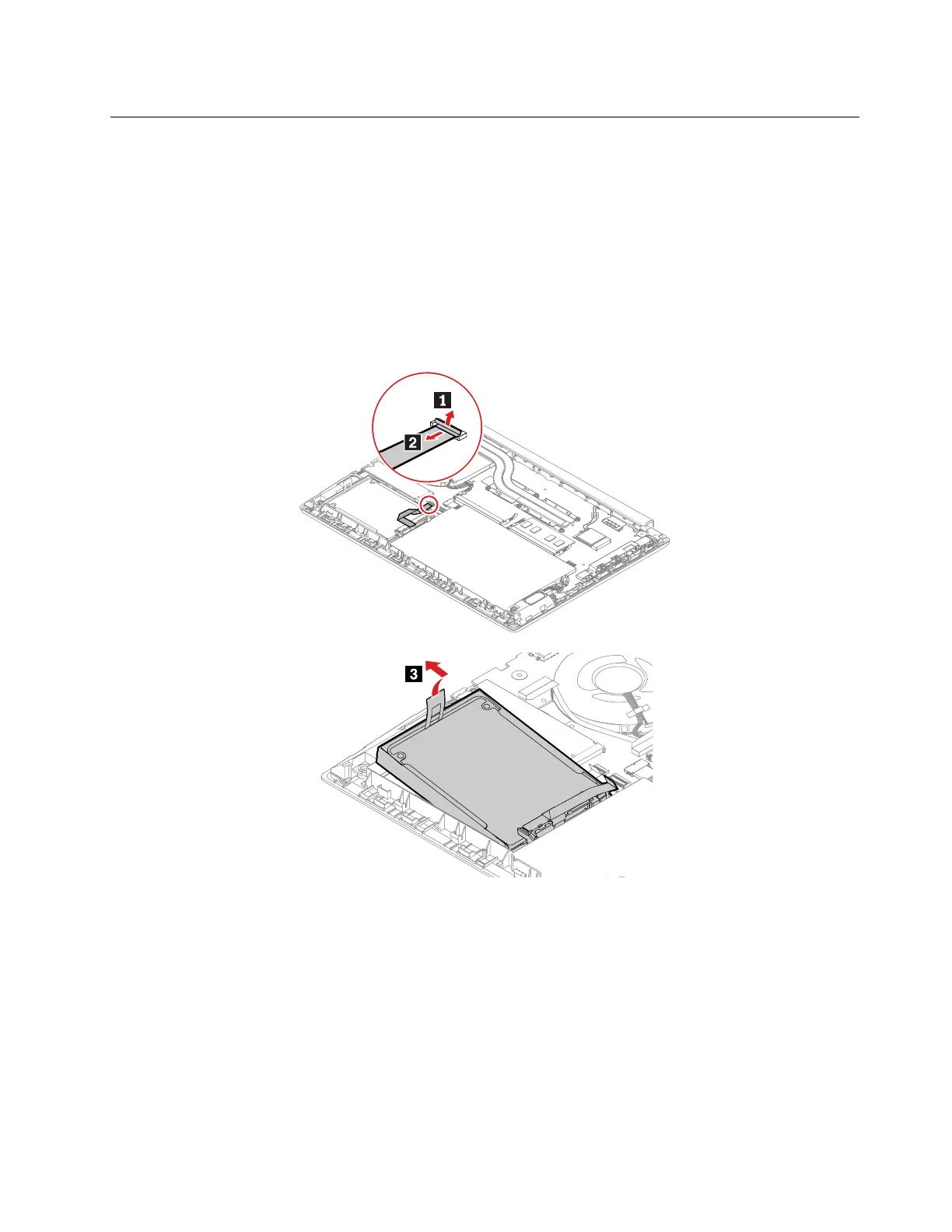
1030 Hard disk drive, cable, and bracket
For access, remove this FRU:
• “1020 Base cover assembly” on page 65
Attention:
• Do not drop the drive or apply any physical shock to it. The drive is sensitive to physical shock. Improper
handling can cause damage and permanent loss of data.
• Before removing the drive, have the user make a backup copy of all the information on it if possible.
• Never remove the drive while the system is operating or in suspend mode.
Removal steps of the hard disk drive
Chapter 8. Removing or replacing a FRU 67








 To Next Page