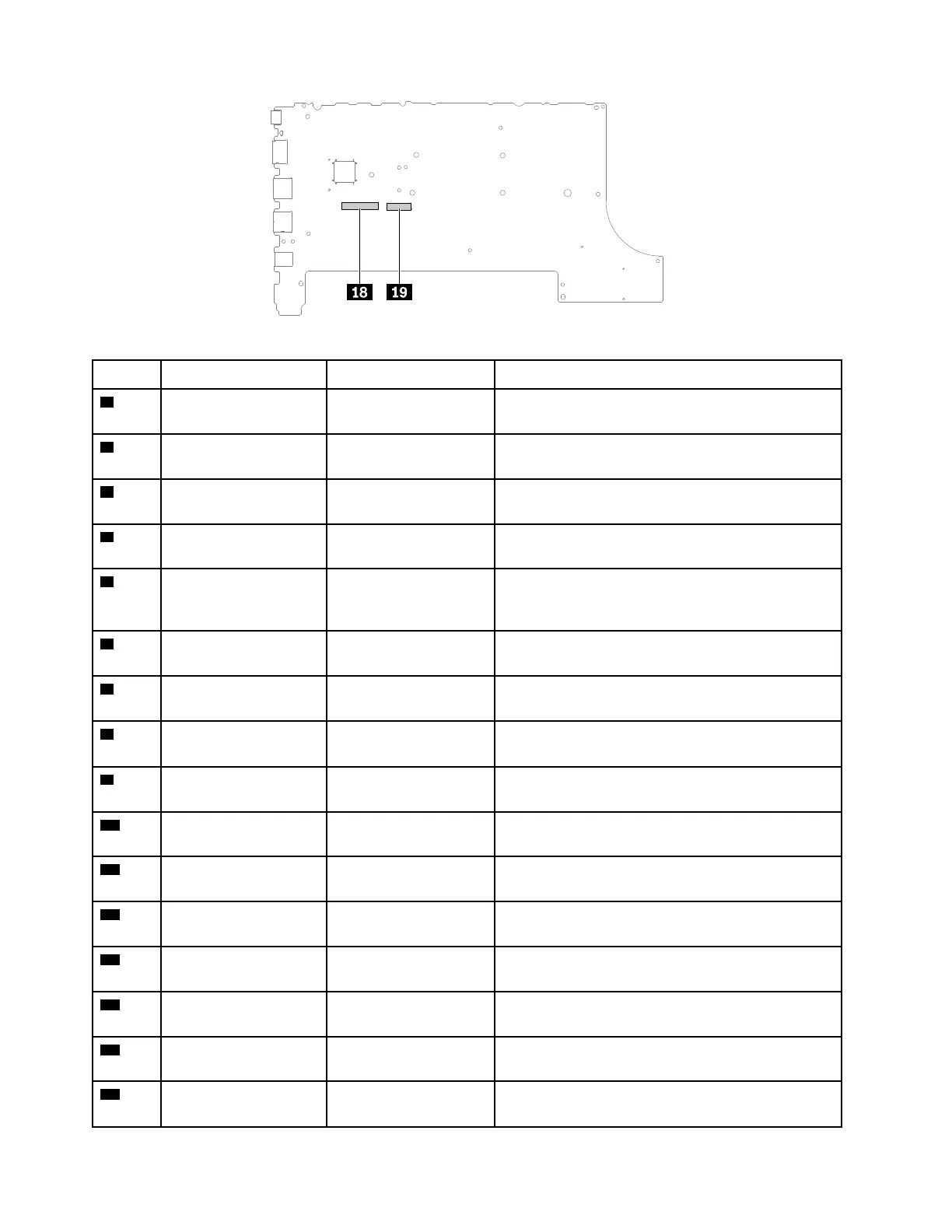
Table 10. System board
Item
Connector (location)
Internal cable required
Cable connection
1
LCD connector
(internal)
LCD cable Connect one end to the LCD panel and the other end
to this connector.
2
Wireless-LAN card slot
(internal)
No Insert the wireless-LAN card into this slot.
3
USB-C connector
(external)
No
Connect a USB-C compatible device to this
connector.
4
HDMI connector
(external)
No Connect a compatible digital audio device or video
monitor to this connector.
5
Always On USB 3.1
connector Gen 1
(external)
No Connect USB-compatible devices to this connector.
6
USB 3.1 connector Gen
1 (external)
No Connect USB-compatible devices to this connector.
7
Audio connector
(external)
No
Connect headphones or a headset with 3.5-mm
(0.14-inch) 4-pole plug to this connector.
8
Coin-cell battery
connector (internal)
Coin-cell battery cable The coin-cell battery comes with cable. Connect the
cable to this connector.
9
Speaker assembly
connector (internal)
Speaker assembly cable The speaker assembly comes with cable. Connect
the cable to this connector.
10
Trackpad connector
(internal)
Trackpad cable
Connect one end to the trackpad and the other end
to this connector.
11
Memory module slot
(internal)
No Insert the memory module into this slot.
12
Built-in battery
connector (internal)
Built-in battery cable The built-in battery cable comes with the cable.
Connect the cable to this connector.
13
Hard disk drive
connector (internal)
Hard disk drive cable Connect one end to the hard disk drive and the other
end to this connector.
14
Fingerprint reader card
connector (internal)
Fingerprint reader card
cable
Connect one end to the fingerprint reader card and
the other end to this connector.
15
M.2 solid-state drive
connector (internal)
No
Connect the M.2 solid-state drives to this connector.
16
I/O card cable
connector (internal)
I/O card cable Connect the I/O card cable to this connector.
54 E490 and R490 Hardware Maintenance Manual








 To Next Page