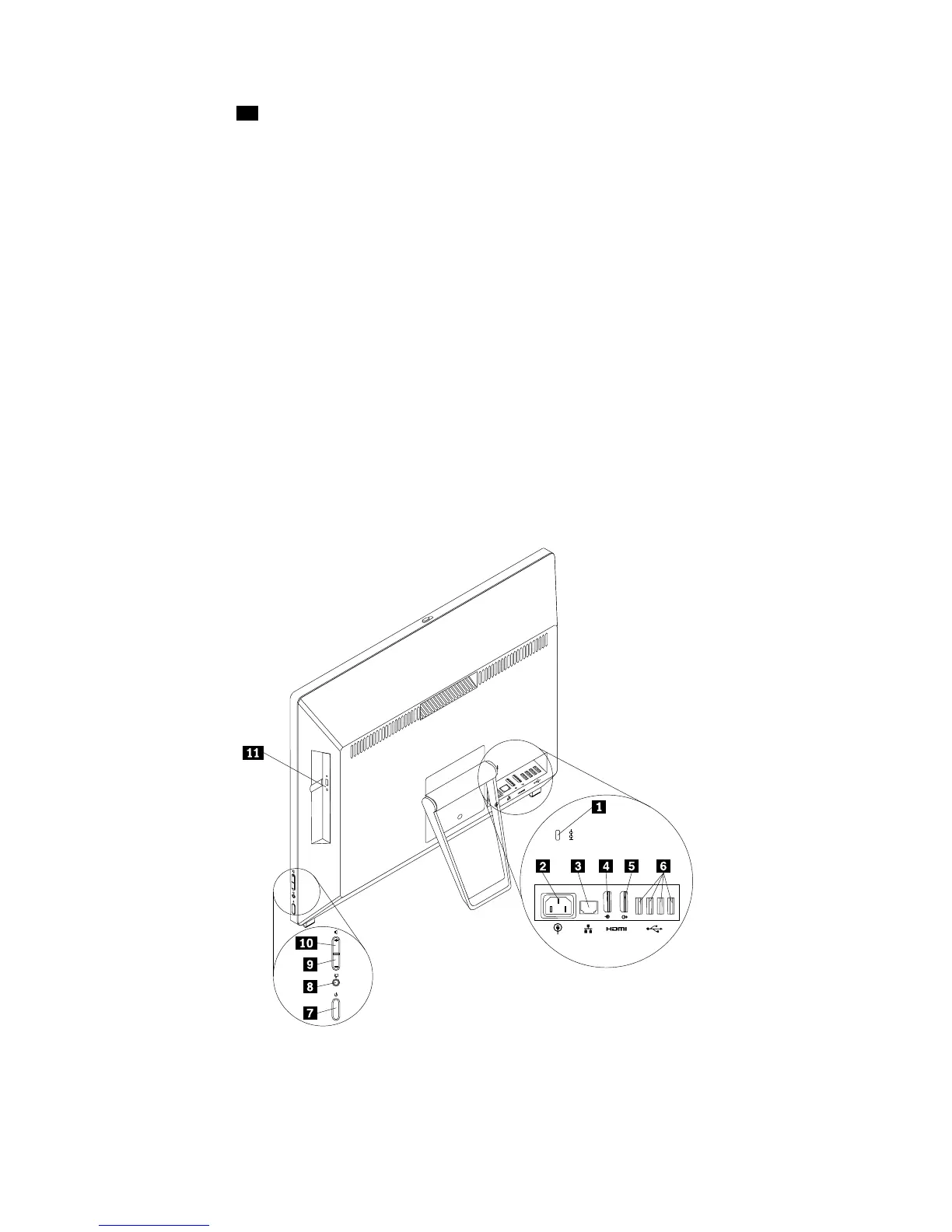
Thecardreaderslot11isfora11-in-1cardreader,supportingthefollowingcards:
•ExtremeDigital(x-D)PictureCard(typeH)
•ExtremeDigital(x-D)PictureCard(typeM)
•MemoryStick(MS)
•MSPRO
•MultiMediaCard(MMC)
•MultiMediaCard-mobile(MMC-mobile)
•MultiMediaCard-plus(MMC-plus)
•Reduced-SizeMultiMediaCard(RS-MMC)
•SecureDigital(SD)card
•SecureDigitaleXtended-Capacity(SDXC)card
•SecureDigitalHigh-Capacity(SDHC)card
Locatingconnectorsontherearofyourcomputer
Figure2“Rearconnectorlocations”onpage10showsthelocationsoftheconnectorsontherearofyour
computer.Someconnectorsontherearofyourcomputerarecolor-codedtohelpyoudeterminewhereto
connectthecablesonyourcomputer.
Figure2.Rearconnectorlocations
10ThinkCentreE93zUserGuide











 To Next Page