Note:Thetransformerstandisavailableonlyinsomemodels.
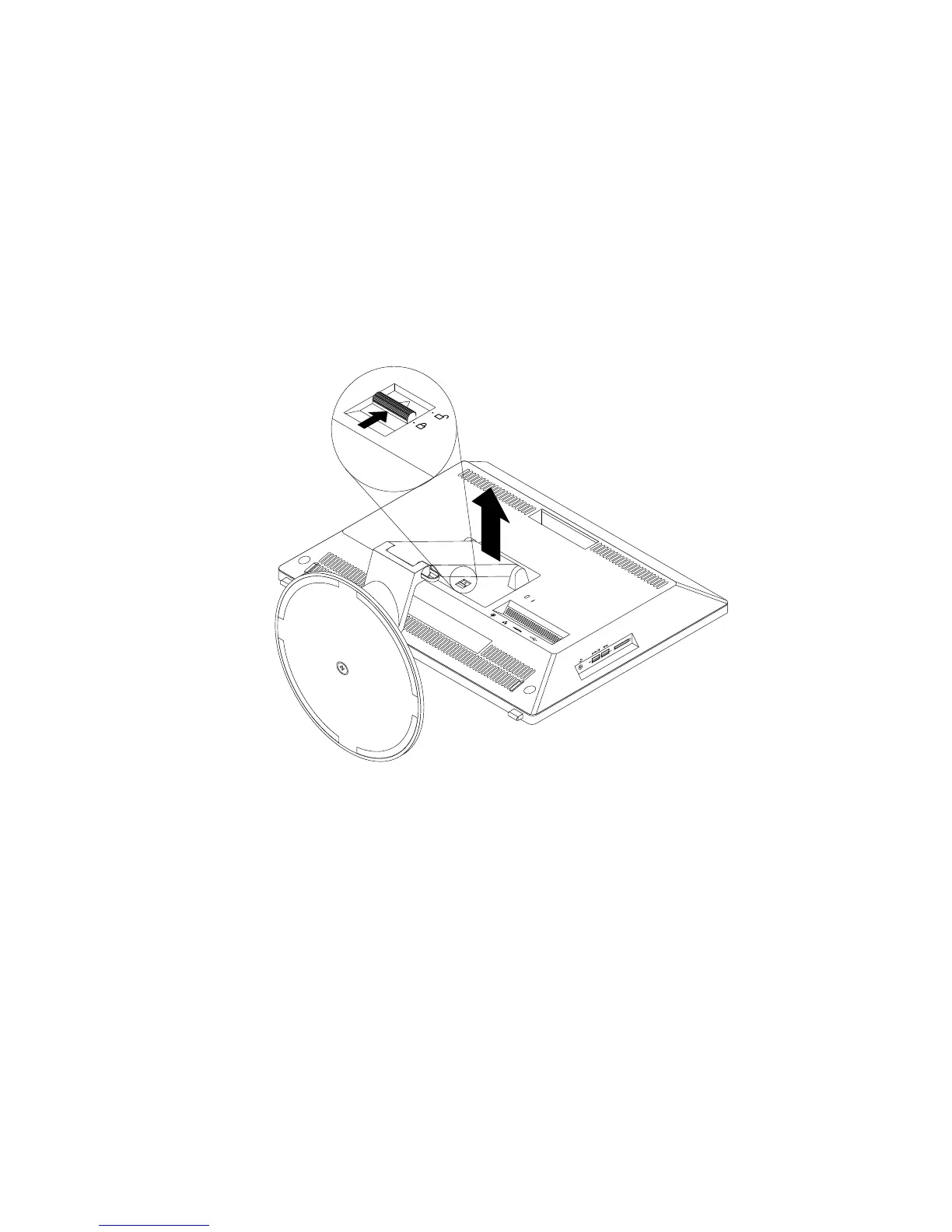
Toremoveandreinstallthetransformerstand,dothefollowing:
1.Removeanymediafromthedrivesandturnoffallattacheddevicesandthecomputer.
2.Disconnectallpowercordsfromelectricaloutlets.
3.Disconnectthepowercord,Input/Outputcables,andanyothercablesthatareconnectedtothe
computer.
4.Placeasoft,cleantowelorclothonthedeskorflatsurface.Holdthesidesofyourcomputerandgently
layitdownsothatthescreenisagainstthesurfaceandthecoverisfacingup.
5.Pressthereleasebuttontowardthetopofthecomputerasshown.Then,liftthetransformerstandupto
removeitfromthecomputer.
Figure13.Removingthetransformerstand
Chapter5.Installingorreplacinghardware43











 To Next Page