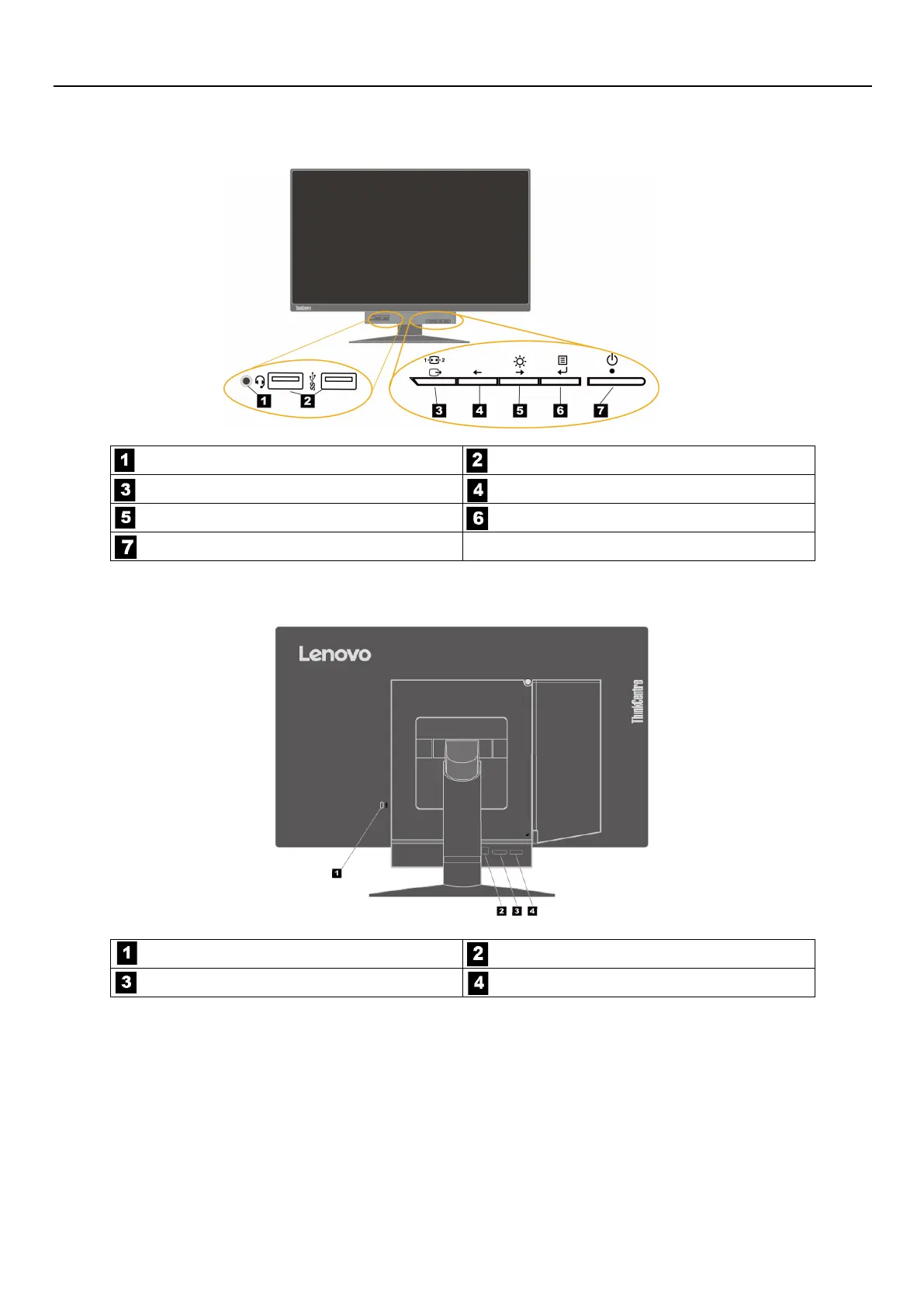
Locating connectors and controls on your monitor
Front view
Headset connector USB 3.0 connectors (2)
Mode-switching button / Back button Left shift button
Brightness control / Right shift button
Selection button / Menu-opening button
Power button
Rear view
Security-lock slot USB 3.0 upstream connector
DisplayPort
®
connector ac power adapter connector
2 ThinkCentre Tiny-in-One 24 User Guide








 To Next Page