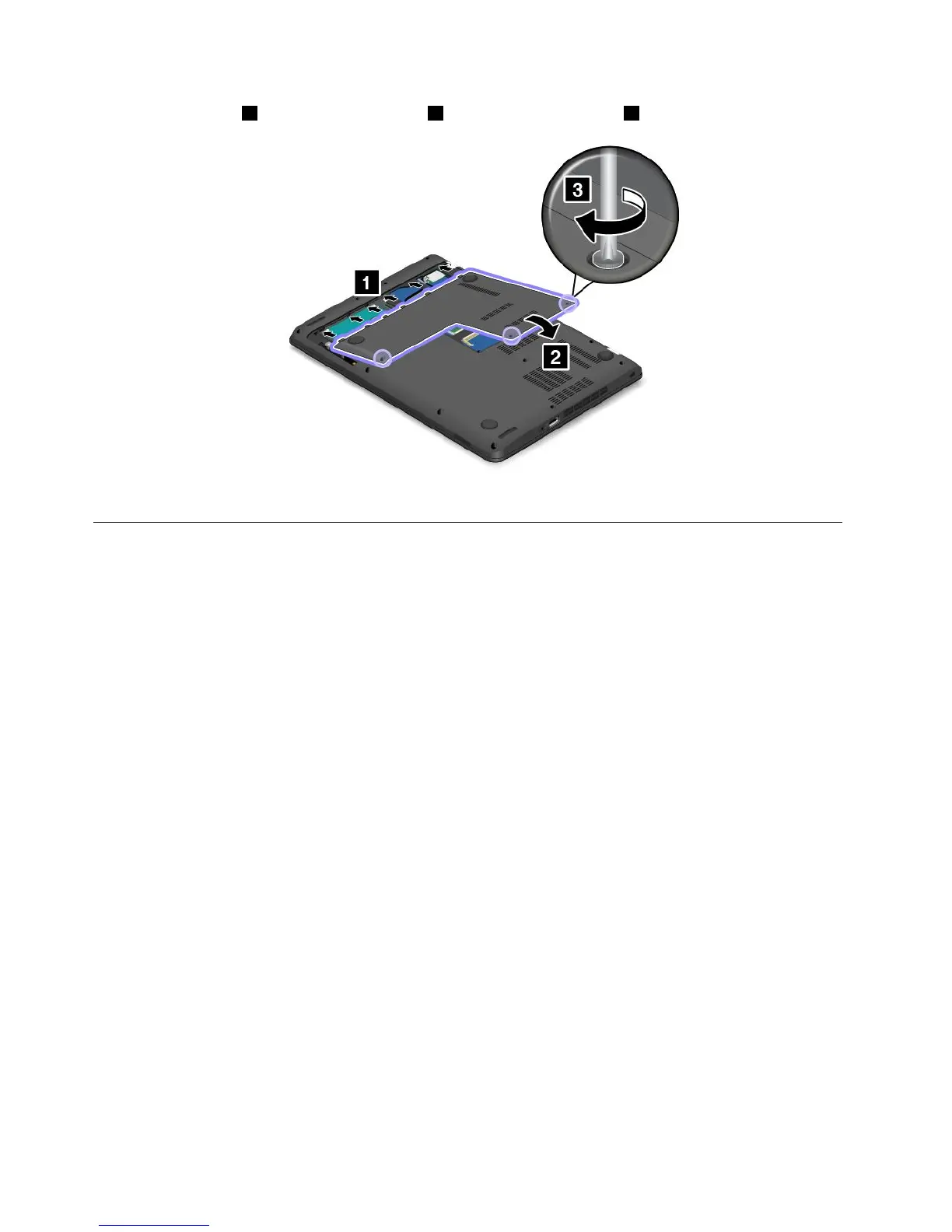
8.Attachthecover1andpivotitdownwards2.Thentightenthescrews3.
9.Turnthecomputeroveragain.Connecttheacpoweradapterandallcables.
Replacingthestoragedrive
Beforeyoustart,printtheseinstructionsandread“Importantsafetyinformation”onpagevi.
Attention:Theharddiskdrive,hybriddrive,orsolid-statedriveisverysensitive.Incorrecthandlingcan
causedamageandpermanentlossofdata.Observethefollowingguidelines:
•Replacetheharddiskdrive,hybriddrive,orsolid-statedriveonlyifyouupgradeitorhaveitrepaired.
Theconnectorsandslotoftheharddiskdrive,hybriddrive,orsolid-statedrivearenotdesignedfor
frequentchangesordriveswapping.
•Donotdropthedriveorsubjectittophysicalshocks.Putthedriveonamaterial,suchassoftcloth,that
absorbsanyphysicalshocks.
•Donotapplypressuretothecoverofthedrive.
•Donottouchtheconnector.
•Beforeremovingtheharddiskdrive,hybriddrive,orsolid-statedrive,makeabackupcopyofallthe
informationonitandthenturnoffthecomputer.
•Neverremovethedrivewhilethecomputerisoperating,insleepmode,orinhibernationmode.
Toreplacetheharddiskdrive,hybriddrive,orsolid-statedrive,dothefollowing:
1.Turnoffthecomputer.Thendisconnecttheacpoweradapterandallcablesfromthecomputer.Wait
severalminutestoletthecomputercool.
2.Closethecomputerdisplayandturnthecomputerover.
110UserGuide











 To Next Page