Bottomview
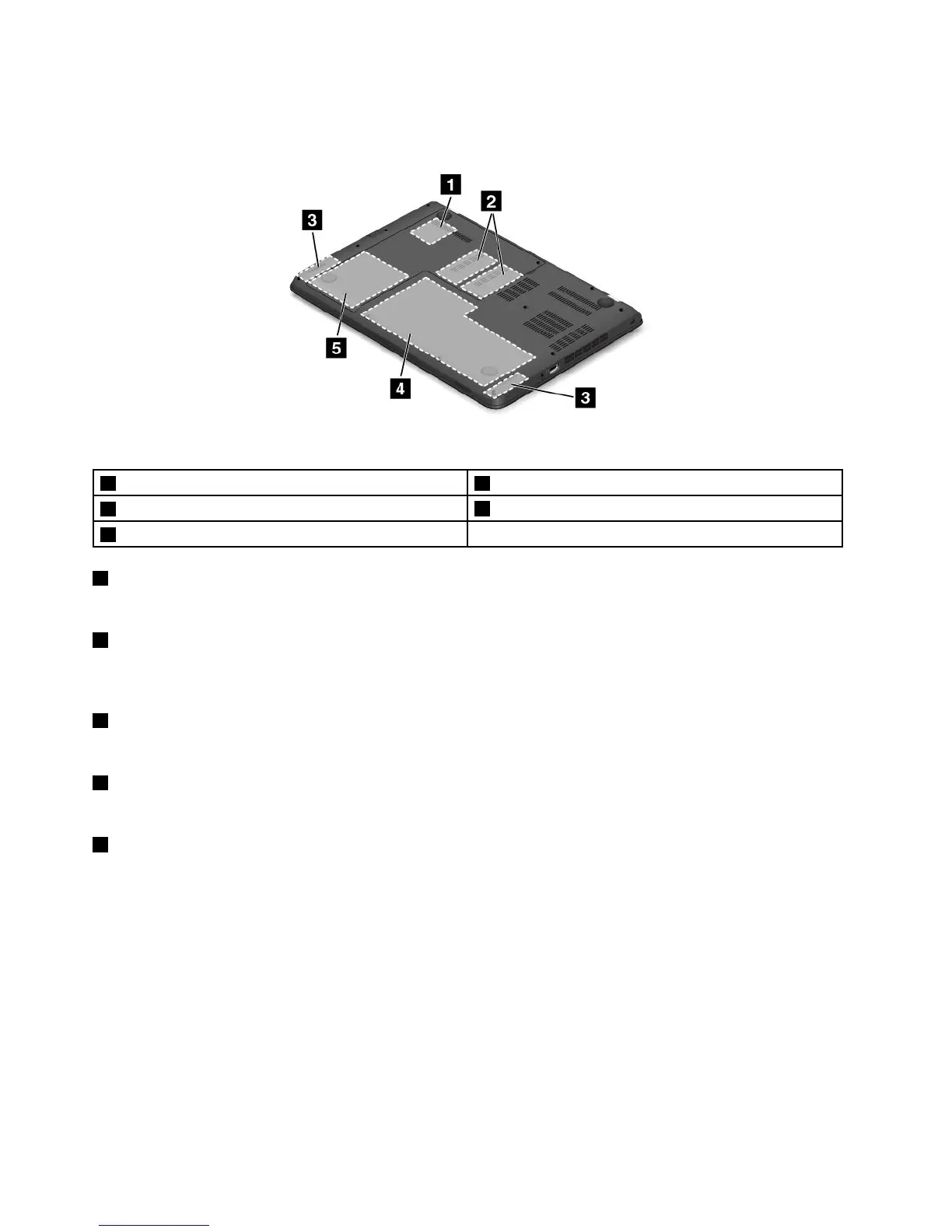
Figure4.ThinkPadE450,E455,andE450cbottomview
1Wireless-LAN-cardslot2Memory-upgradeslots
3Speakers
4Built-inbattery
5Storagedrive
1WirelessLANcardslot
YourcomputermighthaveawirelessLANcardinstalledforyoutoestablishwirelessLANconnections.
2Memory-upgradeslot
Youcanincreasetheamountofmemoryinyourcomputerbyinstallingamemorymoduleinthe
memory-upgradeslot.MemorymodulesareavailableasoptionsfromLenovo.
3Speakers
Yourcomputerisequippedwithapairofstereospeakers.
4Battery
Useyourcomputerwiththebatterypowerwheneveracpowerisunavailable.
5Storagedrive
Yourcomputerhasalarge-capacity,customer-upgradablestoragedriveinstalled.Dependingonthemodel,
thestoragedrivecanbeastoragedrivetomeetvariousstoragedemands.
Note:Thehiddenservicepartitionisthereasonwhythereislessfreespacethanexpectedonyourhard
diskdrive,hybriddrive,orsolid-statedrive.Thisreductionismorenoticeableonthesolid-statedrive
becauseofitssmallercapacity.
Statusindicators
Yourcomputerhasseveralstatusindicatorsshowingthestatusofyourcomputer.
Note:Yourcomputerkeyboardmightlookdifferentfromthefollowingillustration.
6UserGuide











 To Next Page