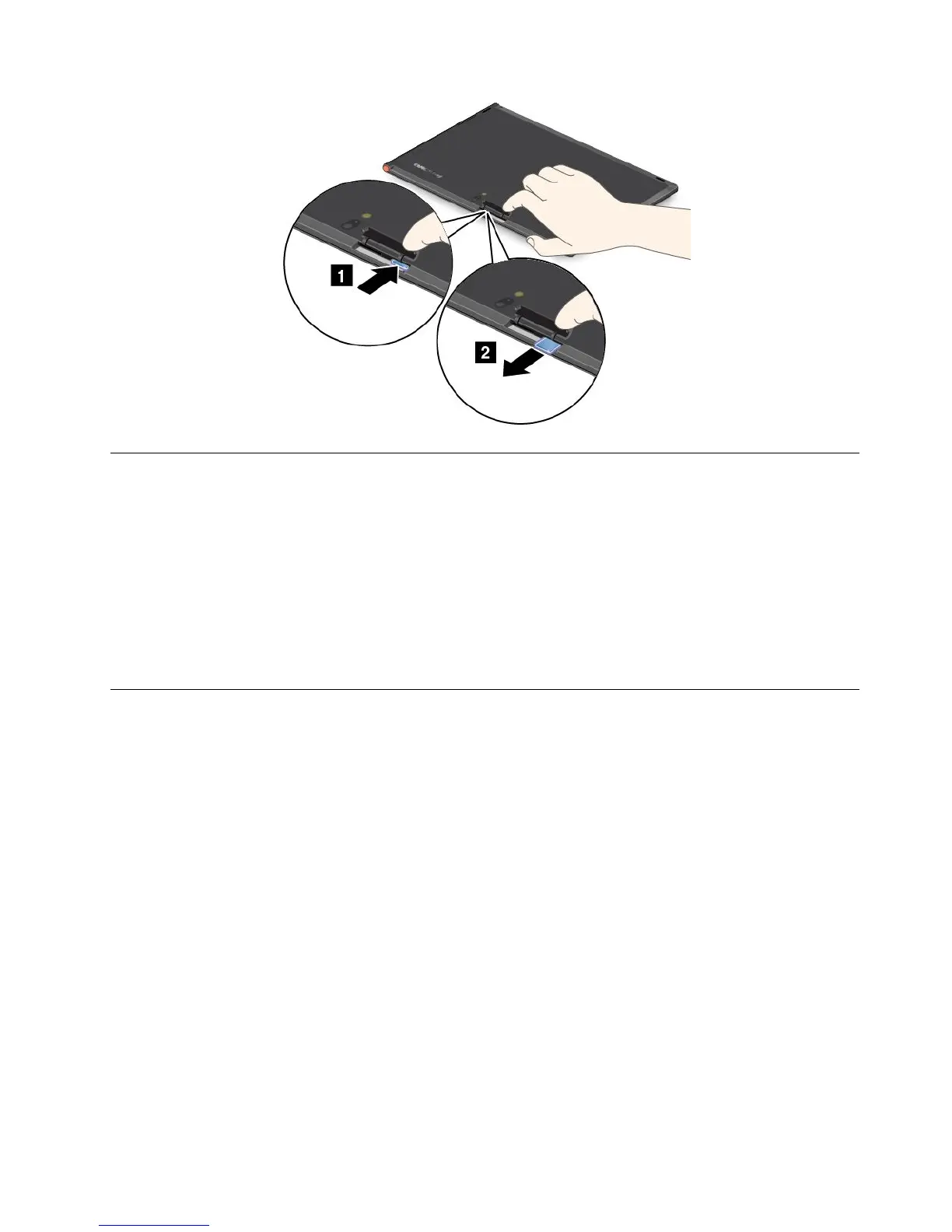
UsingHDMIdevices
YourtablethasaminiHDMIconnectorthatyoucanusetoconnectanexternaldisplayforvideooutput.
TolocatetheminiHDMIconnector,see“Tabletlayout”onpage1.
Toconfigurescreensettingsfortheexternaldisplay,dothefollowing:
1.Swipeinfromtherightedgeofthescreentodisplaycharms.
2.TaptheDevicescharm.
3.TapSecondscreen.
4.Taptoselectapresentationscheme.
Usingsynchronizationsolutions
Byusingsynchronizationsolutions,youcaneasilysynchronizesettingsbetweenyourtabletandpersonal
computer.
SynchronizingsettingsbyusingtheWindowssynchronizationsolution
ToaccessWindowssynchronizationsolution,dothefollowing:
•Windows8:
1.Swipeinfromtherightedgeofthescreentodisplaythecharms.
2.TaptheSettingscharm.
3.TaptheChangePCsettings.
4.Inthenavigationpanel,tapSyncyoursettings.
5.Configuresettingsasdesired.
•Windows8.1:
1.Swipeinfromtherightedgeofthescreentodisplaythecharms.
2.TaptheSettingscharm.
3.TaptheChangePCsettings.
4.Inthenavigationpanel,tapSkyDrive,andthentapSyncsettings.
5.Configuresettingsasdesired.
Chapter5.Usingyourtablet27







 To Next Page