Chapter6.ThinkPadTablet2options
YourtabletmightcomewithaThinkPadTablet2DockoraThinkPadTablet2BluetoothKeyboard
withStand.Ifyourtabletdoesnotcomewithone,youcanpurchaseonefromLenovoat
http://www.lenovo.com/accessories/services/index.html.
TheThinkPadTablet2DockandtheThinkPadTablet2BluetoothKeyboardwithStandareoptiondevices
thatLenovodesignedspecificallyfortheThinkPadTablet.Theseoptionsprovideconvenienceandmake
yourtableteasiertouseforwork,study,andentertainment.
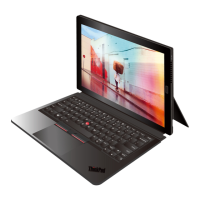
ThinkPadTablet2BluetoothKeyboardwithStand
ThistopicgivesanintroductiontotheThinkPadTablet2BluetoothKeyboardwithStand(hereaftercalled
Bluetoothkeyboard).
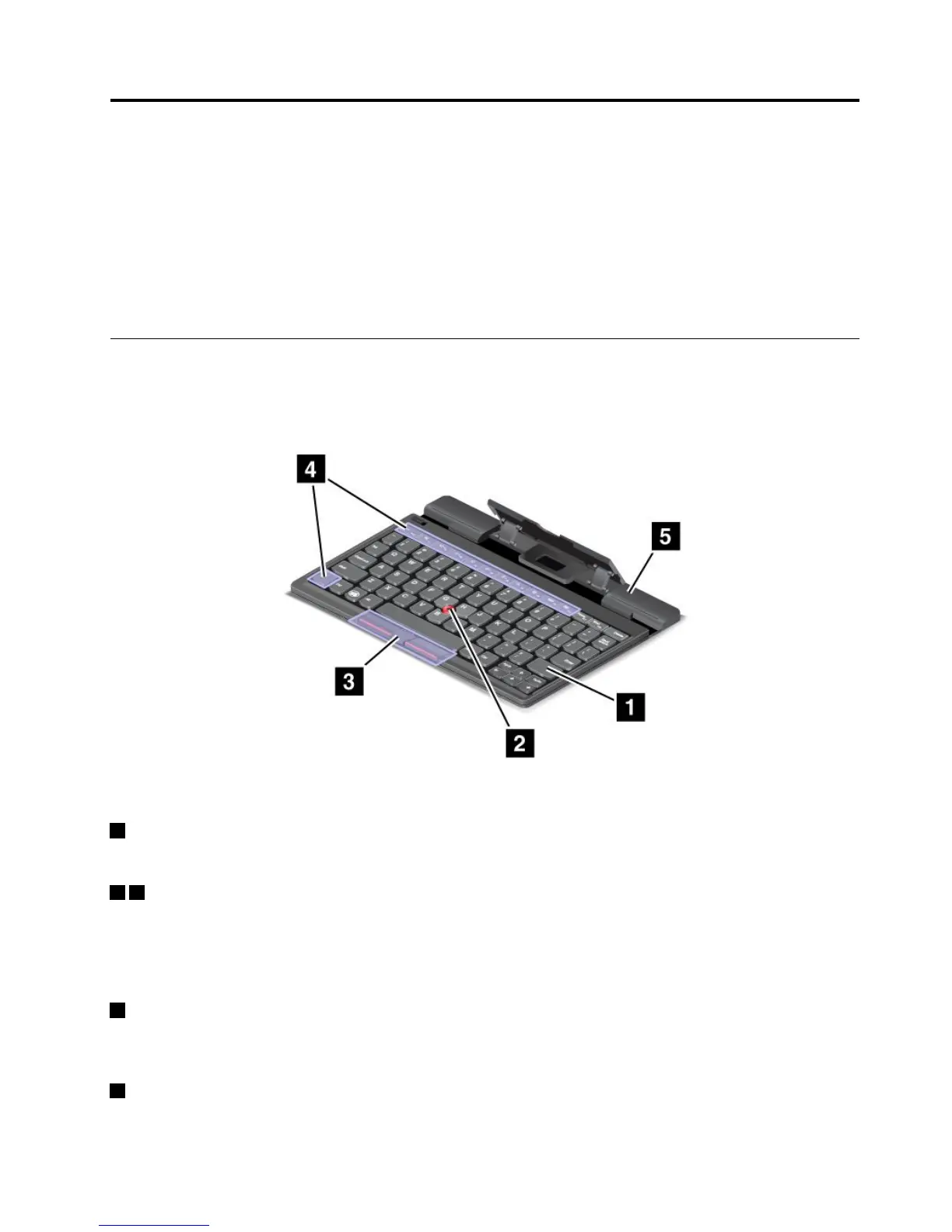
Figure5.Bluetoothkeyboardoverview
1Bluetoothkeyboard
WorksasaBluetoothkeyboardwithopticalTrackPointandhotkeys.
23OpticalTrackPoint
TheopticalTrackPointisacursor-positioningdevicethatenablestoyoutopoint,select,dragandscroll
withoutmovingyourfingersfromatypingposition.
Formoreinformation,see“UsingtheBluetoothkeyboard”onpage33
.
4Hotkeys
Thehotkeysenableyoutocontrolmanyfeaturesofyourtabletbypressingasinglekey.Referto“Usingthe
Bluetoothkeyboard”onpage33formoreinformation.
5Stand
Thestandholdsyourtabletinanuprightposition.
©CopyrightLenovo2012,2013
31







 To Next Page