Locatinginternaldrives
Internaldrivesaredevicesthatyourcomputerusestoreadandstoredata.Youcanadddrivestoyour
computertoincreasestoragecapacityandenableyourcomputertoreadothertypesofmedia.Internal
drivesareinstalledinbays.Inthismanual,thebaysarereferredtoasbay1,bay2,andsoon.Your
computercomeswiththefollowingfactory-installeddrives:
•Anopticaldriveinbay1
•A3.5-inchharddiskdriveora2.5-inchsolidstatediskinbay3
Wheninstallingorreplacinganinternaldrive,itisimportanttonotethetypeandsizeofthedrivethatyou
caninstallorreplaceineachbayandcorrectlyconnectthecablestothedriveinstalled.Refertothe
appropriatesectionin“Installingorreplacinghardware”onpage31
forinstructionsonhowtoinstallor
replaceinternaldrivesforyourcomputer.
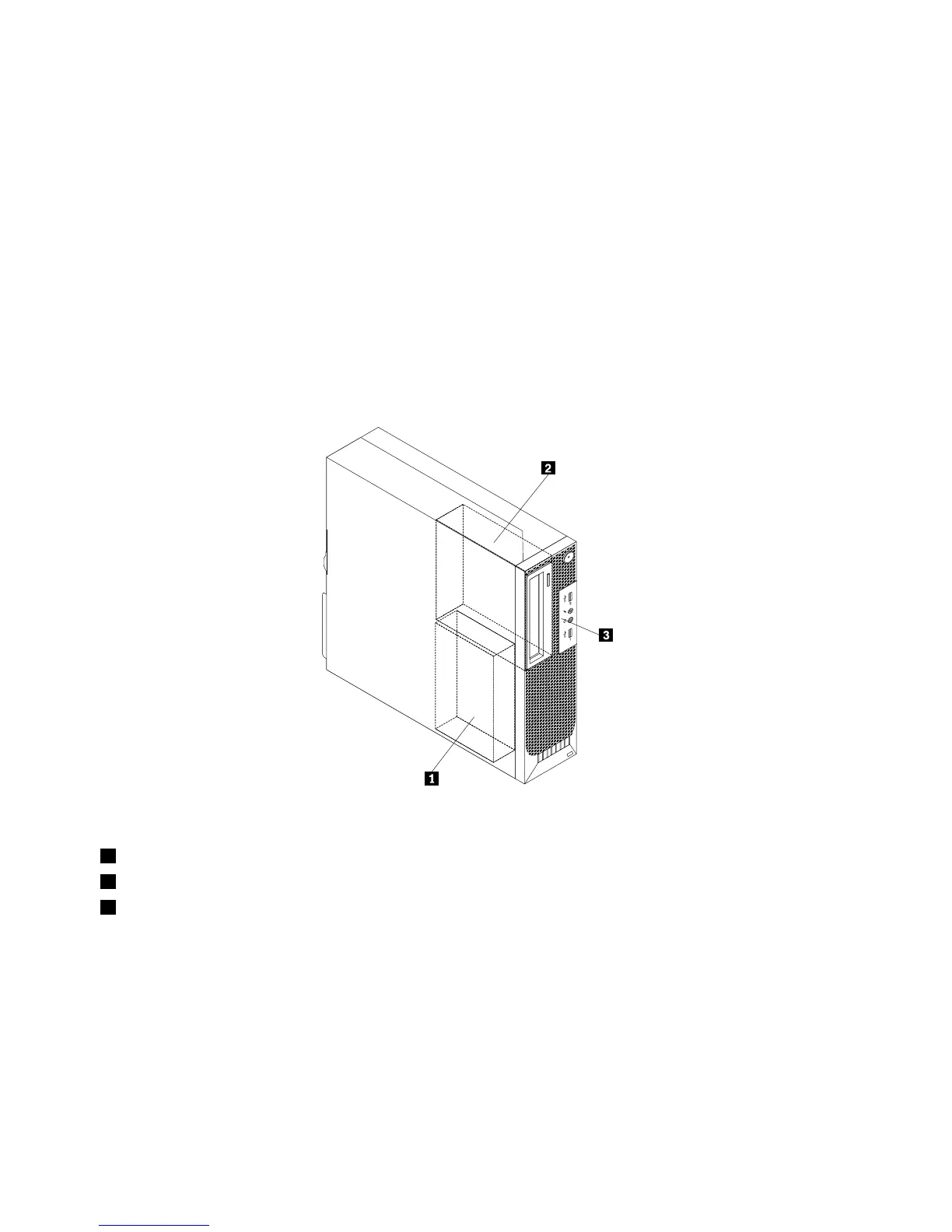
Figure5“Drivebaylocations”onpage14showsthelocationsofthedrivebays.
Figure5.Drivebaylocations
1Bay1-SATAharddiskdrivebay(witha3.5-inchharddiskdriveora2.5-inchsolidstatediskinstalled)
2Bay2-Opticaldrivebay(withanopticaldriveinstalled)
3Bay3-Cardreaderdrivebay
14ThinkStationUserGuide












 To Next Page