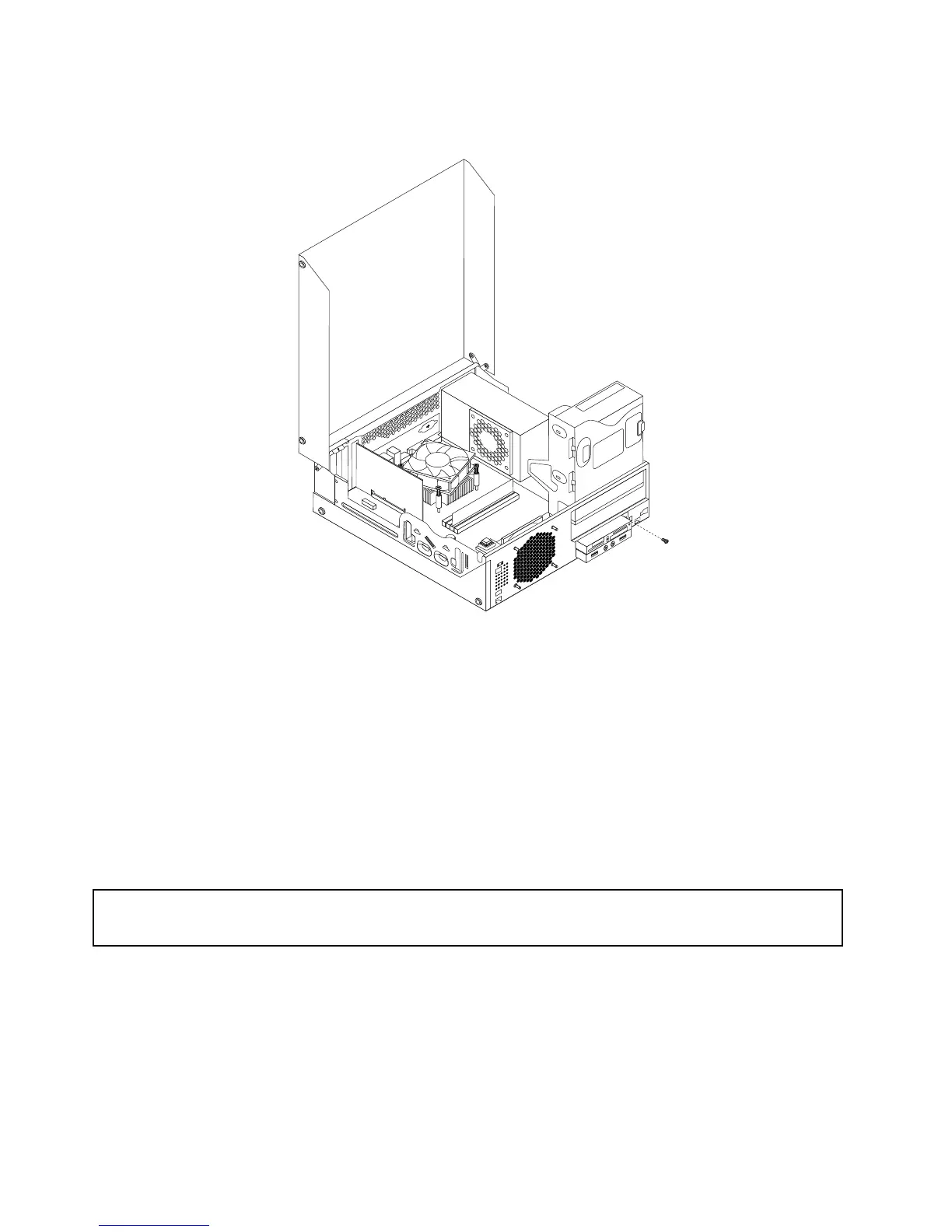
10.Installthescrewtosecurethecardreaderbrackettothechassis.
Figure22.Installingthescrewthatsecuresthecardreader
11.ReconnectthecardreadercabletooneoftheUSBconnectorsonthesystemboard.See“Locating
partsonthesystemboard”onpage12
.
12.Pivottheopticaldrivebaydownwarduntilitsnapsintoposition.
13.Reinstallthefrontbezel.See“Removingandreinstallingthefrontbezel”onpage32.
Whattodonext:
•Toworkwithanotherpieceofhardware,gototheappropriatesection.
•Tocompletetheinstallationorreplacement,goto“Completingthepartsreplacement”onpage71
.
Replacingthebattery
Attention:
Donotopenyourcomputerorattemptanyrepairbeforereadingandunderstandingthe“Importantsafetyinformation”
onpagev.
Yourcomputerhasaspecialtypeofmemorythatmaintainsthedate,time,andsettingsforbuilt-infeatures,
suchasparallel-portassignments(conguration).Abatterykeepsthisinformationactivewhenyouturn
offthecomputer.
Thebatterynormallyrequiresnochargingormaintenancethroughoutitslife;however,nobatterylasts
forever.Ifthebatteryfails,thedate,time,andcongurationinformation(includingpasswords)arelost.An
errormessageisdisplayedwhenyouturnonthecomputer.
44ThinkStationUserGuide












 To Next Page