Replacingthesystemfan
Attention:
Donotopenyourcomputerorattemptanyrepairbeforereadingandunderstandingthe“Importantsafetyinformation”
onpagev
.
Thissectionprovidesinstructionsonhowtoreplacethesystemfan.
Toreplacethesystemfan,dothefollowing:
1.Turnoffthecomputeranddisconnectallpowercordsfromelectricaloutlets.
2.Openthecomputercover.See“Openingthecomputercover”onpage32.
3.Removetheharddiskdrive.See“Replacingtheharddiskdrive”onpage47.
4.Locatethesystemfan.See“Locatingcomponents”onpage11.
5.Disconnectthesystemfancablefromthesystemfanconnectoronthesystemboard.See“Locating
partsonthesystemboard”onpage12.
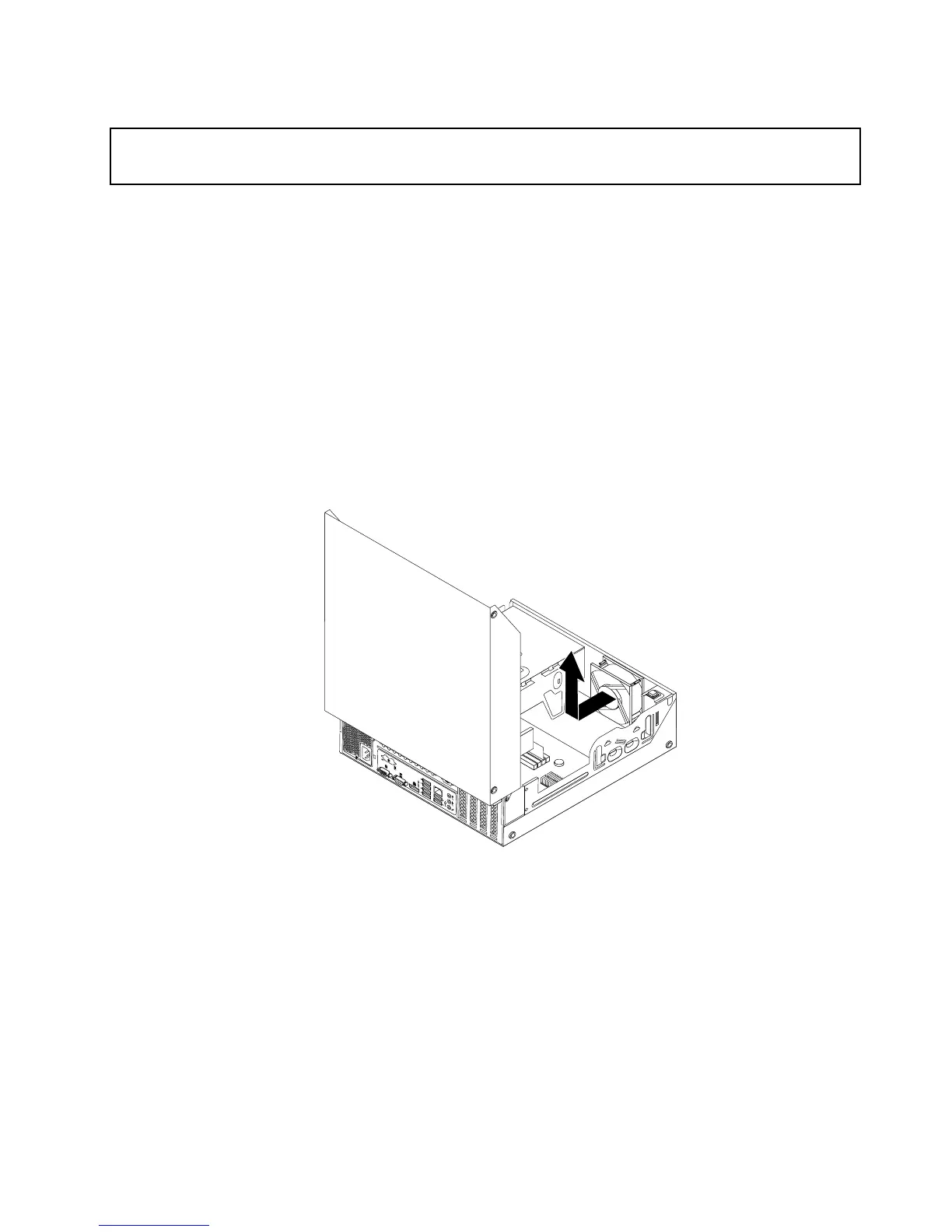
6.Thesystemfanisattachedtothechassisbyfourrubbermounts.Removethesystemfanbycutting
therubbermountsandliftingthesystemfanoutofthechassis.
Note:Thenewfrontfanassemblywillhavefournewrubbermountsattached.
Figure51.Removingthesystemfan
Chapter5.Installingorreplacinghardware69












 To Next Page