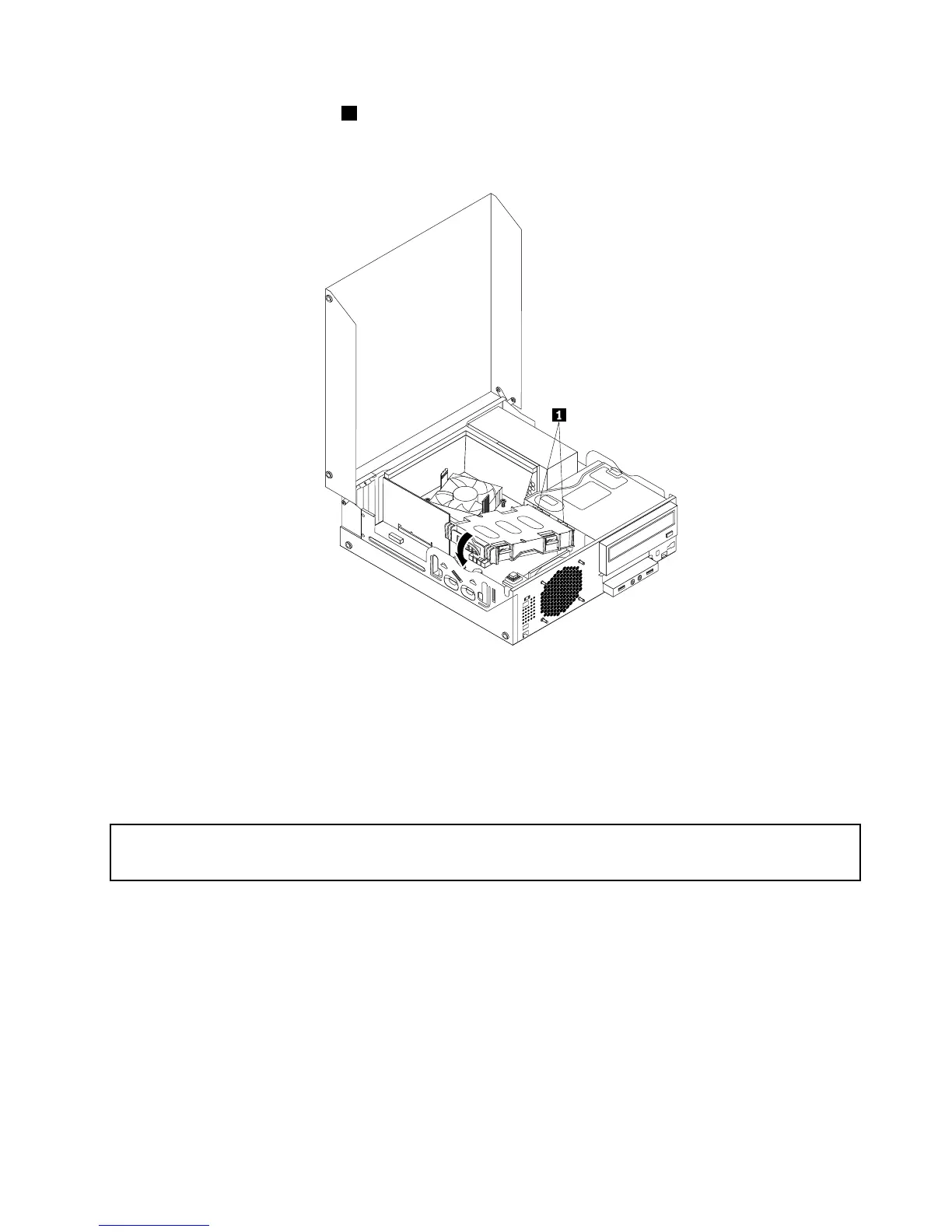
9.Insertthetworetainingclips1oftheharddiskdrivebracketintothecorrespondingholesintheside
oftheopticaldrivebay,andthenpivottheharddiskdriveandbracketdownwardsuntilthehard
diskdrivebracketsnapsintoposition.
Figure29.Installingtheharddiskdrive
Whattodonext:
•Toworkwithanotherpieceofhardware,gototheappropriatesection.
•Tocompletetheinstallationorreplacement,goto“Completingthepartsreplacement”onpage71.
Replacingtheopticaldrive
Attention:
Donotopenyourcomputerorattemptanyrepairbeforereadingandunderstandingthe“Importantsafetyinformation”
onpagev.
Thissectionprovidesinstructionsonhowtoreplacetheopticaldrive.
Toreplaceanopticaldrive,dothefollowing:
1.Turnoffthecomputeranddisconnectallpowercordsfromelectricaloutlets.
2.Openthecomputercover.See“Openingthecomputercover”onpage32.
3.Removethefrontbezel.See“Removingandreinstallingthefrontbezel”onpage32.
4.Removetheharddiskdrive.See“Replacingtheharddiskdrive”onpage47
Chapter5.Installingorreplacinghardware49












 To Next Page