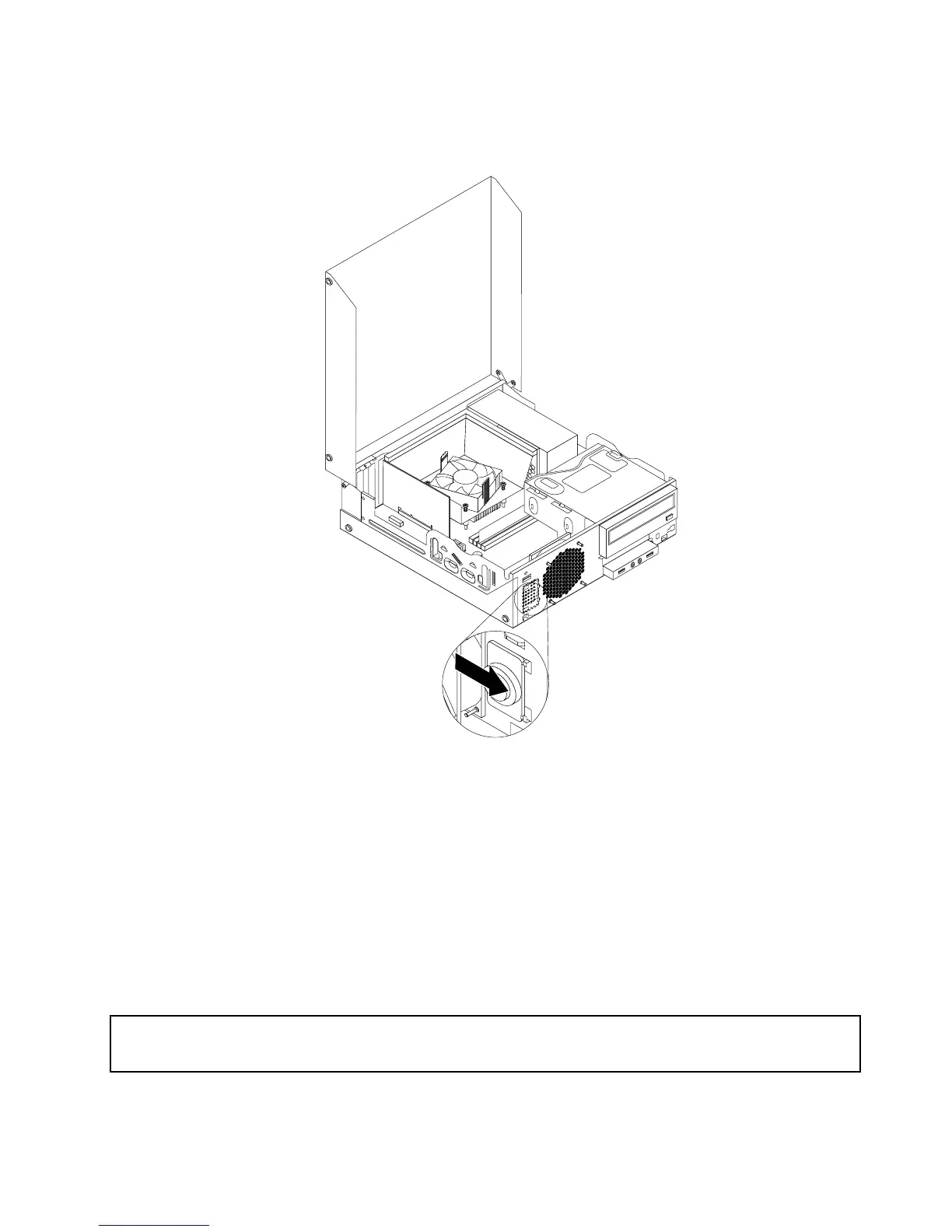
8.Alignthenewinternalspeakerwiththetwometalclipsonthechassis,andthenslidethespeaker
asshownuntilitsnapsintoposition.
Figure49.Installingthenewinternalspeaker
9.Reconnecttheinternalspeakercabletothesystemboard.See“Locatingpartsonthesystemboard”
onpage12.
10.Reinstallthecoverpresenceswitch.See“Replacingthecoverpresenceswitch”onpage63.
11.Reinstallthefrontbezel.See“Removingandreinstallingthefrontbezel”onpage32.
Whattodonext:
•Toworkwithanotherpieceofhardware,gototheappropriatesection.
•Tocompletetheinstallationorreplacement,goto“Completingthepartsreplacement”onpage71.
ReplacingthefrontaudioandUSBassembly
Attention:
Donotopenyourcomputerorattemptanyrepairbeforereadingandunderstandingthe“Importantsafetyinformation”
onpagev
.
ThissectionprovidesinstructionsonhowtoreplacethefrontaudioandUSBassembly.
Chapter5.Installingorreplacinghardware67












 To Next Page