DeviceNet
10 Installation
10-3
L BA2175 EN 2.0
10.3 Electrical installation
10.3.1 Selection of the transmission cable
The devices are connected to the bus by means of a fieldbus cable which must comply with the
DeviceNetÔ specification (release 2.0). Companies like Belden Wire & Cable, Olflex Wire & Cable,
C&M Corp. and Madison Cable manufacture DeviceNetÔ “thick”- and “thin” cables.
Stop!
Ifyoudonot wanttouse “thick” or“thin” cables, thecables used must complywith therequirements
of the DeviceNet Specification (see chapter 10.410.5).
Any other cable is not permitted and must not be used.
10.3.2 Assignment of the plug/socket connector
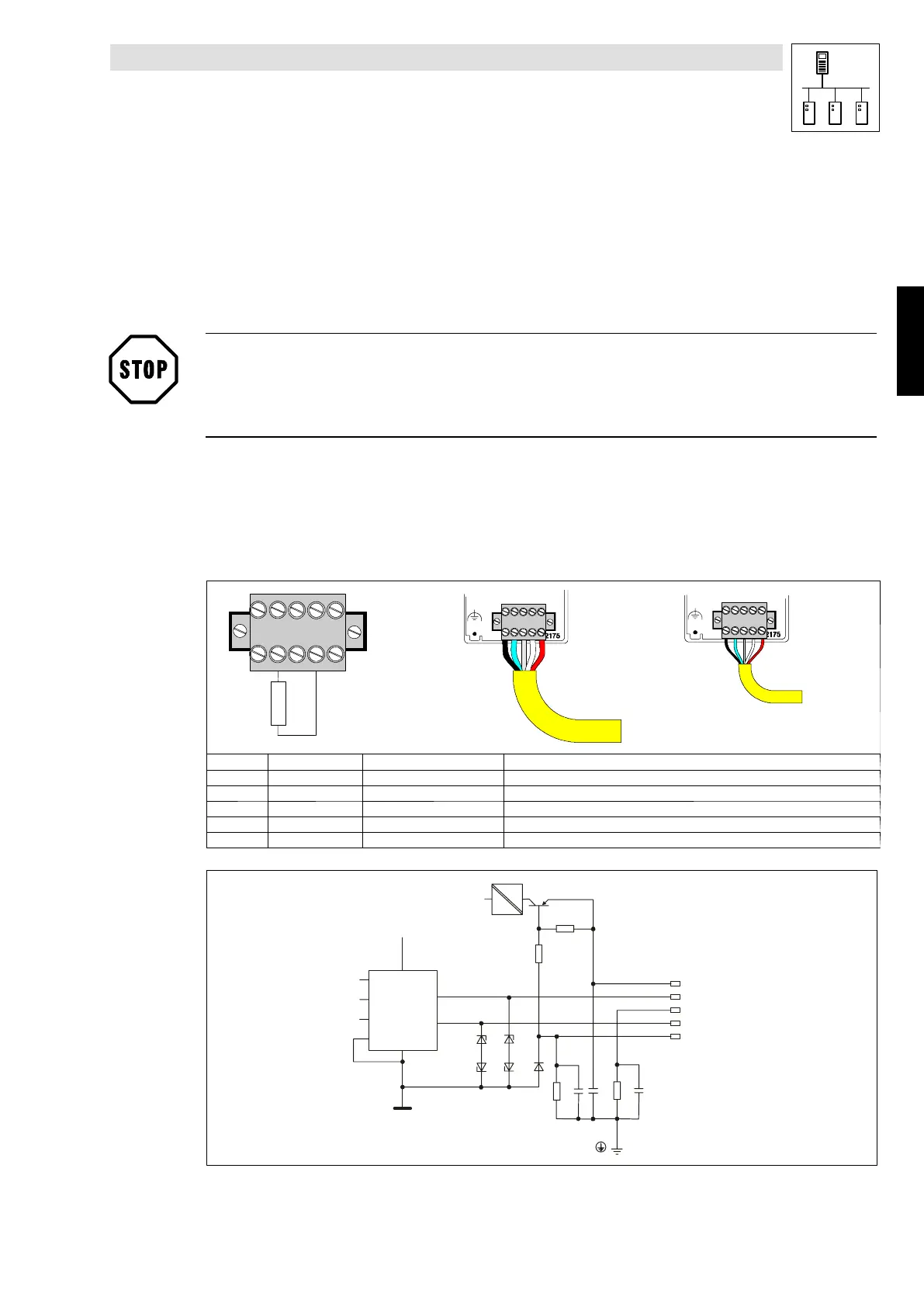
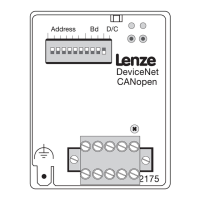
The 2175 fieldbus module is connected to the bus througha5poleplug/socketconnector.
Theassignment of the plug/socket connector and the cable colourused accordingto theDeviceNet
Specification is listed in the table.
54321
2175
Thick
Thin
120R
Terminal Designation Cable colour Explanation
1 V- black GND; reference for external voltage supply
2 CAN_L blue Data cable / input for terminating resistance of 120 Ohm
3 SHIELD Shield
4 CAN_H white Data cable / input for terminating resistance of 120 Ohm
5 V+ red External voltage supply; see notes in chapter 10.3.3
2175DeN007
+Vcc
+Vcc
+V
CAN+
Shield
CAN-
-V
7
6
2
8
5
3
1
4
DC
DC
Tab. 10-1 Terminal assignment
Phone: 800.894.0412 - Fax: 888.723.4773 - Web: www.actechdrives.com - Email: info@actechdrives.com


 To Next Page