DeviceNet
14 Appendix
14-5
L BA2175 EN 2.0
14.1.2 Communication between PC and DeviceNet via “RSLinx”
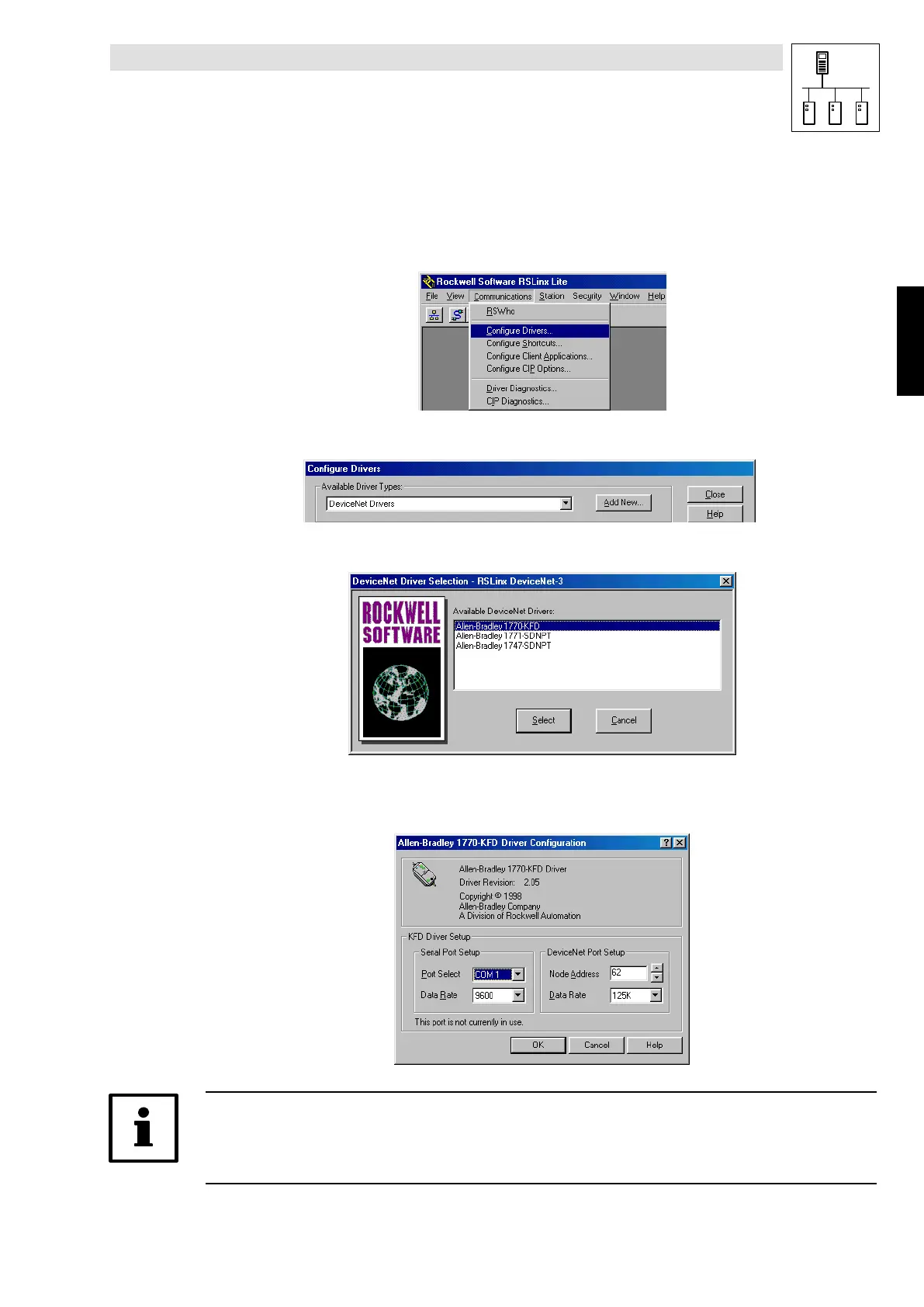
1. Start “RSLinx”
2. Select Communication WConfigure Drivers
2175DeN086
3. Select
DeviceNet Drivers
.ConfirmwithAdd new.
2175DeN060
4. Select
Interface 1770-KFD
.ConfirmwithSelect .
2175DeN061
5. Configuration of PC interface data in KFD driver setup.
Press OK to check the configuration and initialise the KFD box.
2175DeN062
Tip!
A second name can be assigned to the interface to make identification easier. Here it is
“1770-KFD-1”. This name has been suggested by RSLinx and has not been changed.
Phone: 800.894.0412 - Fax: 888.723.4773 - Web: www.actechdrives.com - Email: info@actechdrives.com


 To Next Page