DeviceNet
14 Appendix
14-17
L BA2175 EN 2.0
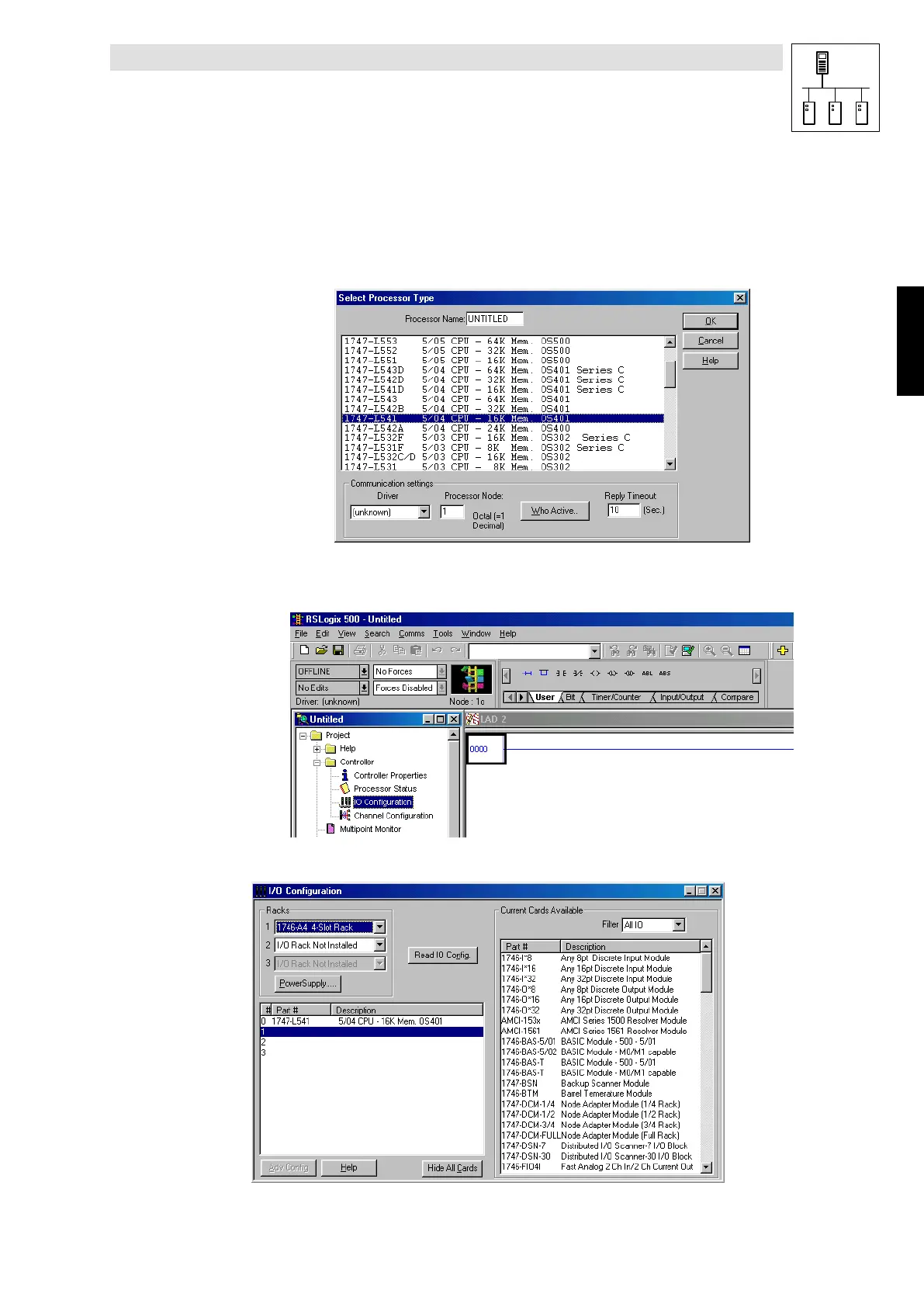
14.1.6 Starting of the “ RSLogix 500 English” PLC program
1. Select File new to create a new project.
2. Select “SLC5/04 CPU”
(Rack with four slots; exact name on CPU flap with “1747-L541”)
2175DeN092
The window changes to the current project.
The rack components are organised by clicking I/O Configuration.
2175DeN093
3. Select Read IO Config to read the I/Os from the CPU
2175DeN094
Phone: 800.894.0412 - Fax: 888.723.4773 - Web: www.actechdrives.com - Email: info@actechdrives.com


 To Next Page