EasyManua.ls Logo

Lenze 8201 - User Manual

Lenze 8201
74 pages
Print Icon
To Next Page IconTo Next Page
Loading...
Artisan Technology Group is your source for quality
new and certied-used/pre-owned equipment
FAST SHIPPING AND
DELIVERY
TENS OF THOUSANDS OF
IN-STOCK ITEMS
EQUIPMENT DEMOS
HUNDREDS OF
MANUFACTURERS
SUPPORTED
LEASING/MONTHLY
RENTALS
ITAR CERTIFIED
SECURE ASSET SOLUTIONS
SERVICE CENTER REPAIRS
Experienced engineers and technicians on staff
at our full-service, in-house repair center
WE BUY USED EQUIPMENT
Sell your excess, underutilized, and idle used equipment
We also offer credit for buy-backs and trade-ins
www.artisantg.com/WeBuyEquipment
REMOTE INSPECTION
Remotely inspect equipment before purchasing with
our interactive website at www.instraview.com
LOOKING FOR MORE INFORMATION?
Visit us on the web at www.artisantg.com for more
information on price quotations, drivers, technical
specications, manuals, and documentation
Contact us: (888) 88-SOURCE | sales@artisantg.com | www.artisantg.com
SM
View
Instra

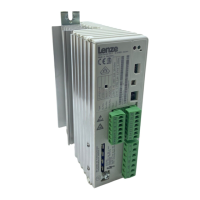
Table of Contents

Questions and Answers

  • J
    Jeffrey JonesSep 12, 2025
    What causes overload during deceleration in Lenze DC Drives?
    • C
      cruzdennisSep 12, 2025
      If the Lenze DC Drives controller overloads during deceleration, the deceleration time might be too short. Increase the deceleration time. Also check the selection of the brake resistor or connect the brake chopper.
  • M
    Melissa MurraySep 9, 2025
    How to fix Lenze 8201 DC Drives motor that does not rotate smoothly?
    • B
      Brandon LeSep 9, 2025
      If your Lenze DC Drives motor isn't rotating smoothly, it could be due to a defective motor cable, so replace it. The maximum current settings C022 and C023 might be too low, so adjust them. Also, the motor could be underexcited or overexcited, so check the parameter settings.
  • J
    Joseph ThompsonSep 8, 2025
    Why is current consumption of Lenze DC Drives motor too high?
    • D
      Denise WilsonSep 8, 2025
      If the current consumption of your Lenze DC Drives motor is too high, the setting of C016 might be too high, so lower it. Alternatively, the setting of C015 might be too low, so increase it. Also, ensure that C088 and C091 are adapted to the motor data.
  • S
    Sarah MooreSep 7, 2025
    Why is the heat sink temperature too high in my Lenze 8201?
    • C
      Carol WilsonSep 7, 2025
      If the heat sink temperature is higher than the set value in your Lenze DC Drives controller, it could be due to several reasons. The ambient temperature might be too high (T > +40 C or +50 C amb). Allow the controller to cool and ensure proper ventilation. The heat sink might be very dirty, so clean it. The mounting position could be incorrect, so change it.
  • J
    justinkimAug 23, 2025
    What to do for external fault (TRIP-Set) in Lenze DC Drives?
    • K
      Kelly ZavalaAug 23, 2025
      If you're experiencing an external fault (TRIP-Set) with your Lenze DC Drives, a digital input assigned to the TRIP-Set function might have been activated. Check external encoder.
  • S
    Stephanie FlynnSep 5, 2025
    How to troubleshoot short circuit in Lenze 8201?
    • C
      Christina GreenSep 5, 2025
      If you're experiencing a short circuit with your Lenze DC Drives, first find out the cause of the short circuit and check the cable. It could also be due to excessive capacitive charging current of the motor cable. In that case, use a motor cable which is shorter or of lower capacitance.
  • B
    Brianna TravisSep 4, 2025
    What to do if Lenze 8201 motor does not rotate?
    • I
      Ivan MoralesSep 4, 2025
      If your Lenze DC Drives motor isn't rotating, several factors could be at play. The DC-bus voltage might be too low, so you should check the mains voltage. The controller might be inhibited; in that case, check the display of the operating module for OFF, STOP, or AS_LC. Also, the setpoint could be zero, requiring you to modify it. DC braking or the Quick-stop function might be active, so deactivate them. If a JOG setpoint is activated with a JOG frequency of 0, set the JOG frequency to a non-zero value. Also, check the mechanical motor brake to ensure it is released.
  • J
    Joan HardySep 3, 2025
    What to do if Lenze Inverter shows faulty parameter transfer?
    • J
      Jennifer EspinozaSep 3, 2025
      If there's a faulty parameter transfer via the operating module on your Lenze Inverter because PAR1 and PAR2 are defective, repeat the data transfer or load the factory setting before enabling the controller.
  • D
    Donald DavidsonSep 2, 2025
    What does EEr external fault mean on Lenze Inverter?
    • S
      seansawyerSep 2, 2025
      If your Lenze Inverter displays an EE|External fault (TRIP-Set) error, it means a digital input assigned to the TRIP-Set function has been activated. Check the external encoder.
  • T
    Toni CarlsonAug 31, 2025
    What does LU undervoltage mean on Lenze Inverter?
    • D
      David StokesSep 1, 2025
      If your Lenze Inverter displays an LU (Undervoltage) error, it means the DC-bus voltage is too low. Check the mains voltage and the supply module.

Summary

1 Preface and General Information

1.1 About these Operating Instructions

Purpose and recommended use of the operating instructions.

1.1.1 Terminology Used

Definitions of key terms used throughout the operating instructions.

1.1.2 What is New?

Details changes and updates in the current version of the instructions.

1.2 Scope of Delivery

Lists the items included in the product delivery.

1.3 Legal Regulations

Outlines relevant legal directives and compliance requirements.

Liability

States Lenze's liability regarding information and product use.

Warranty

Details warranty conditions and claims process.

Disposal

Provides guidance on material disposal and recycling.

2 Safety Information

2.1 General Safety Information

Essential safety precautions for operating controllers.

2.2 Layout of the Safety Information

Explains the structure and meaning of safety icons and signal words.

2.3 Residual Hazards

Identifies specific hazards that may remain after basic safety measures.

3 Technical Data

3.1 General Data;Application Conditions

Lists general specifications, environmental conditions, and approvals.

3.2 Rated Data (Operation with 150 % Overload)

Provides detailed electrical and performance ratings for different models.

3.3 Fuses and Cable Cross-Sections

Specifies fuse types and cable cross-sections for installation.

3.4 Dimensions

Details the physical dimensions of the controller.

4 Installation

4.1 Mechanical Installation

Instructions for physical mounting and placement of the controller.

Possible Mounting Positions

Describes various options for physically mounting the controller.

4.1.2 Standard Assembly with Fixing Rails or Fixing Angles

Details standard assembly methods using rails or angles.

4.1.2.1 Types 8201 to 8204

Assembly dimensions and guidelines for specific controller types.

4.1.2.2 Type 8202-V002 (Reduced Assembly Depth)

Specific mounting instructions for the reduced depth variant.

4.1.3 DIN-Rail Assembly

Instructions for mounting the controller on a DIN rail.

4.2 Electrical Installation

Guidelines for connecting electrical power to the controller.

4.2.1 Important Notes

Key considerations before performing electrical installation.

4.2.2 Power Connections

Instructions for connecting power to the controller.

4.2.2.1 Mains Connection

Details on connecting the main power supply terminals.

4.2.2.2 Motor Connection

Instructions for connecting the motor to the controller.

Permissible Control Mode

Lists permissible control modes based on motor cable length.

4.2.2.3 Connection Diagram

Illustrates the power wiring connections for the controller.

4.2.3 Control Connections

Guidelines for connecting control signals to the controller.

4.2.3.1 Control Cables

Recommendations for using and screening control cables.

4.2.3.2 Assignment of the Control Terminals

Details the function of each control terminal.

Analog Inputs

Describes the use and data for analog input terminals.

Analog Output

Describes the use and data for analog output terminals.

Digital Inputs

Describes the use and data for digital input terminals.

Relay Output

Describes the use and data for relay output terminals.

4.2.3.3 Connection Diagrams

Illustrates control wiring connections with internal/external voltage.

4.3 Installation of a CE-Typical Drive System

Guidelines for installing a drive system to meet CE directives.

General Notes

User responsibility for EC directive compliance and EMC.

Assembly

Instructions for proper assembly to ensure EMC compliance.

Filters

Guidance on using filters for EMC compliance.

Screening

Methods for screening cables to reduce radio interference.

Grounding

Instructions for grounding components for EMC compliance.

Example for an Installation in Accordance with EMC Regulations

A diagram showing an example EMC-compliant installation.

5 Commissioning

5.1 Before You Switch On

Pre-commissioning checks for wiring and safety.

5.2 Short Set-up (Factory Setting)

A simplified procedure for initial setup based on factory defaults.

5.2.1 Switch-on Sequence

Step-by-step procedure for initial power-up and basic configuration.

5.2.2 Factory Setting of the Most Important Drive Parameters

Details default settings for key operational parameters.

5.3 Adapt Machine Data

Guide to adjusting parameters to match motor and application needs.

5.3.1 Determine Speed Range (fdmin, fdmax)

How to set minimum and maximum operating frequencies.

5.3.2 Adjustment of Acceleration and Deceleration Times (Tir, Tif)

How to set acceleration and deceleration time constants.

5.3.3 Setting of the Current Limit (Imax)

How to configure the maximum current limit for protection.

5.4 Optimisation of the Operating Characteristic of the Drive

Adjusting parameters for optimal motor performance.

5.4.1 Select the Control Mode

Choosing the appropriate motor control mode (V/f).

Help for Decision

Guidance for selecting the C014 control mode based on application.

5.4.1.1 Optimisation of V;f-Characteristic Control with Auto Boost

Details on optimizing V/f control using auto boost.

5.4.1.2 Optimisation of V;f-Characteristic Control

Details on optimizing V/f control without auto boost (e.g., for pumps/fans).

6 During Operation

7 Configuration

7.1 Basics

Introduction to controller configuration for application adaptation.

7.2 Code Table

Explains how to read and interpret the parameter code table.

8 Troubleshooting and Fault Elimination

8.1 Troubleshooting

General guide to identifying and resolving operational issues.

Display at the Controller

Explains the status indicated by controller LEDs.

Display at the Operating Module

Explains the status indications shown on the operating module display.

8.1.3 Maloperation of the Drive

Lists possible causes for the drive not operating correctly.

8.2 Fault Analysis Using the History Buffer

How to use the history buffer to trace and analyze faults.

8.3 Fault Indications

Details specific fault display codes, their causes, and remedies.

8.4 Reset of Fault Indications

Procedures for resetting fault messages and restoring operation.

9 Accessories (Overview)

9.1 Accessories for All Types

Lists general accessories available for all controller types.

9.2 Software

Lists available software for controller configuration and management.

9.3 Type-Specific Accessories

Lists accessories specific to different controller models.

Lenze 8201 Specifications

General IconGeneral
BrandLenze
Model8201
CategoryDC Drives
LanguageEnglish

Related product manuals