EasyManua.ls Logo

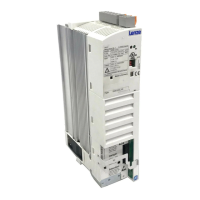
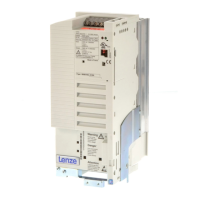
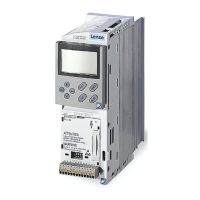
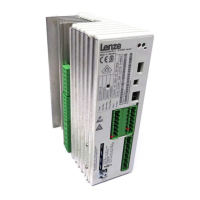
Lenze 8200 motec - User Manual

Lenze 8200 motec
144 pages
Print Icon
To Next Page IconTo Next Page
Loading...
Distributed drive solutions 8200 motec/starttec
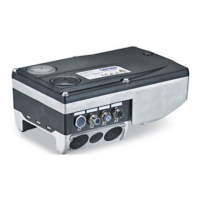
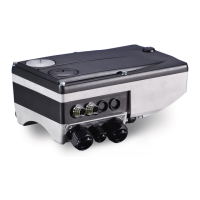
8200 motec 0.25 ... 7.5 kW
starttec 0.25 ... 4.0 kW
Lenze Global Drive – Distributed drive solutions
CTi Automation - Phone: 800.894.0412 - Fax: 208.368.0415 - Web: www.ctiautomation.net - e.mail: info@ctiautomation.net

Other manuals for Lenze 8200 motec

Questions and Answers

  • M
    millsrachelAug 19, 2025
    What to do if Lenze Media Converter motor current consumption is too high?
    • V
      Veronica KennedyAug 19, 2025
      If the current consumption of the Lenze Media Converter motor is too high, it could be due to the setting of C0016 being too high, so correct the setting. Alternatively, the setting of C0015 might be too low, so correct that setting. Also, C0084, C0087, C0088, C0089, C0090, C0091 and/or C0092 might not be adapted to the motor data, so perform manual adaptation or identification of motor parameters (C0148).
  • T
    Tina BakerAug 21, 2025
    How to fix Lenze Media Converter motor if it does not rotate smoothly?
    • S
      shawnrileyAug 22, 2025
      If the Lenze Media Converter motor does not rotate smoothly, it could be due to a defective motor cable, so check the motor cable. The maximum current might be too low (C0022, C0023), so adapt it to the application. The motor might be underexcited or overexcited, so check the parameter setting (C0015, C0016, C0014). Also, C0084, C0087, C0088, C0089, C0090, C0091 and/or C0092 might not be adapted to the motor data, so perform manual adaptation or identification of motor parameters (C0148).
  • D
    Dylan DuarteAug 25, 2025
    What causes controller overload during deceleration in Lenze Media Converter?
    • J
      jonesheidiAug 26, 2025
      If the Lenze Media Converter experiences a controller overload during deceleration, it is possible that the deceleration time is set too short (C0013). To resolve this, increase the deceleration time and check the rating of the external brake resistor.
  • J
    Justin BurkeAug 27, 2025
    How to troubleshoot CAN Time-Out on Lenze Media Converter?
    • W
      warnerjesseAug 28, 2025
      If there is a CAN Time-Out error with the Lenze Media Converter, and you are using remote parameter setting via system bus (C0370), it indicates that the slave is not answering, and the communication monitoring time has been exceeded. To solve this, check the system bus wiring and the system bus configuration.
  • S
    swellsAug 31, 2025
    What does open circuit in analog input mean for Lenze Media Converter?
    • K
      Kevin HardingAug 31, 2025
      If there is an open circuit in the analog input (setpoint range 4 ... 20 mA) of the Lenze Media Converter, it means the current at the analog input is less than 4 mA. To fix this, close the circuit at the analog input.
  • N
    nelsonwilliamSep 3, 2025
    How to resolve communication error to CAN-IN2 on Lenze Media Converter?
    • S
      saranielsenSep 3, 2025
      If there is a communication error to CAN-IN2 with the Lenze Media Converter, it means the CAN-IN2 object is receiving faulty data or communication is interrupted. You should check the plug-in connection and bus module, check FIF and the transmitter, and increase monitoring time under C0357/2 if necessary.
  • J
    James TurnerSep 6, 2025
    How do I fix communication fault to CAN-IN1 with Sync control on Lenze Media Converter?
    • P
      pchavezSep 6, 2025
      If there is a communication fault to CAN-IN1 with Sync control on the Lenze Media Converter, it indicates that the CAN-IN1 object is receiving faulty data or communication is interrupted. You should check the plug-in connection and bus module, check FIF and the transmitter, and increase monitoring time under C0357/1 if necessary.
  • K
    Kevin WhitakerSep 9, 2025
    Why does Lenze Media Converter motor rotate when setpoints are 0?
    • T
      Theresa ArroyoSep 9, 2025
      If the Lenze Media Converter motor rotates even when the setpoints are “0”, it indicates that a setpoint has been selected using the keypad function. To resolve this, set the setpoint to ”0” by configuring C0140 = 0.
  • J
    Jonathan VillaSep 12, 2025
    What causes communication fault to AIF on Lenze Media Converter?
    • D
      Deanna RobinsonSep 12, 2025
      If there is a communication fault to AIF in Lenze Media Converter, it indicates a faulty transmission of control commands via AIF. To solve this, insert the communication module into the hand terminal.
  • M
    Michael RodriguezNov 15, 2025
    Why Lenze Media Converter motor does not rotate?
    • E
      eric00Nov 15, 2025
      If the Lenze Media Converter motor does not rotate, it could be due to several reasons. The DC-bus voltage might be too low, in which case you should check the mains voltage. The controller might be inhibited; remove the controller inhibit, noting that it can be set through several sources. Automatic start could be inhibited (C0142 = 0 or 2), so apply a LOW-HIGH edge at X3/28 and correct the start condition (C0142) if necessary. The DC injection brake might be active, so deactivate it. The mechanical motor brake may not be released; manually or electrically release it. Quick stop (QSP) might be active, so remove quick stop. The setpoint might be 0, so select a setpoint. A JOG setpoint might be activated with JOG frequency = 0, so select a JOG setpoint (C0037 ... C0039). An active fault mig...

Summary

Product Information

List of abbreviations

Defines abbreviations used in the catalog for technical terms and units.

Type key

Explains the coding system for ordering 8200 motec and starttec products.

Ordering data

Provides essential information required for placing an order correctly.

Using the catalog

Guidance on how to navigate and utilize the catalog for product selection.

Distributed drive solutions with 8200 motec and starttec - Robust by design

Highlights the features and benefits of distributed drive solutions.

Selection guide

A guide to assist in selecting the appropriate components for drive tasks.

Product Information

starttec - Quick selection guide

Provides a quick guide for selecting starttec motor starters.

Standard controllers

8200 motec

Details on the 8200 motec frequency inverter series.

8200 motec - Overview

General introduction and features of the 8200 motec inverter.

8200 motec - Technical data

Technical specifications and operating conditions for 8200 motec.

8200 motec - Operation at rated power (normal operation)

Data and ratings for normal operation of 8200 motec.

8200 motec - Operation at increased rated power

Data and ratings for 8200 motec operating at increased power.

8200 motec - Dimensions and assembly

Information on physical dimensions and assembly procedures for 8200 motec.

starttec

Details on the starttec motor starter series.

starttec - Overview

General introduction and features of the starttec motor starter.

starttec - Technical data

Technical specifications and operating conditions for starttec.

starttec - Ratings

Rating information for starttec in various configurations.

starttec - Dimensions and assembly

Information on physical dimensions and assembly procedures for starttec.

Automation

Overview

General overview of automation solutions and components.

Diagnostics and parameter settings

Tools and methods for diagnosing and setting parameters.

I;O function modules

Details on input/output modules for expanding system functionality.

Fieldbus function modules

Information on modules for fieldbus communication.

Automation components

Overview of various automation hardware components.

Function modules and communication modules

Explains the range of function and communication modules available.

Application options for function modules and communication modules in the 8200 motec and starttec

Illustrates application possibilities with modules for 8200 motec/starttec.

Keypad XT operating module

Details on the Keypad XT module for operation and diagnostics.

LECOM-A (RS232)

Information on the LECOM-A interface for parameter settings.

Global Drive Control - GDC easy parameter setting software

Details on the GDC easy software for parameter settings.

Standard I;O

Description of the Standard I/O function module.

Application I;O

Description of the Application I/O function module.

BUS I;O

Description of the BUS I/O function module.

CAN (system bus)

Details on the CAN system bus fieldbus function module.

CAN I;O (system bus)

Details on the CAN I/O system bus fieldbus function module.

PROFIBUS-DP

Details on the PROFIBUS-DP fieldbus function module.

INTERBUS

Details on the INTERBUS fieldbus function module.

LECOM-B (RS485)

Details on the LECOM-B (RS485) fieldbus function module.

AS-interface

Details on the AS-interface fieldbus function module.

Drive PLC - Description

Description of the Drive PLC for machine automation.

Drive PLC - Technical data

Technical specifications for the Drive PLC.

Drive PLC - Mechanical installation

Instructions for the mechanical installation of the Drive PLC.

Extension Board

Details on extension boards for the Drive PLC.

Operating;Display units

Information on operating and display units for automation.

I;O system in IP20

Description of the IP20 rated I/O system.

Accessories

Overview

Overview of available accessories for 8200 motec and starttec.

Cable protection

Information on fuses, circuit breakers, and cable cross-sections.

Mains chokes (EN61000-3-2)

Details on mains chokes for harmonic current compliance.

Braking operation

Information on braking operations with brake resistors and motors.

Wiring terminals

Details on wiring terminals for mains and control cables.

Current limiting modules

Information on current limiting modules for motor starters.

Assembly tools

Tools and accessories for mounting components.

Controls

Details on control units like potentiometers and switches.

General accessories 8200 motec

List of general accessories for the 8200 motec series.

General accessories starttec

List of general accessories for the starttec series.

Type-specific accessories 8200 motec 0.25;0.37 kW (1~230 V)

Accessories specific to 8200 motec 0.25-0.37 kW models.

Type-specific accessories 8200 motec 0.55 - 2.2 kW (3~400 V)

Accessories specific to 8200 motec 0.55-2.2 kW models.

Type-specific accessories 8200 motec 3.0 - 7.5 kW (3~400 V)

Accessories specific to 8200 motec 3.0-7.5 kW models.

8200 motec 0.25;0.37 kW, 230 V combination options

Combination options for 8200 motec 0.25/0.37 kW, 230 V.

8200 motec 0.55-2.2 kW, 400 V combination options

Combination options for 8200 motec 0.55-2.2 kW, 400 V.

8200 motec 3.0-7.5 kW, 400 V combination options

Combination options for 8200 motec 3.0-7.5 kW, 400 V.

Application examples

Conveyor technology applications

Examples of applications in conveyor technology.

Operation with 87 Hz characteristic

Explains operation using the 87 Hz characteristic.

Adjustment applications (speed control)

Examples of adjusting speed control settings.

Control applications (speed control)

Examples of control applications based on speed control.

Group drive

Application example of a group drive system.

Sequential switching

Example of a sequential switching circuit for compressors.

Setpoint summation

Example of summing multiple setpoints for motor control.

Power control

Application example of power control for fans.

Alternative to mechanical speed drives

Using frequency inverters as mechanical speed drive alternatives.

Services

Services

Overview of Lenze's service offerings and support.

Related documentation

Information on available technical documentation and downloads.

Fax order form

Provides a form for placing orders via fax.

Lenze worldwide

Information on Lenze's global service network.

Lenze 8200 motec Specifications

General IconGeneral
BrandLenze
Model8200 motec
CategoryDC Drives
LanguageEnglish

Related product manuals