EasyManua.ls Logo

Lenze 8200 - User Manual

Lenze 8200
313 pages
Print Icon
To Next Page IconTo Next Page
Loading...
Artisan Technology Group is your source for quality
new and certied-used/pre-owned equipment
FAST SHIPPING AND
DELIVERY
TENS OF THOUSANDS OF
IN-STOCK ITEMS
EQUIPMENT DEMOS
HUNDREDS OF
MANUFACTURERS
SUPPORTED
LEASING/MONTHLY
RENTALS
ITAR CERTIFIED
SECURE ASSET SOLUTIONS
SERVICE CENTER REPAIRS
Experienced engineers and technicians on staff
at our full-service, in-house repair center
WE BUY USED EQUIPMENT
Sell your excess, underutilized, and idle used equipment
We also offer credit for buy-backs and trade-ins
www.artisantg.com/WeBuyEquipment
REMOTE INSPECTION
Remotely inspect equipment before purchasing with
our interactive website at www.instraview.com
LOOKING FOR MORE INFORMATION?
Visit us on the web at www.artisantg.com for more
information on price quotations, drivers, technical
specications, manuals, and documentation
Contact us: (888) 88-SOURCE | sales@artisantg.com | www.artisantg.com
SM
View
Instra

Table of Contents

Other manuals for Lenze 8200

Questions and Answers

  • J
    John CervantesAug 20, 2025
    What to do if Lenze DC Drives controller does not transmit telegrams?
    • D
      Daniel LinAug 20, 2025
      If the Lenze DC Drives controller does not transmit telegrams, first check if the yellow LED TxD is blinking. If it's not, verify the LECOM baud rate (C0125) of both nodes and adjust them to be the same if needed. Avoid using device addresses 00, 10, ..., 90. If the yellow LED TxD is blinking, then check the wiring to the host.
  • A
    Alexander JacksonAug 22, 2025
    What to do if Lenze DC Drives controller does not receive any telegrams?
    • C
      christinadonovanAug 22, 2025
      If the Lenze DC Drives controller does not receive telegrams, and the yellow LED RxD is not blinking, check the wiring to the host. Also, ensure that the host is transmitting telegrams using the correct interface. You can test this by having the host transmit telegrams cyclically, for example, with GDC in online operation.
  • M
    Morgan MorenoAug 25, 2025
    Why Lenze DC Drives motor does not rotate?
    • A
      andrew64Aug 25, 2025
      If the motor does not rotate when using Lenze DC Drives, it could be due to several reasons. Here are some things to check: * The DC-bus voltage may be too low, so check the mains voltage. * The controller may be inhibited, so remove the controller inhibit. * The quick stop may be active, so remove the quick stop. * The setpoint may be 0, so select a setpoint. * An active fault may be present, so eliminate the fault.
  • R
    robinsoncherylAug 27, 2025
    How to fix Lenze DC Drives motor that does not rotate smoothly?
    • A
      amybrownAug 27, 2025
      If your Lenze DC Drives motor isn't rotating smoothly, start by checking the motor cable for any defects. Also, make sure that the maximum current settings (C0022, C0023) are appropriately adapted to the application.
  • N
    nholtAug 28, 2025
    How to troubleshoot no communication with Lenze DC Drives controller?
    • L
      Leslie SaundersAug 28, 2025
      If the Lenze DC Drives controller is switched off, supply the controller with voltage. If the communication module has no voltage, check the connection with the controller.
  • E
    ejamesAug 30, 2025
    Why Lenze DC Drives controller transmits positive acknowledgement but does not execute write request?
    • F
      Frank ReyesAug 30, 2025
      If the Lenze DC Drives controller transmits a positive acknowledgement (ACK response) but does not execute the write request, it might be operating with a different parameter set. Try changing over to the correct parameter set.
  • R
    rebecca94Aug 31, 2025
    What to do if Lenze DC Drives motor does not rotate because automatic start is inhibited?
    • D
      davidburnsSep 1, 2025
      If the motor does not rotate when using Lenze DC Drives and the automatic start is inhibited, correct the start condition (C0142). Apply a LOW-HIGH edge at X3/28 if necessary.
  • M
    michaelmasonSep 2, 2025
    What to do if Lenze DC Drives motor does not rotate because DC injection brake is active?
    • J
      Jodi NicholsonSep 2, 2025
      If the Lenze DC Drives motor does not rotate and the DC injection brake (DCB) is active, deactivate the DC injection brake.
  • J
    Jessica LeeSep 4, 2025
    What to do if Lenze DC Drives motor does not rotate because mechanical motor brake is not released?
    • D
      Daniel GreenSep 4, 2025
      If the Lenze DC Drives motor does not rotate and the mechanical motor brake is not released, manually or electrically release the mechanical motor brake.
  • L
    Lisa BennettSep 6, 2025
    What to do if Lenze DC Drives motor does not rotate because JOG frequency is 0?
    • T
      Tanya AlvarezSep 6, 2025
      If the Lenze DC Drives motor does not rotate and the JOG setpoint is activated but the JOG frequency is 0, select a JOG setpoint (C0037 ... C0039).

Summary

Part A: Preface and general information

1.3 Legal regulations

Information on CE directives, application as directed, liability, warranty, and disposal.

1.4 EC Directives;Declaration of Conformity

Explanation of EC directives and the CE mark's implication for product conformity.

1.4.3 EC Low-Voltage Directive

Details on the Low-Voltage Directive (73/23/EEC) and its scope.

Part B: Technical data

3 Technical data

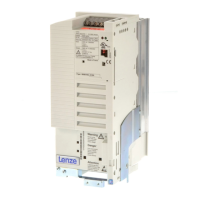
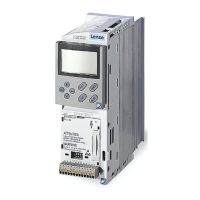
Comprehensive technical specifications, features, and ratings for 82XX frequency inverters.

3.1 Overview of types

Categorization and identification of different 82XX frequency inverter models.

3.2 Features

Comparison of key features across 820X, 821X, 822X, and 824X inverter series.

Part D: Configuration

7 Configuration

Guidance on adapting the drive to specific applications through parameter settings.

7.1 8201 BB operating module

Description of the functions and features of the 8201BB operating module.

7.2 Structure of the operating program

Explanation of the three program levels: operating, code, and parameter levels.

Part E: Troubleshooting and fault elimination

8 Troubleshooting and fault elimination

Methods for identifying and resolving faults, including LED indicators and status messages.

8.1 Troubleshooting

Procedures for diagnosing issues based on controller displays and LED indications.

8.1.1 Display at the controller

Interpreting the operating status indicated by LEDs on the controller unit.

Part F: Network of several drives

10 Network of several drives

Information on connecting multiple controllers and supply units for DC-bus networks.

10.1 Function

Explains energy exchange between controllers on a DC-voltage level in a network.

Part G: Application of brake units

11 Application of brake units

Details on applying brake units, referring to attached Operating Instructions.

Part K: Selection help

14 Selection help

Guidance and tools to assist in selecting the correct components.

Part L: Signal-flow charts

16 Signal-flow charts

Visual representations of signal paths within the controller for various functions.

Part M: Glossary

17 Glossary

Definitions of technical terms and abbreviations used throughout the manual.

Table of keywords

18 Table of keywords

An alphabetical index of topics and their corresponding page references.

Lenze 8200 Specifications

General IconGeneral
BrandLenze
Model8200
CategoryDC Drives
LanguageEnglish

Related product manuals