EasyManua.ls Logo

Lenze Global Drive 8200 vector - User Manual

Lenze Global Drive 8200 vector
18 pages
Print Icon
To Next Page IconTo Next Page
Loading...
L
I
n
f
o
r
m
a
t
i
o
n
f
o
r
th
e
o
p
e
r
a
t
o
r
of the machine/system
EDK82EVXXX
!P2F
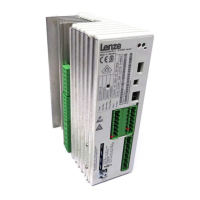
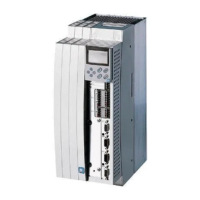
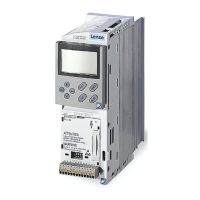
Global Drive
8200 vector
frequency inverter
0.25 ... 90 kW
Ä!P2Fä

Questions and Answers

  • D
    David FlemingAug 4, 2025
    Why does Lenze DC Drives motor parameter identification stop with error LP1?
    • L
      Leah ColemanAug 4, 2025
      The Lenze DC Drives motor parameter identification might stop with error LP1 because the motor is too small compared with rated power or the DC brake is active via terminal.
  • M
    Michael BartonAug 16, 2025
    Why is the current consumption of my Lenze Global Drive 8200 vector DC Drives motor too high?
    • J
      Jennifer RobinsonAug 16, 2025
      The current consumption of your Lenze DC Drives motor might be too high due to the following reasons: * The setting of C0016 is too high. Correct the setting. * The setting of C0015 is too low. Correct the setting. * C0084, C0087, C0088, C0089, C0090, C0091 and/or C0092 are not adapted to the motor data. Perform manual adaptation or identification of motor parameters (C0148).
  • L
    liurachelAug 21, 2025
    How to fix a Lenze Global Drive 8200 vector DC Drives motor that does not rotate smoothly?
    • S
      Susan SmithAug 21, 2025
      If your Lenze DC Drives motor isn't rotating smoothly, consider these potential causes: * A defective motor cable. Check the motor cable. * The maximum current is set too low (C0022, C0023). Adapt the current setting to the application. * The motor is underexcited or overexcited. Check the parameter settings (C0015, C0016, C0014). * Parameters C0084, C0087, C0088, C0089, C0090, C0091, and/or C0092 are not adapted to the motor data. Manually adapt or identify the motor parameters (C0148).
  • M
    Mary ThomasAug 27, 2025
    What to do if Lenze DC Drives motor rotates when setpoints are “0”?
    • C
      Christopher ColonAug 28, 2025
      If the Lenze DC Drives motor rotates even when the setpoints are “0”, it might be because a setpoint has been selected using function 3 of the keypad. To resolve this, set the setpoint to ”0” by configuring C0140 = 0.
  • D
    Douglas WhiteNov 8, 2025
    What to do if Lenze DC Drives motor does not rotate?
    • A
      Angela WongNov 9, 2025
      If the Lenze DC Drives motor isn't rotating, there could be several reasons: * The DC-bus voltage might be too low. Check the mains voltage. * The controller might be inhibited. Remove the controller inhibit, which can be set through several sources. * Automatic start might be inhibited (C0142 = 0 or 2). Apply a LOW-HIGH signal at X3/28 and correct the start condition (C0142) if necessary. * The DC injection brake (DCB) might be active. Deactivate the DC injection brake. * The mechanical motor brake might not be released. Manually or electrically release the mechanical motor brake. * Quick stop (QSP) might be active. Remove the quick stop. * The setpoint might be 0. Select a setpoint. * The JOG setpoint might be activated, and the JOG frequency is 0. Select a JOG setpoint ...

Summary

Safety Information

Safety and Application Notes for Lenze Controllers

General safety & application notes for Lenze controllers, detailing risks and personnel qualifications.

Installation Guidelines

Instructions for controller installation, handling precautions, and electrical connection safety measures.

Electrical Connection Procedures

Guidelines for electrical installation, regulatory compliance, and EMC considerations for controllers.

Controller Operation

Requirements for operating controllers, safety after disconnection, and cover closure protocols.

Safe Standstill Function

Information regarding the 'Safe standstill' feature for the 8200 vector controller series.

Maintenance and Servicing

Notes on controller maintenance, cooling surface cleaning, and proper disposal procedures.

Transport and Storage

Instructions for handling damages, securing ring bolts, and suitable storage environments for machinery.

Motor Installation

Ensuring proper mounting, alignment, and resonance avoidance during motor installation.

General Safety and Application Notes for Lenze Motors

Application Directives

Intended usage of low-voltage machines in industrial settings and restrictions for hazardous areas.

Motor Electrical Connection

Safety requirements for electrical connection by qualified personnel, including supply isolation.

Motor Operation

Acceptable vibration levels, handling deviations, dirt exposure, and protection device usage.

Residual Hazards and Safety Instruction Layout

Protection of Persons

Precautions regarding live terminals post-switch-off, relay outputs, and rotating parts.

Controller Protection Measures

Safety guidelines for terminal connection/disconnection and cyclic mains switching.

Motor Overheating Risks

Notes on motor overheating from DC braking or low-speed operation of self-ventilated motors.

Overspeeding Protection

Risks of overspeeding and the necessity of additional components for system protection.

Safety Note Layout Explanation

Parameter Setting

Setting Parameters with E82 ZBC Keypad

Introduction to parameter setting using the E82ZBC keypad and its availability.

Keypad Installation and Commissioning

Steps for connecting the keypad to the controller and its self-test procedure.

Display Elements and Function Keys

Description of display elements (status, function bars, bargraph) and keypad function keys.

Changing and Saving Parameters

Step-by-step guide for modifying and saving parameters using the keypad interface.

Menu Structure Overview

Explanation of the menu structure (USEr and ALL menus) for parameter configuration.

USEr Menu: Top 10 Drive Parameters

Troubleshooting and Fault Elimination

Drive Maloperation Issues

Lists common drive maloperations, their causes, and recommended remedies.

LED Status and Fault Reset

Explanation of LED operating status indicators and the procedure for resetting faults.

Keypad Error Messages

Detailed table of error messages, their causes, and remedies displayed on the keypad.

Specific Error Codes and Solutions

Lists error codes, causes, and remedies for various faults including short circuits and overloads.

Analog Input and Reset Error Messages

Details error messages for analog input wire breakage and auto-TRIP reset functions.

Lenze Global Drive 8200 vector Specifications

General IconGeneral
BrandLenze
ModelGlobal Drive 8200 vector
CategoryDC Drives
LanguageEnglish

Related product manuals