EasyManua.ls Logo

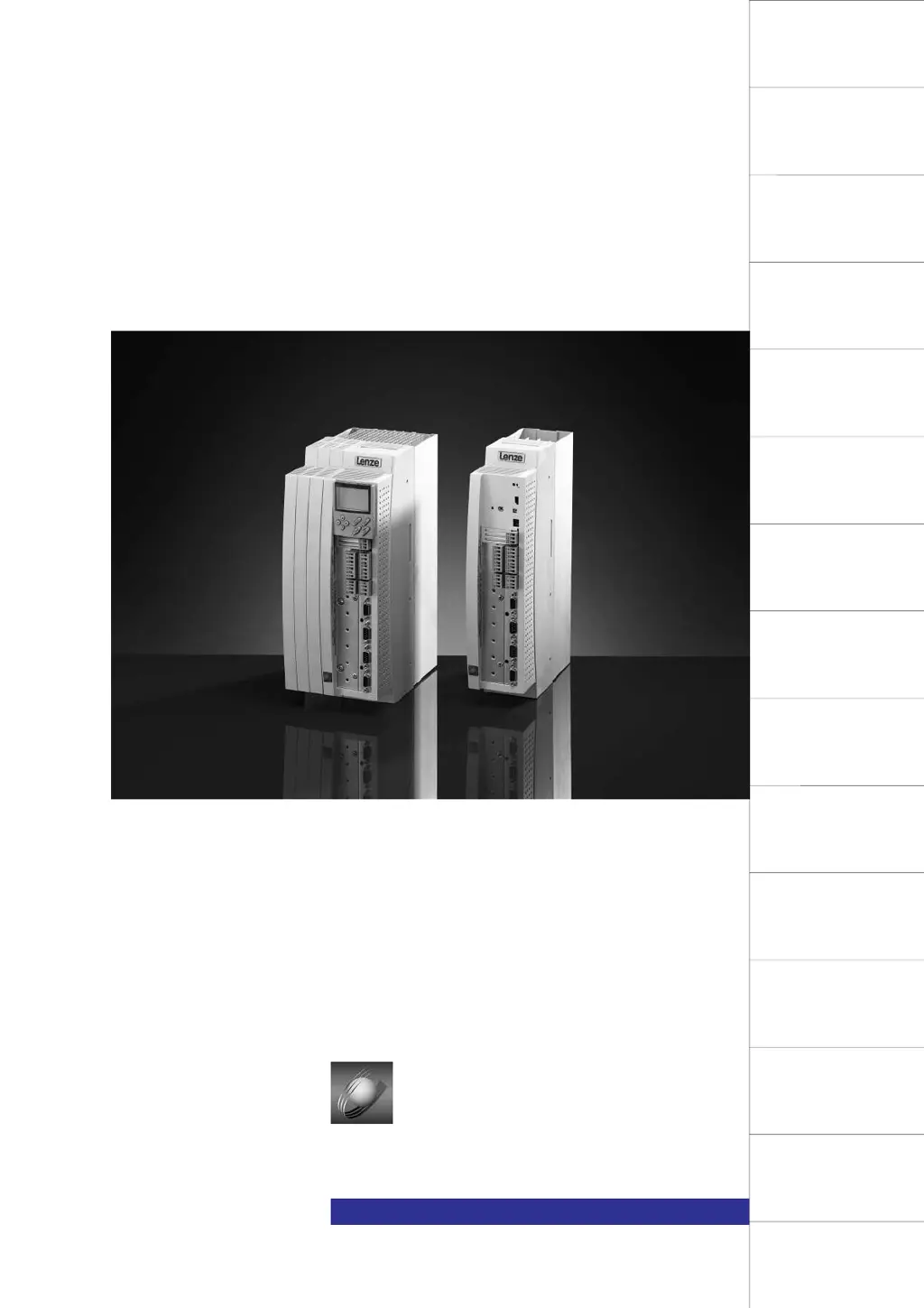
Lenze 9300 - User Manual

Lenze 9300
524 pages
Print Icon
To Next Page IconTo Next Page
Loading...
Glossary
Table of keywords
Signal-flow charts
How to select the drive
Application examples
Accessories and Motors
Automation
Application of brake units
DC bus connection of
several drives
Troubleshooting and fault
elimination
Maintenance
Configuration
Code table
Commissioning
During operation
Technical data
Installation
Contents
Preface and general
information
Safety information
Manual
L
Global Drive
9300 cam profiler
EDS9300U-K
00407361
Show/Hide Bookmarks

Table of Contents

Other manuals for Lenze 9300

Questions and Answers

  • T
    Tanya BerrySep 9, 2025
    How to resolve 'No reference' error on Lenze 9300 Controller?
    • B
      brianrogersSep 9, 2025
      If your Lenze Controller shows a 'No reference' error, it means the homing point is unknown or no homing was performed before the first positioning for absolute positioning. Perform manual homing, start homing in the program, or set a reference and restart.
  • J
    Jose FlemingSep 7, 2025
    What to do if positive limit switch was reached on Lenze 9300 Controller?
    • A
      Alexander KingSep 8, 2025
      If your Lenze Controller indicates 'Positive limit switch was reached', control the drive in the negative direction and check the terminal connection X5/E1.
  • K
    Kristen FrederickAug 22, 2025
    What to do if Lenze 9300 displays a short-circuit error?
    • J
      johnsonbethAug 22, 2025
      If your Lenze Controller shows a 'Short-circuit' error, it indicates an electrical short. You should identify and fix the cause of the short-circuit and inspect the cable. It could also be due to excessive capacitive charging current of the motor cable. In this case, use a motor cable that is shorter or has lower capacitance.
  • M
    Melissa KingSep 5, 2025
    What to do if Lenze 9300 exceeds maximum speed?
    • T
      Troy MontgomerySep 5, 2025
      If your Lenze Controller indicates 'Max. speed exceeded (C0596),' it suggests that the active load is too high or the drive is not speed-controlled with excessive torque limitation. Check the drive dimensioning and increase the torque limit if necessary.
  • J
    Jennifer DavisSep 4, 2025
    How to fix undervoltage on Lenze Controller?
    • R
      raven64Sep 4, 2025
      If your Lenze Controller displays an 'Undervoltage' error, it means the DC bus voltage is lower than the value fixed under C0173. Check the mains voltage and the supply cable.
  • H
    Holly NelsonSep 2, 2025
    Why does my Lenze 9300 Controller show PTC overheating at terminals T1, T2?
    • C
      Chad WilliamsSep 3, 2025
      If your Lenze Controller indicates that the 'PTC at terminals T1, T2 indicates motor overheating,' it means the motor is too hot due to excessive current or frequent and prolonged acceleration, or the terminals T1, T2 are not assigned. Check the drive dimensioning. Connect the PTC or thermostat, or switch off monitoring (C0585=3).
  • D
    David CarrollSep 1, 2025
    What does I x t overload mean on Lenze 9300 Controller?
    • J
      Joshua PerezSep 1, 2025
      If your Lenze Controller displays 'I x t overload', it is likely due to frequent and prolonged acceleration with overcurrent or continuous overload with Imotor exceeding 1.05 x Irx. Check the drive dimensioning.
  • T
    Travis HawkinsAug 31, 2025
    What to do for a data error on Lenze 9300 Controller?
    • A
      Amanda ButlerAug 31, 2025
      If your Lenze Controller shows a 'Data error', it could be due to an attempt to accept faulty data or an incorrect checksum of the transferred data. Initiate a new data transfer and check the data.
  • R
    ruben47Aug 30, 2025
    What causes overvoltage on Lenze 9300 Controller?
    • L
      Linda GardnerAug 30, 2025
      If your Lenze Controller displays an 'Overvoltage' error, it's likely due to excessive brake energy, causing the DC bus voltage to exceed the value set under C0173. To resolve this, use a brake module or an energy recovery module.
  • J
    James BallAug 28, 2025
    How to resolve BUS-OFF state on Lenze 9300 Controller?
    • M
      Mary Ho DVMAug 28, 2025
      If your Lenze Controller enters a BUS-OFF state, it indicates that the controller has received too many incorrect telegrams via the system bus X4 and has disconnected from the bus. Check the wiring, bus termination (if any), screen contact of the cables, PE connection, and bus load. Reduce the baud rate, considering the cable length.

Summary

Preface and general information

How to use this Manual

Supplements Operating Instructions, provides planning, functionality, and accessory info. Emphasizes safety.

Safety information

See Operating Instructions

Refers to separate Operating Instructions for detailed safety information, emphasizing their importance.

Technical data

Rated data

Provides detailed electrical and mechanical ratings for 9321 to 9325 types, including mains voltage and current.

Fuses and cable cross-sections

Specifies recommended fuses and cable cross-sections for mains input, DC bus, and motor connections, with UL approval details.

Installation

Mechanical installation

Provides important notes on installation, ensuring free space, and possible mounting positions for controllers.

Electrical installation

Covers electrical installation aspects including protection of persons, motor protection, mains types, power, motor, DC bus, and control connections.

Power connections

Details how to make power connections, including mains and motor connections, with specifications for cable cross-sections and tightening torques.

Motor connection

Recommends screened motor cables for EMC safety, detailing correct screen connection and strain relief methods.

Installation of a CE-typical drive system

Provides general notes and specific requirements for EMC compatibility, including assembly, filters, screening, and grounding.

Commissioning

Parameter set generation

Explains controller parameterization for mains, motor, and machine settings using the 'Basic settings' dialog.

Adapt controller to the motor

Details how to enter motor nameplate data for optimal speed-torque characteristic, covering Lenze motors and resolver/encoder options.

Cam profile generation

Describes replacing mechanical cams with electronic ones, requiring numerical description by value pairs, and data generation methods (import or mathematical).

Configuration C0005 = 10000

Describes configuration for replacing mechanical cams with electronic cams, enabling features like stretching, compression, and phase trimming.

Configuration C0005 = 12000 operation with positioning memory

Explains configuration C0005 = 12000 for operation with positioning memory, enabling absolute feedback system and storing position values upon mains disconnection.

Configuration

Configuration with Global Drive Control

Introduces Global Drive Control (GDC) PC program for configuration, highlighting its user-friendly interface, function block library, and signal configuration.

Working with function blocks

Explains how to configure signal flow by connecting function blocks for diverse applications.

Troubleshooting and fault elimination

Fault analysis with the history buffer

Explains how to use the history buffer to trace faults, analyze fault messages, and open the 'Dialog Diagnosis' menu.

Fault messages

Provides a comprehensive list of fault messages (Display/Fault No.), their causes, and corresponding remedies.

Reset of fault messages

Explains how to reset different fault types (TRIP, Message, Warning, FAIL-QSP) by acknowledging them through various interfaces and methods.

Application examples

Lenze 9300 Specifications

General IconGeneral
BrandLenze
Model9300
CategoryController
LanguageEnglish

Related product manuals