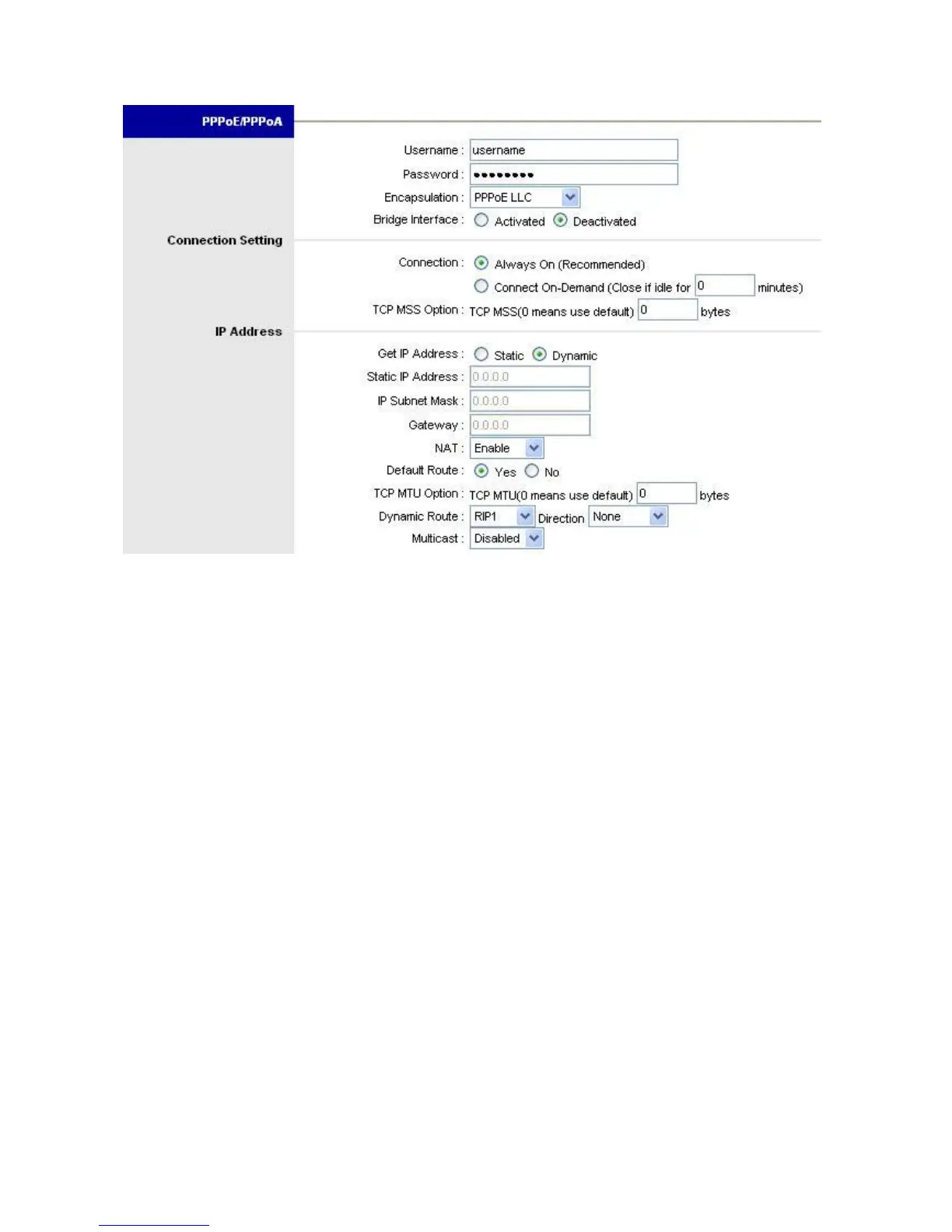
PPPoE/PPPoA
User Name: Enter the user name exactly as your ISP assigned.
Password: Enter the password associated with the user name above.
Encapsulation: select Bridge in the Mode field, select either PPPoE LLC, PPPoE
VC-Mux, PPPoA LLC and PPPoA VC-Mux, check your ISP for proper connection type.
Bridge Interface: Activated acts as modem, or Deactivated as modem router.
Connection: The schedule rule(s) have priority over your Connection settings.
Always on: Select Always on Connection when you want your connection up all
the time.
Connect on Demand: Select Connect on Demand when you don't want the
connection up all the time and specify an idle time-out in the Max Idle Timeout
field
TCP MSS Option: Maximum Segment Size. It specifies the MSS value on the
intermediate router of the SYN packets to avoid truncation.
IP Address
Get IP Address: Choose Static or Dynamic, if Static selected, you have to enter IP,
Subnet Mask and Gateway addresses below.















 To Next Page