Hardware Manual
11
Installation
Step 1: Unpack the Camera
NOTE: To avoid scratches or leaving fingerprints on the dome cover, it is recommended to retain
the plastic covering the dome cover until the camera is completely installed. However, the plastic
has been removed on the pictures in this documentation to show clarity of the procedures being
described.
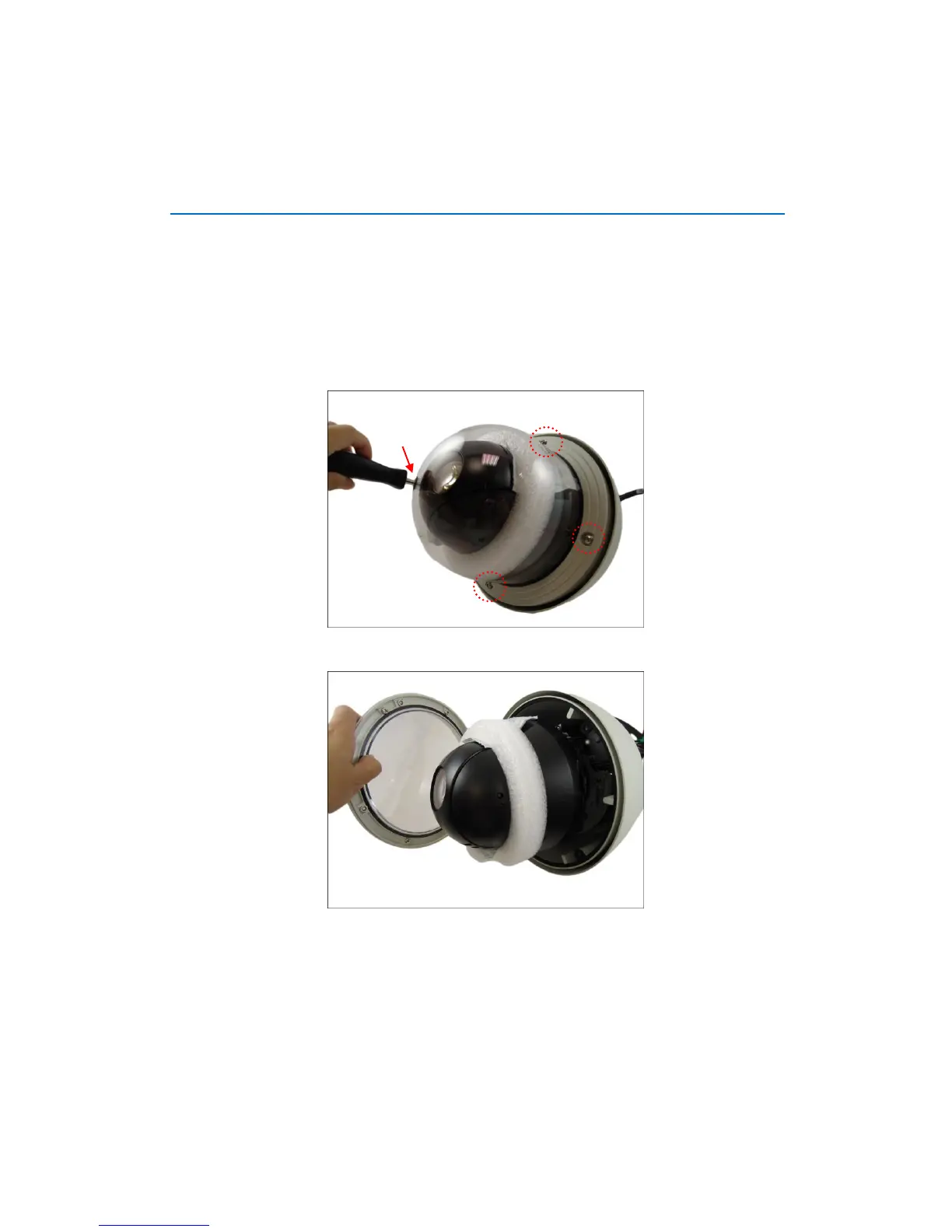
1. Loosen the four (4) screws using the hex screwdriver included in the camera package.
2. Carefully lift the camera cover and place it aside.
NOTE: The cover is attached to the camera by a metallic wire strap; do not abruptly lift the
cover.















 To Next Page