Hardware Manual
9
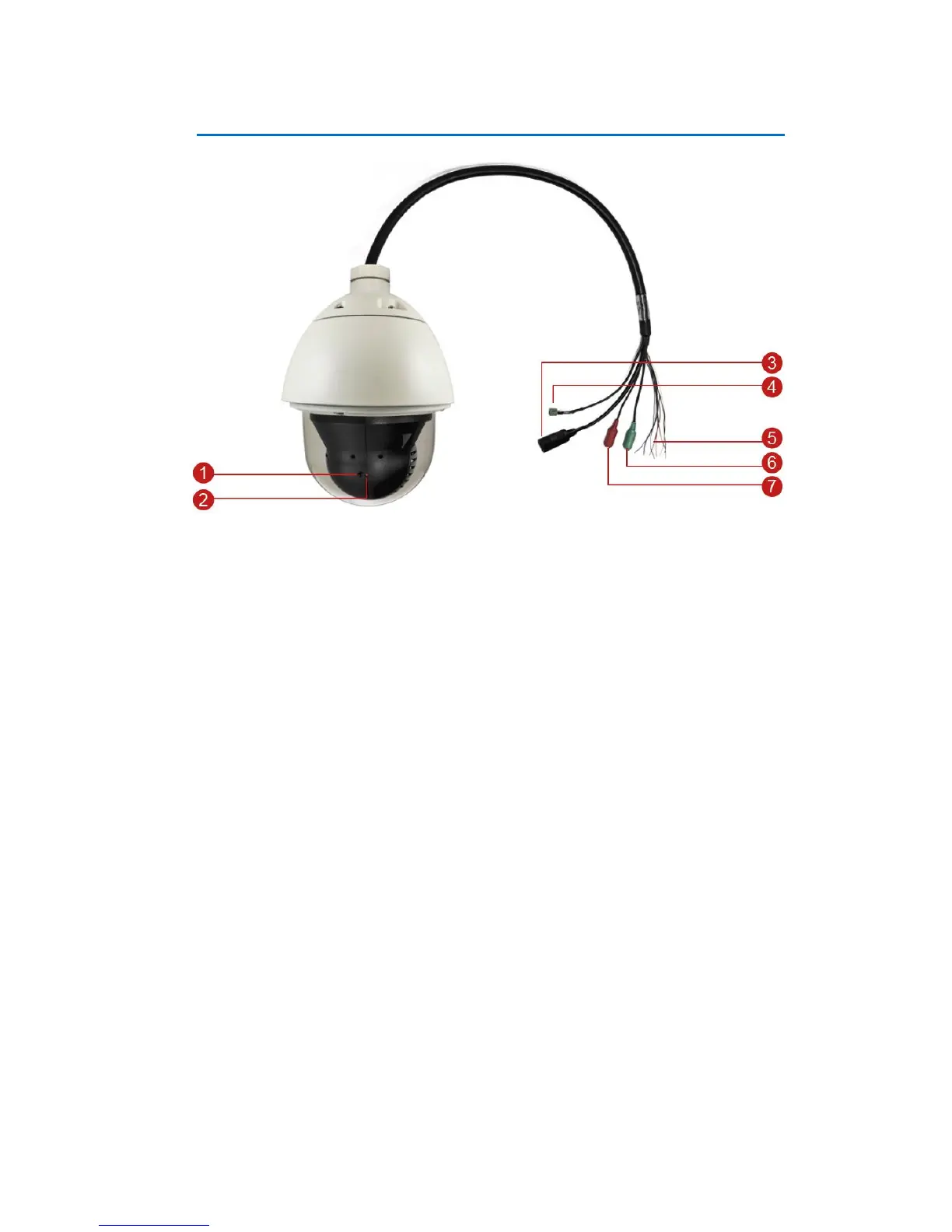
Physical Description
1) Reset Button
The reset button is used to restore the factory default settings of the camera, including the
administrator’s password.
To reset the camera, do the following:
a. Loosen the four (4) screws using the bundled hex screwdriver to remove the cover.
b. Press and hold the reset button for at least 5 seconds or until the Power LED goes off.
2) Power LED
The Power LED lights red when the camera is powered up.
3) Ethernet Port
The Ethernet port connects to a network using a standard Ethernet cable.
4) AC 24V Power Input
This jack connects to the power adapter and power cord to supply power to the camera.















 To Next Page