Hardware Manual
38
How to Replace the Dome Cover
The original dome cover that comes with the camera is Vandal Resistant (IK09). The dome cover
can be replaced with a transparent or smoke Vandal Proof (IK10) dome cover available for
purchase.
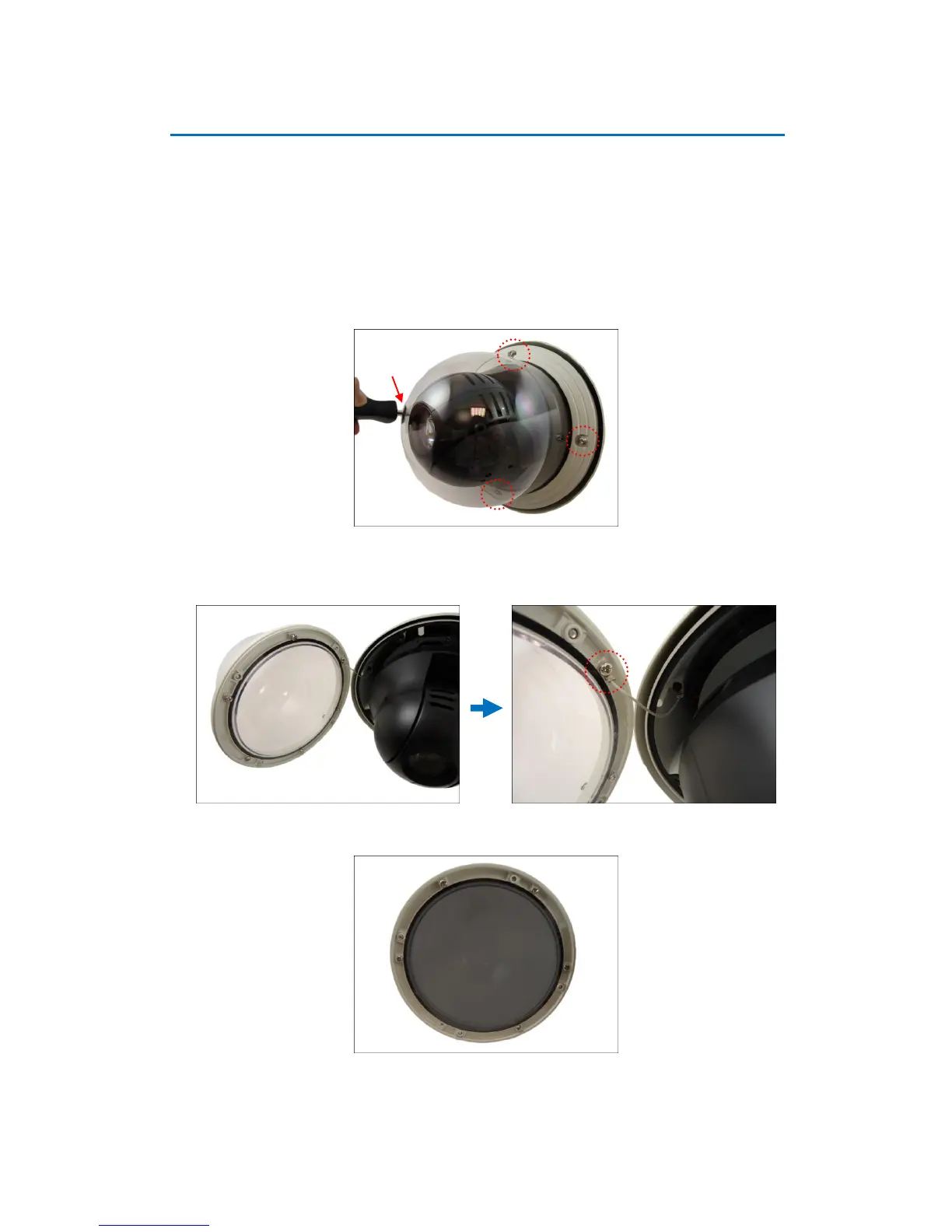
To replace the dome cover, do the following:
1. Loosen the four (4) screws using the hex screwdriver included in the camera package.
2. Carefully lift the cover. Using a screwdriver, remove the screw to detach the cover from the
camera.
3. Prepare the replacement dome cover. Below is an example of the smoke vandal proof cover.















 To Next Page