EasyManua.ls Logo

LevelOne FCS-4000 - User Manual

LevelOne FCS-4000
94 pages
Print Icon
To Next Page IconTo Next Page
Loading...
LevelOne
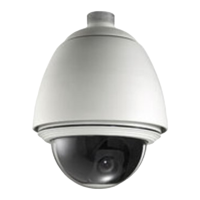
FCS-4000 / FCS-4100 / FCS-4200
FCS-4300 / FCS-4400 / FCS-4500
Day/Night P/T/Z IP Speed Dome Camera
User Manual
Ver:2.3.0-0812
Copyright (c) 2008 Digital Data Communications Co., Ltd. All Rights Reserved.

Questions and Answers

  • N
    Nicholas BriggsAug 11, 2025
    What to do if LevelOne Security Camera has no power, image, and the indicator isn’t flashing?
    • M
      Melissa BridgesAug 11, 2025
      If your LevelOne Security Camera shows no action when powered on, displays no image, and the indicator light isn't flashing, here's what you can check: * Ensure the power cable is correctly connected. If it's wrong, reverse it. * If the power adapter is broken, replace it. * If the fuse is broken, replace it. * Make sure the power cable is securely connected; if not, reconnect it. * If the firmware has hung up, initiate a factory reset by pressing and holding the reset button for over 5 seconds, then release it.
  • D
    donnafernandezAug 19, 2025
    Why can't I control my LevelOne Security Camera even though there is an image?
    • A
      Alexis RodriguezAug 19, 2025
      If your LevelOne Security Camera displays an image but you can't control it, and the indicator light isn't flashing, consider the following: * Verify the camera ID address; if incorrect, recheck the SIP switch. * Confirm the protocol is correct; if incorrect, recheck the DIP switch. * If the firmware has hung up, restart the IP Speed dome by pressing and releasing the reset button.
  • V
    valerie21Aug 26, 2025
    How to fix unstable images on LevelOne Security Camera?
    • H
      Hannah CardenasAug 26, 2025
      If you're experiencing unstable images with your LevelOne Security Camera, try these solutions: * Check the video cable connection. If it seems loose, reinsert it. * Ensure the power supply is sufficient. If the power (W) is not enough, change the power adapter.
  • M
    Mathew HolmesSep 3, 2025
    What to do if LevelOne Security Camera images are vague?
    • D
      David TapiaSep 3, 2025
      If you're getting vague images from your LevelOne Security Camera: * Check if the focus is set to manual operation and change it to auto mode. * Inspect the smoked cover for dirt and clean it if necessary.

LevelOne FCS-4000 Specifications

General IconGeneral
BrandLevelOne
ModelFCS-4000
CategorySecurity Camera
LanguageEnglish

Related product manuals