How to Access to the Network Camera
This chapter introduces how to monitor the image from the camera using Microsoft web
browser. The LevelOne video server and Network camera can be used with Microsoft web
browsers and IP CamLocator in Windows operation systems. This section focuses on
introducing camera web server. The recommended browser for Windows is Internet Explorer
6.0 or above.
The functions of the camera should be set by the Administrator.
Initial accessing the network camera
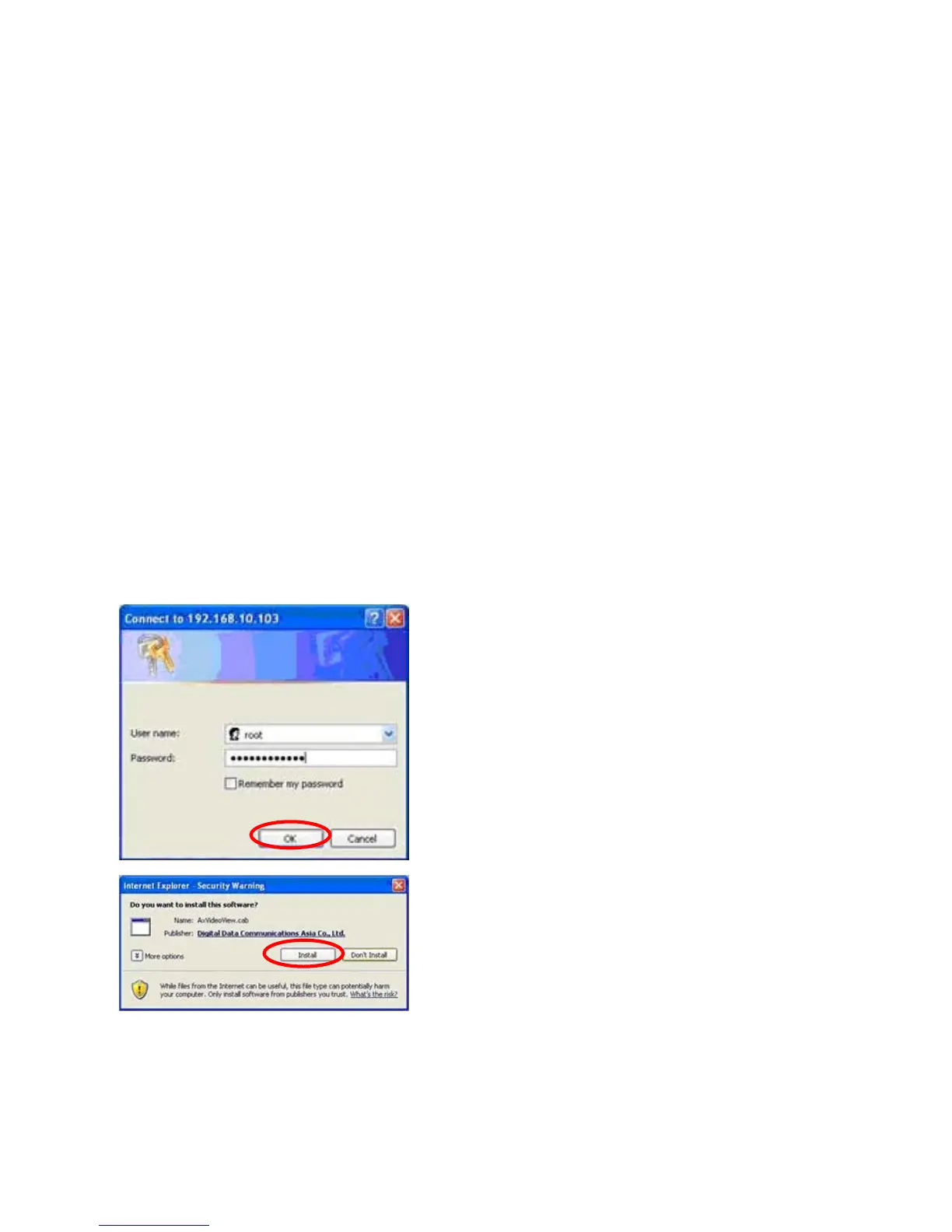
Start your web browser, and enter the IP address or host name of the network camera of
LevelOne in the Location / Address field of your browser. Use the default account “root” and
default password which is the MAC address (in capital letters).After successful login, there would
a screen appear for ActiveX. Click “Install” and proceed. Then the monitor image will be displayed
in your browser.















 To Next Page