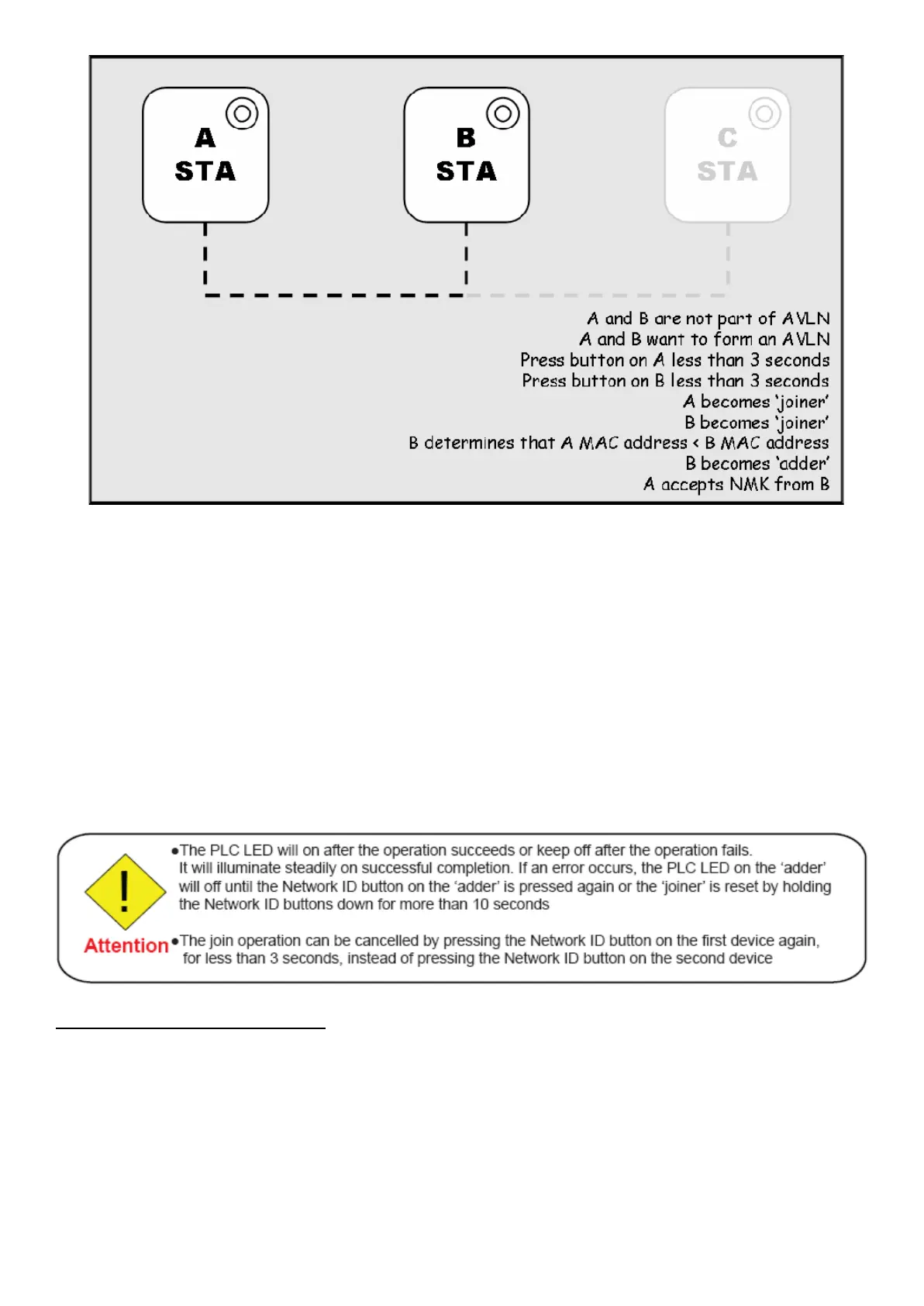
1. Press NET.ID (Network ID) button on A more than 10 seconds till PCL LED (ON for 1 seconds,
then OFF for 2 seconds,
then ON for 14 seconds) and then OFF to generate the random network password key first.
2. Press NET.ID (Network ID) button on B more than 10 seconds till all LEDs re-flash to generate the
random network
password key first.
3. Press NET.ID (Network ID) button on A for less than 3 seconds.
4. Press the button on B for less than 3 seconds. The button on B must be pressed within 1 minute, by
default however the
interval is programmable.
5. Wait for connection to complete and the PLC LED will be ON.
Scenario 2: Joining a Network
In this scenario a network exists. The user wants a new device, the ‘joiner’, to join the network. Any
device on the existing network can become the ‘adder’.
A and B are Atheros/Intellon solution Powerline Ethernet Adaptor
C is 11n Powerline Ethernet Adaptor














 To Next Page