10
Connecting the HomePlug Adapter
It is easy to connect PLI-3411 simply by performing the following instructions:
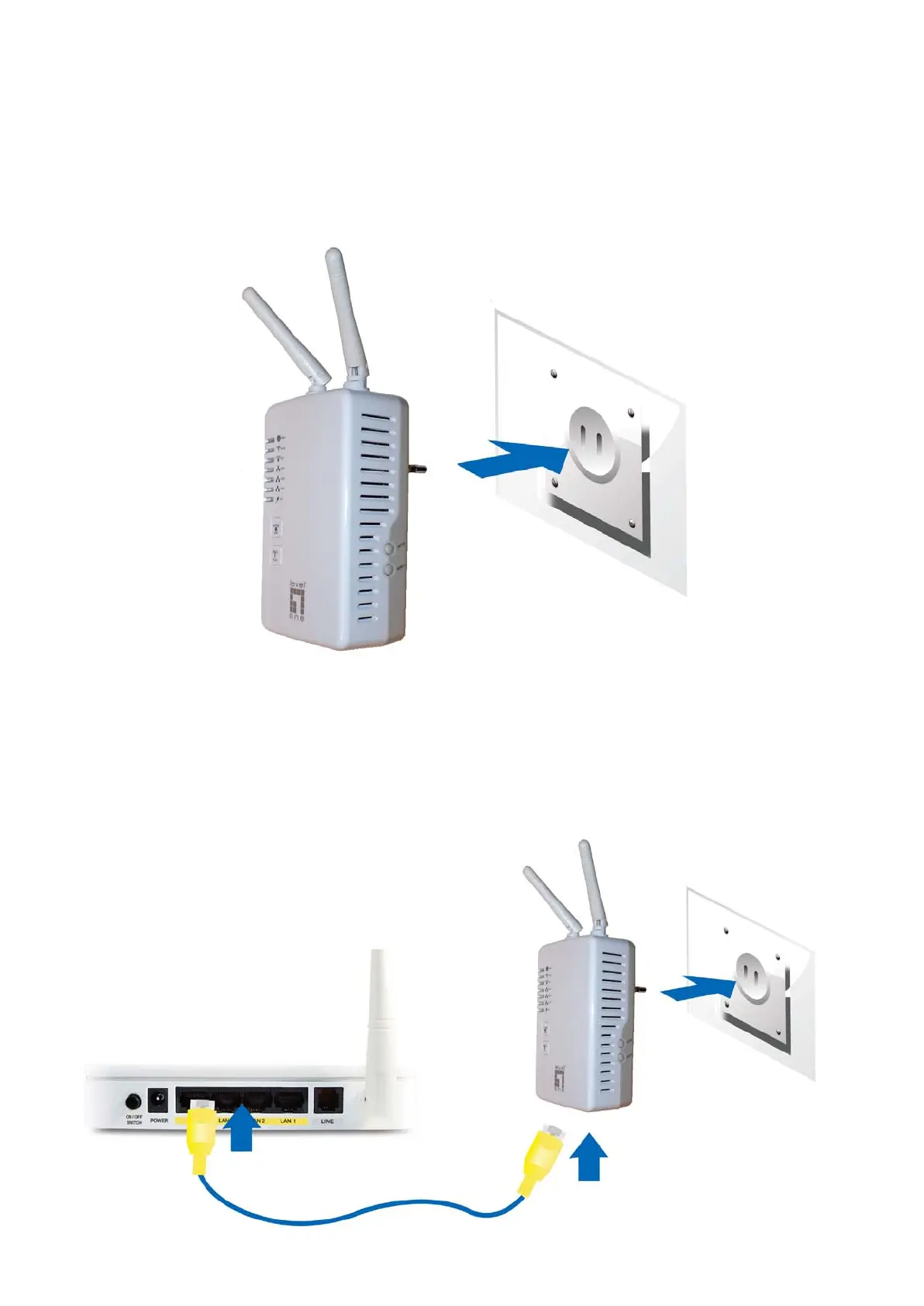
Power Connection
Plug PLI-3411 into the wall outlet/socket.
LAN & Wireless Connection
Connect the supplied RJ-45 Ethernet cable to the Ethernet port on PLI-3411 and the other side to
the device’s Ethernet interface.
You can enable wireless function to connect to the Wi-Fi devices through WPS configuration
interface or by pushing the WPS button of your PLI-3411.














 To Next Page