9
Buttons
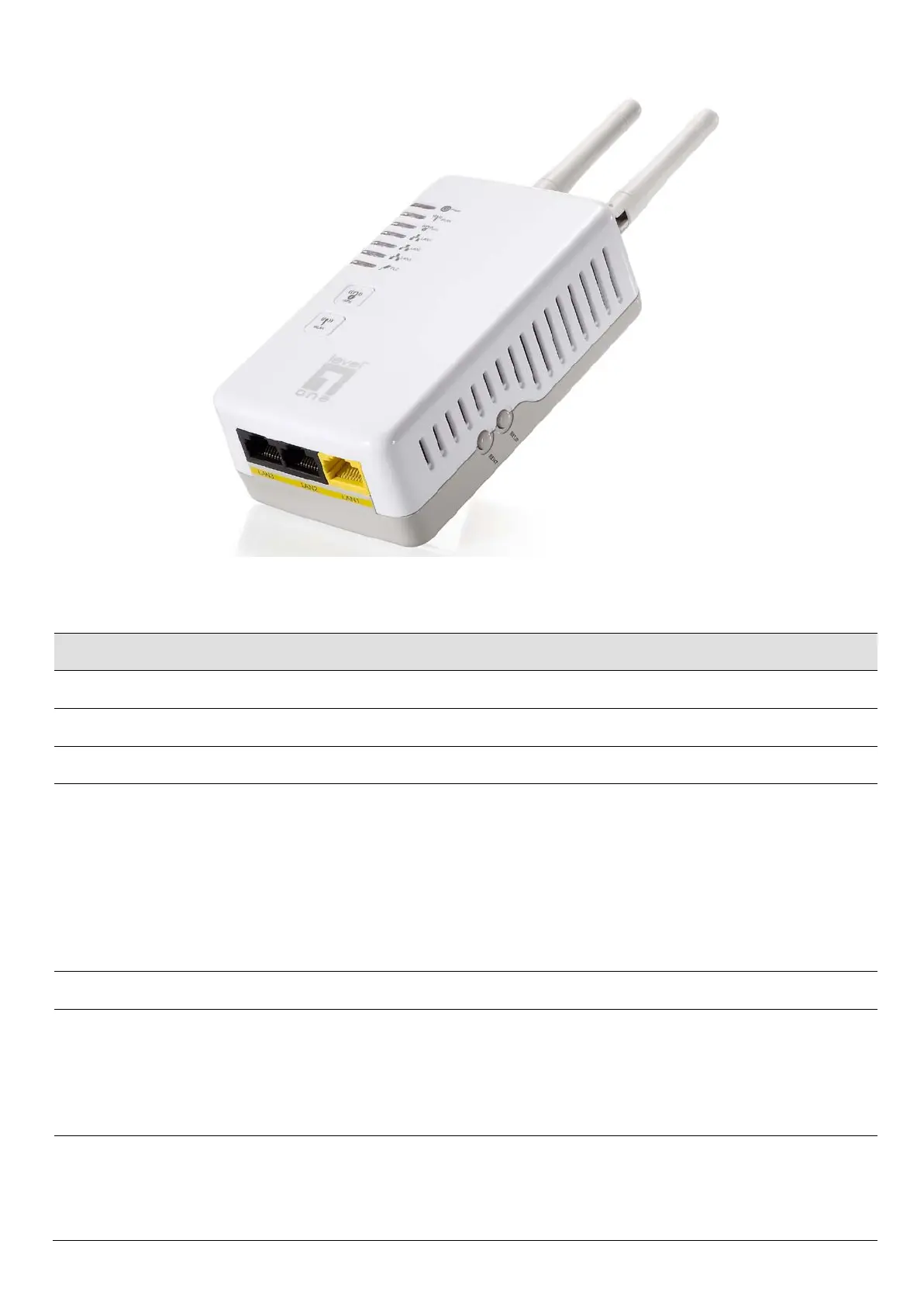
There are WPS / WLAN / NET.ID / RESET buttons for different applications.
Label Function
ANTENNA ANTENNA
POWER Connect the Powerline Ethernet Adapter to your wall-mounted power outlet.
WLAN Press this button for at least two full second to turn off/on wireless signals
WPS
Press this button for at least three full seconds and the WPS LED will flash to
start WPS.
Now go to the wireless adapter or device and press its WPS button. Make sure
to press the button within 120 seconds (2 minutes) after pressing the router's
WPS button.
If you are using a Wireless adapter connected to a computer, a "WPS
Authentication" screen will appear. Wait until the screen says "Authentication
succeeded." This may take a few minutes.
LAN 1/2/3 Connects the device via Ethernet to up to 3 PCs on your LAN
NET.ID The HomePlug AV powerline communication devices can form multiple logical
networks over a common powerline or coax medium. There are many situations
when it is desirable to add new devices to, or remove old devices from, a HomePlug
AV logical network.
Push this button to accomplish using HomePlug AV Simple Connect Technology.
RESET Press this button for less than 2 seconds to start to reset the powerline settings to its
default settings and reboot the device.
Press this button for at least 6 full seconds to start to reset the device to its default
settings.














 To Next Page